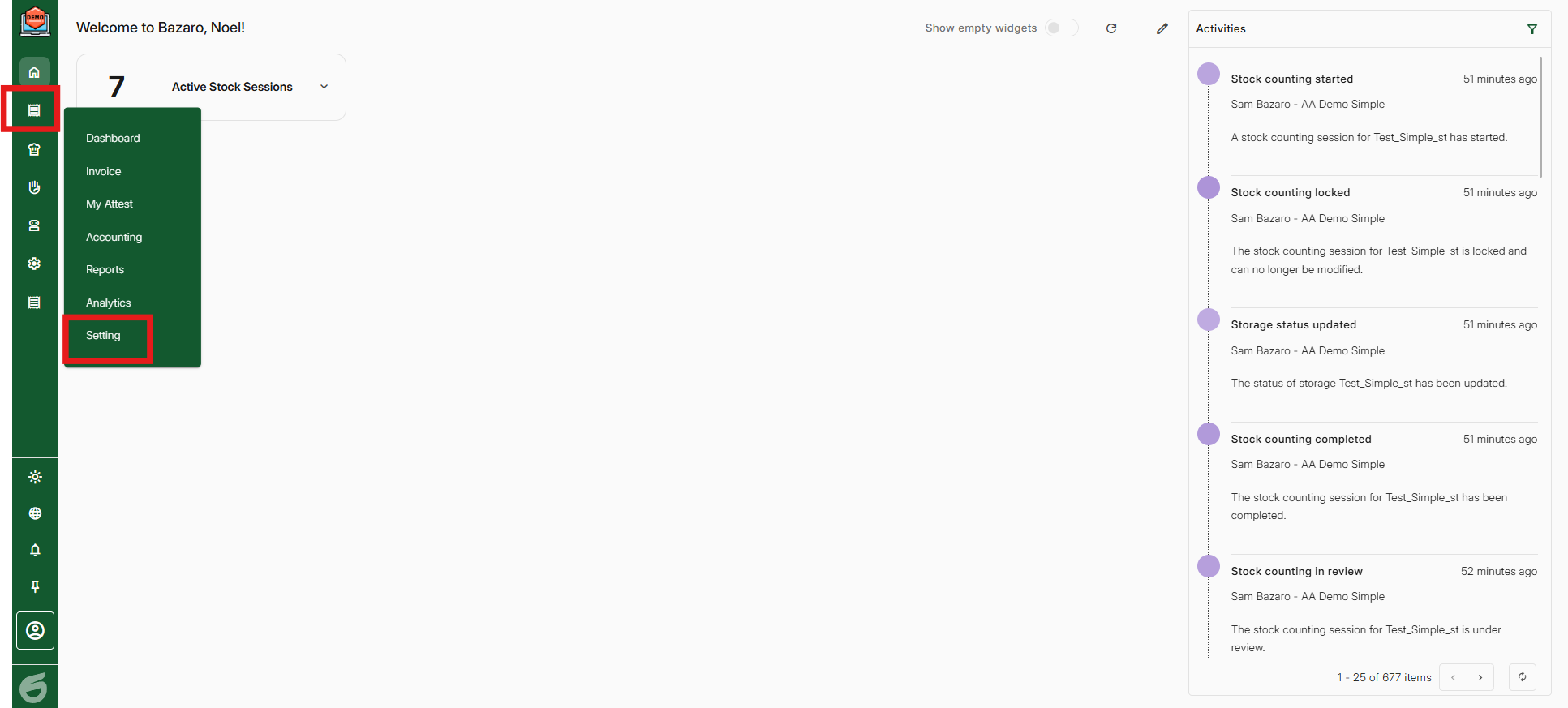
Step 1, Go to Economy -> Setting
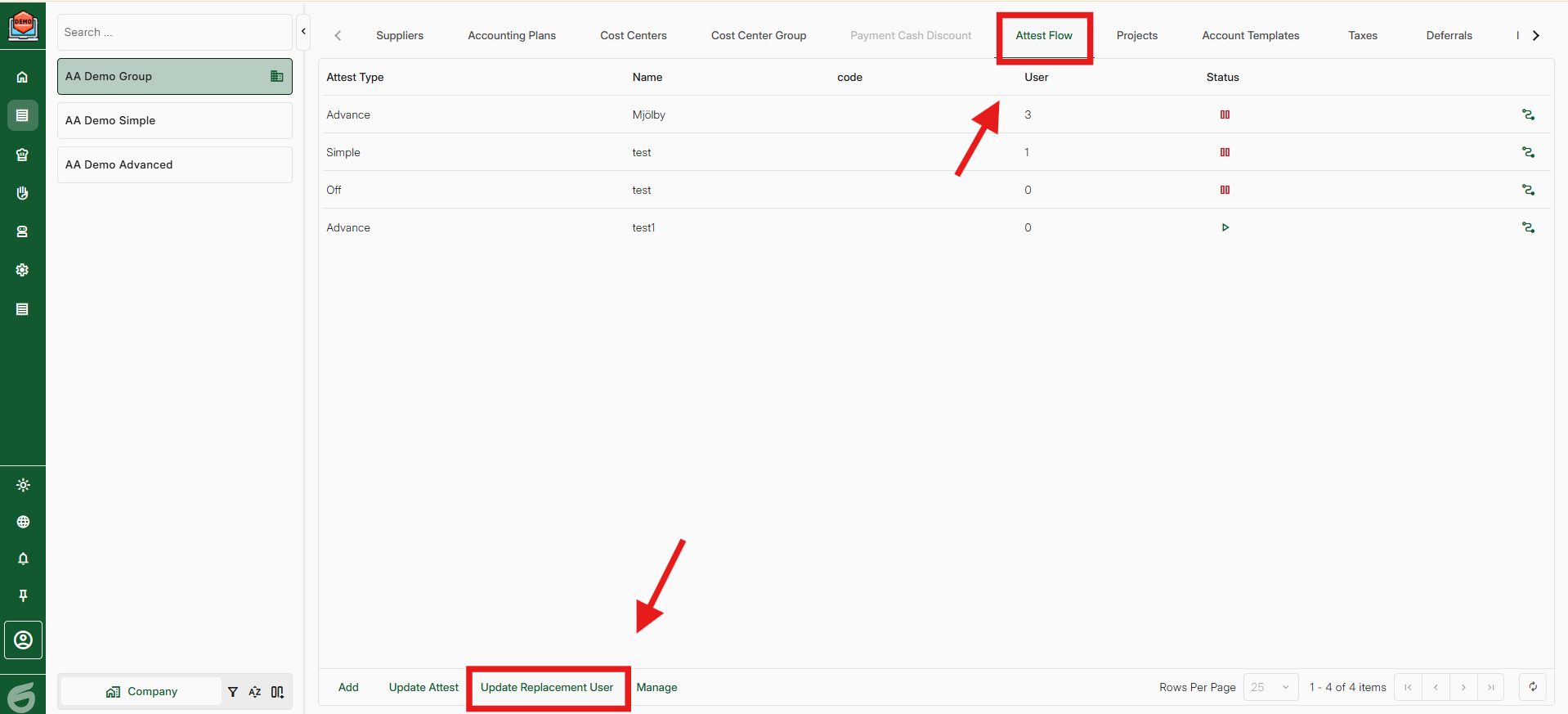
Step 2, Go to "Attest Flow" and then "Update Replacement User"
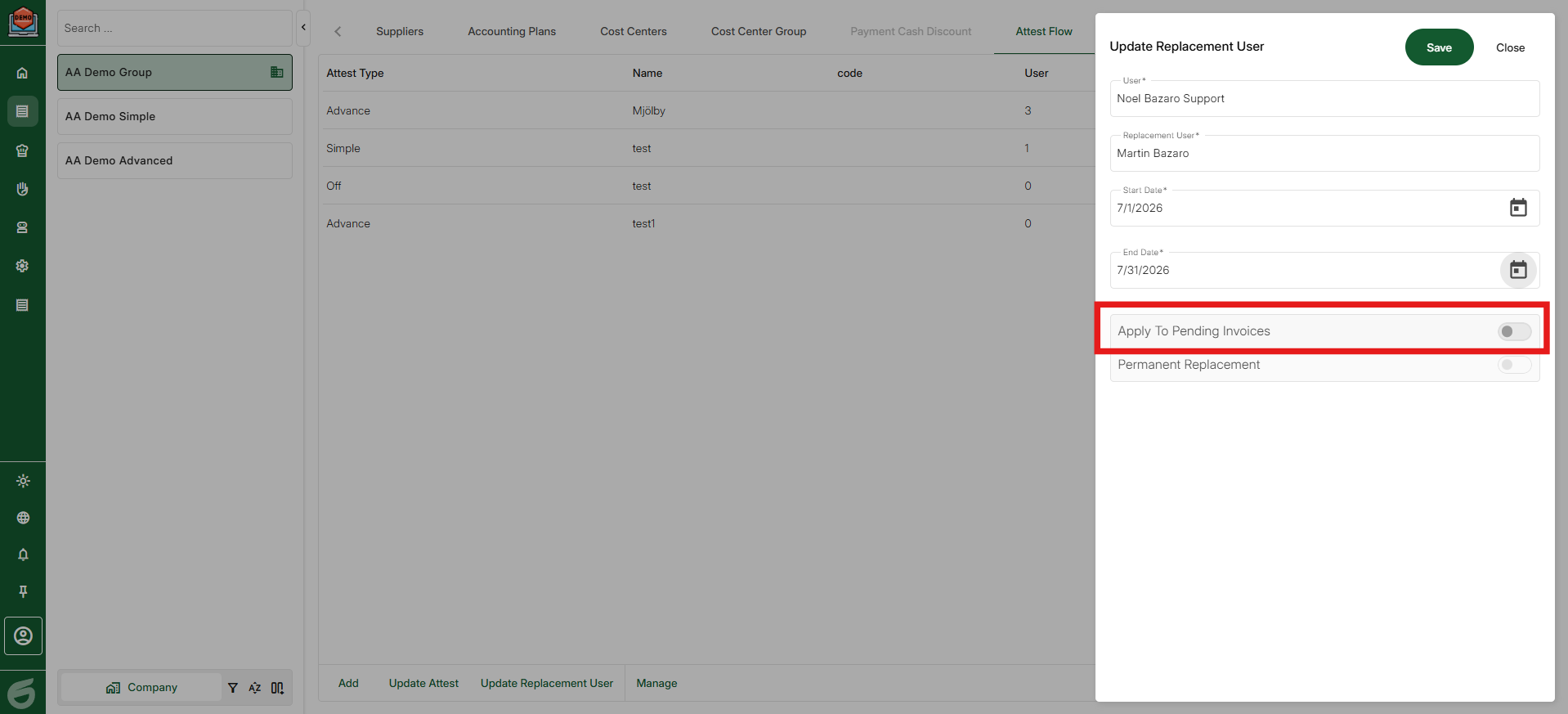
Step 3, Add the user on leave and the replacer.
Select between a set date or press "Permanent replacement" for a permanent change.
You can also apply to pending invoices if you want the change to apply to invoices that are currently pending.
Then save.
Was this article helpful?
That’s Great!
Thank you for your feedback
Sorry! We couldn't be helpful
Thank you for your feedback
Feedback sent
We appreciate your effort and will try to fix the article