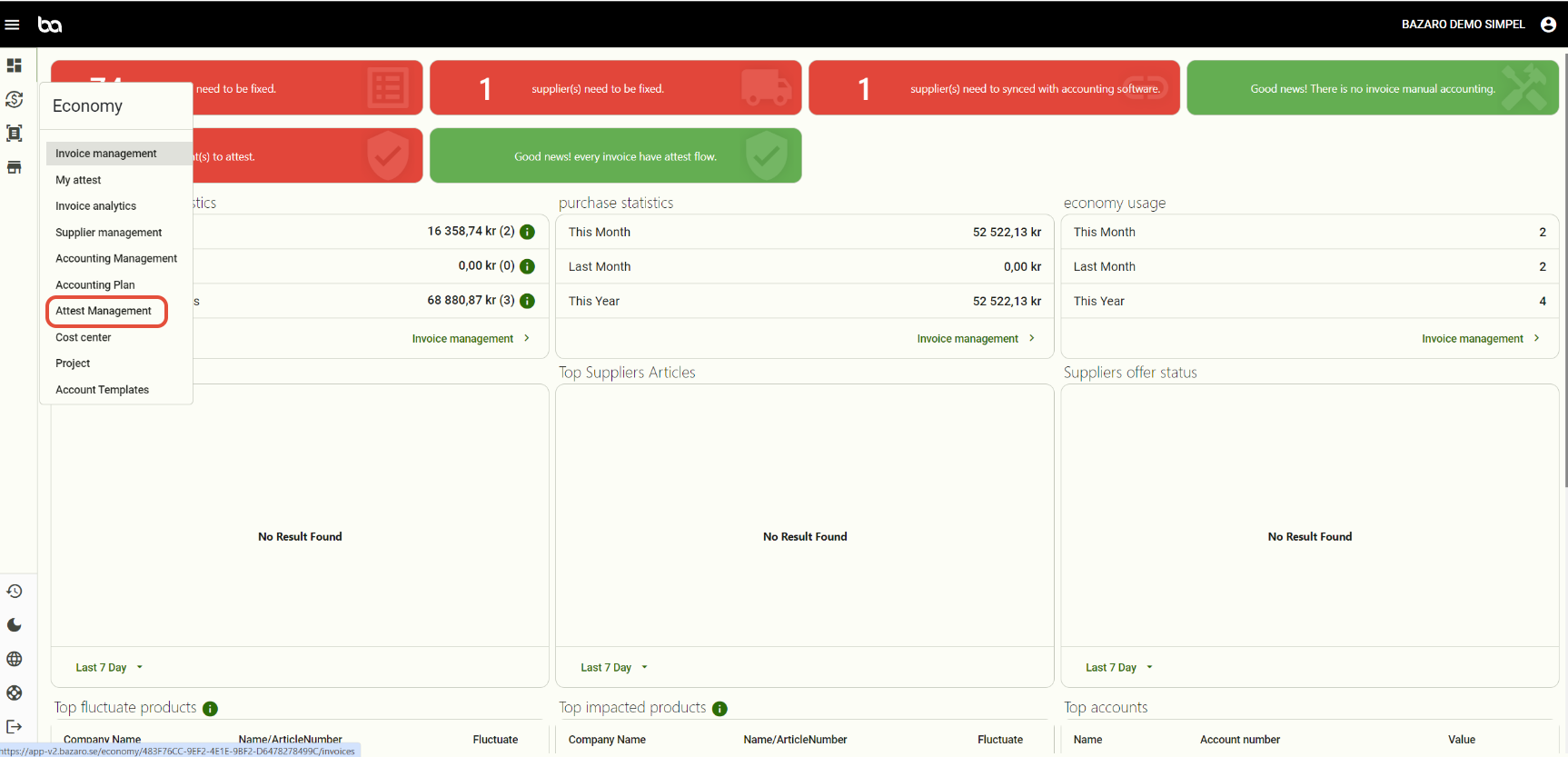
Step 1, Go to Economy -> Attest management
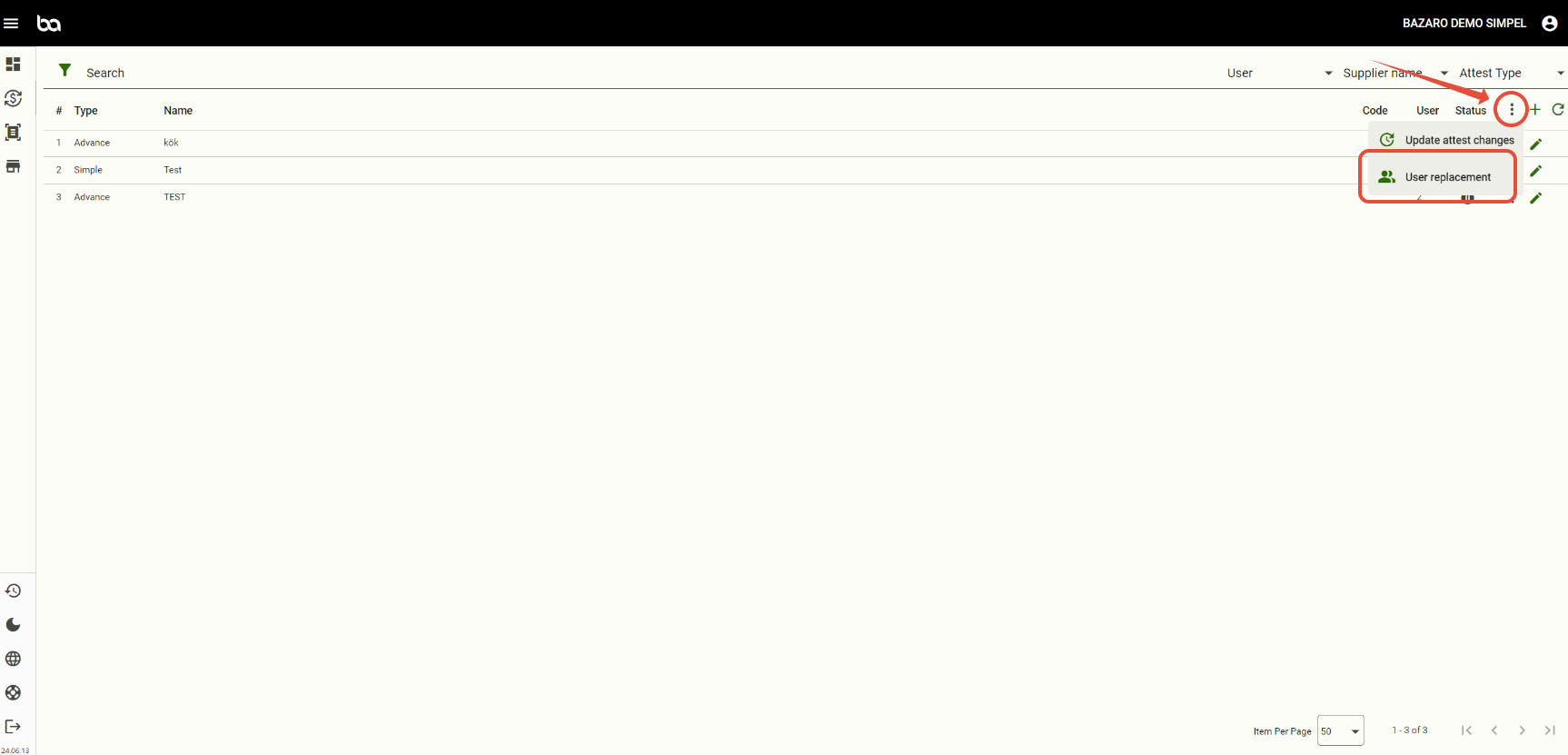
Step 2, Press the three dots and then "User replacement"
Step 3, Add the user on leave and the replacer.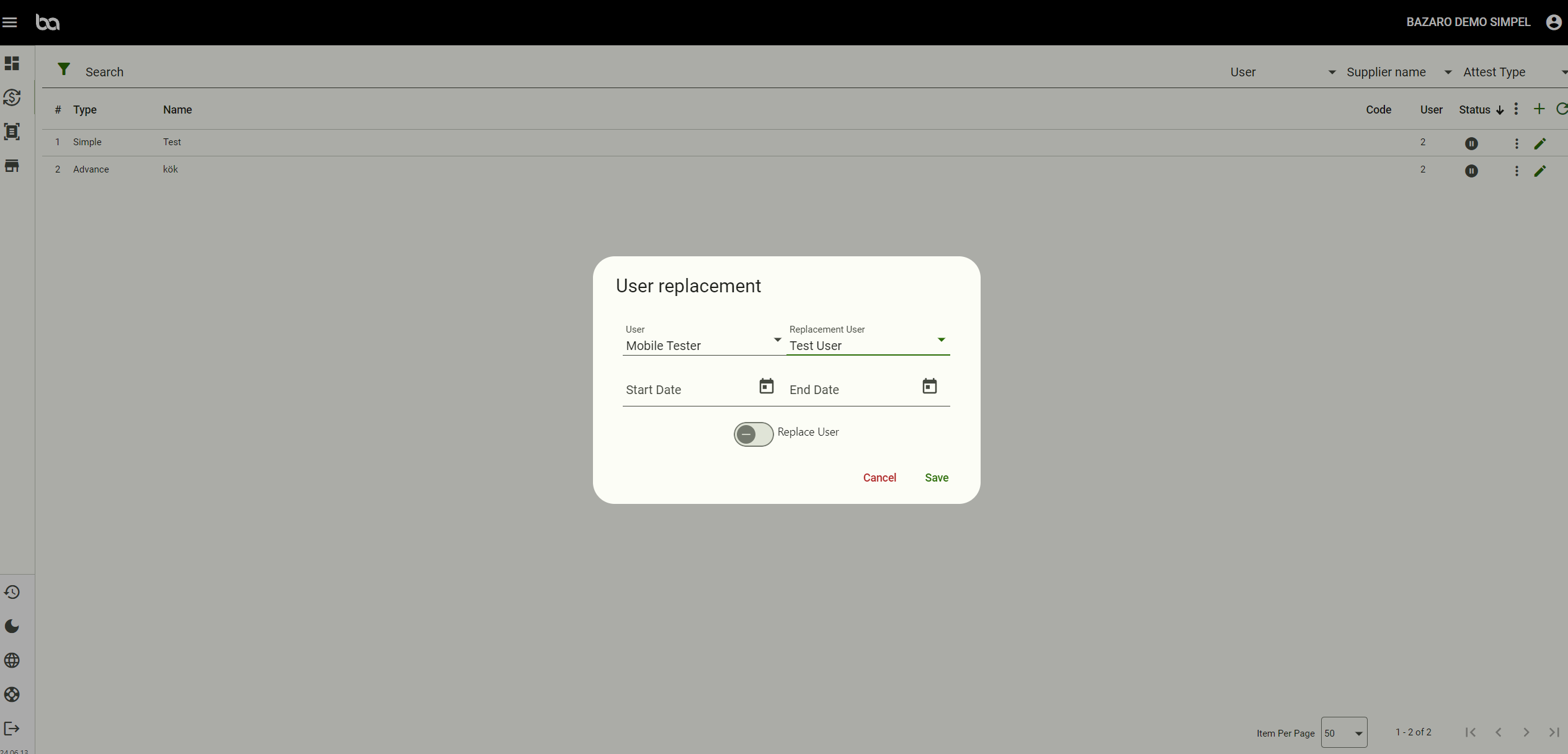
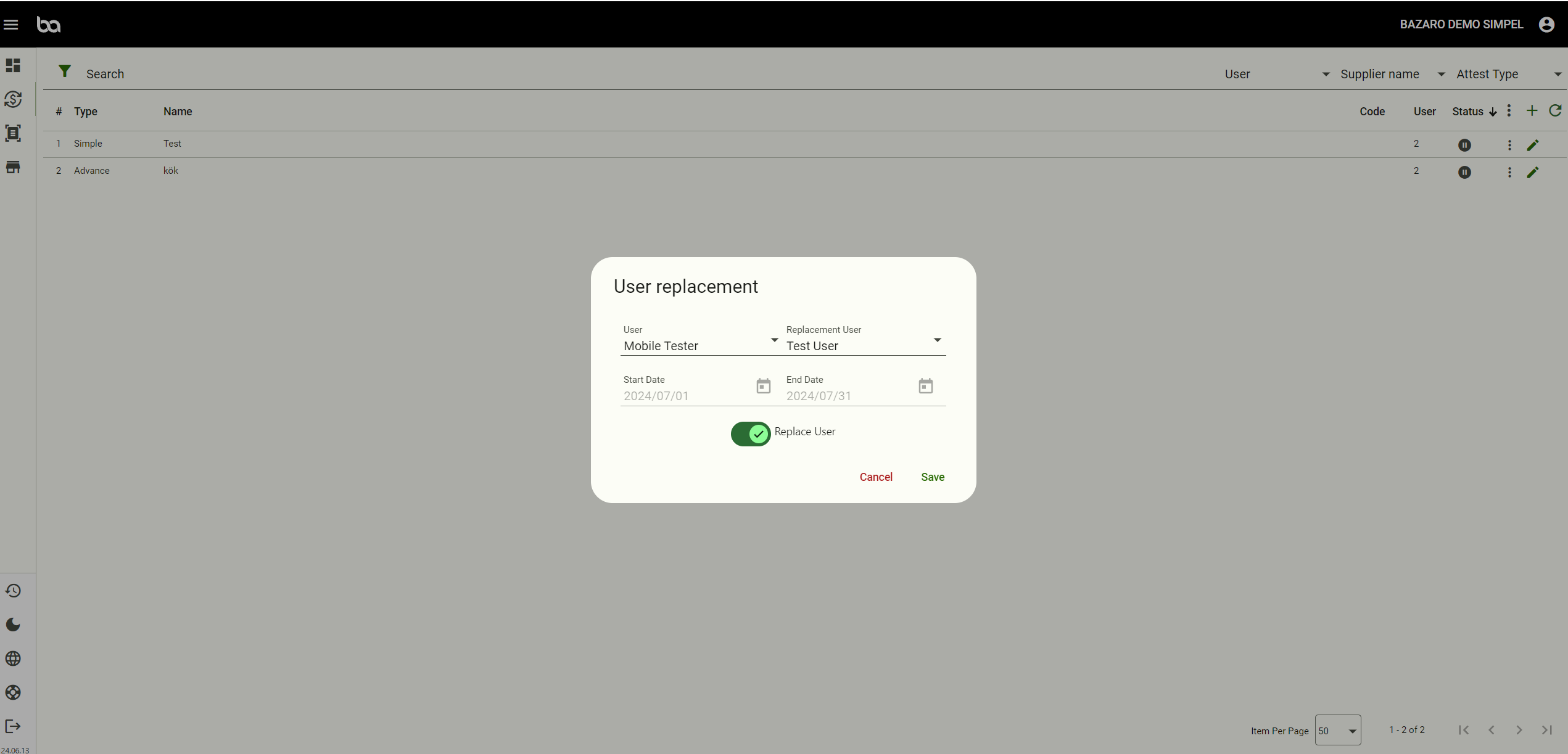
Step 4, Select between a set date or press "replace user" for a permanent change.
Then save.
Was this article helpful?
That’s Great!
Thank you for your feedback
Sorry! We couldn't be helpful
Thank you for your feedback
Feedback sent
We appreciate your effort and will try to fix the article