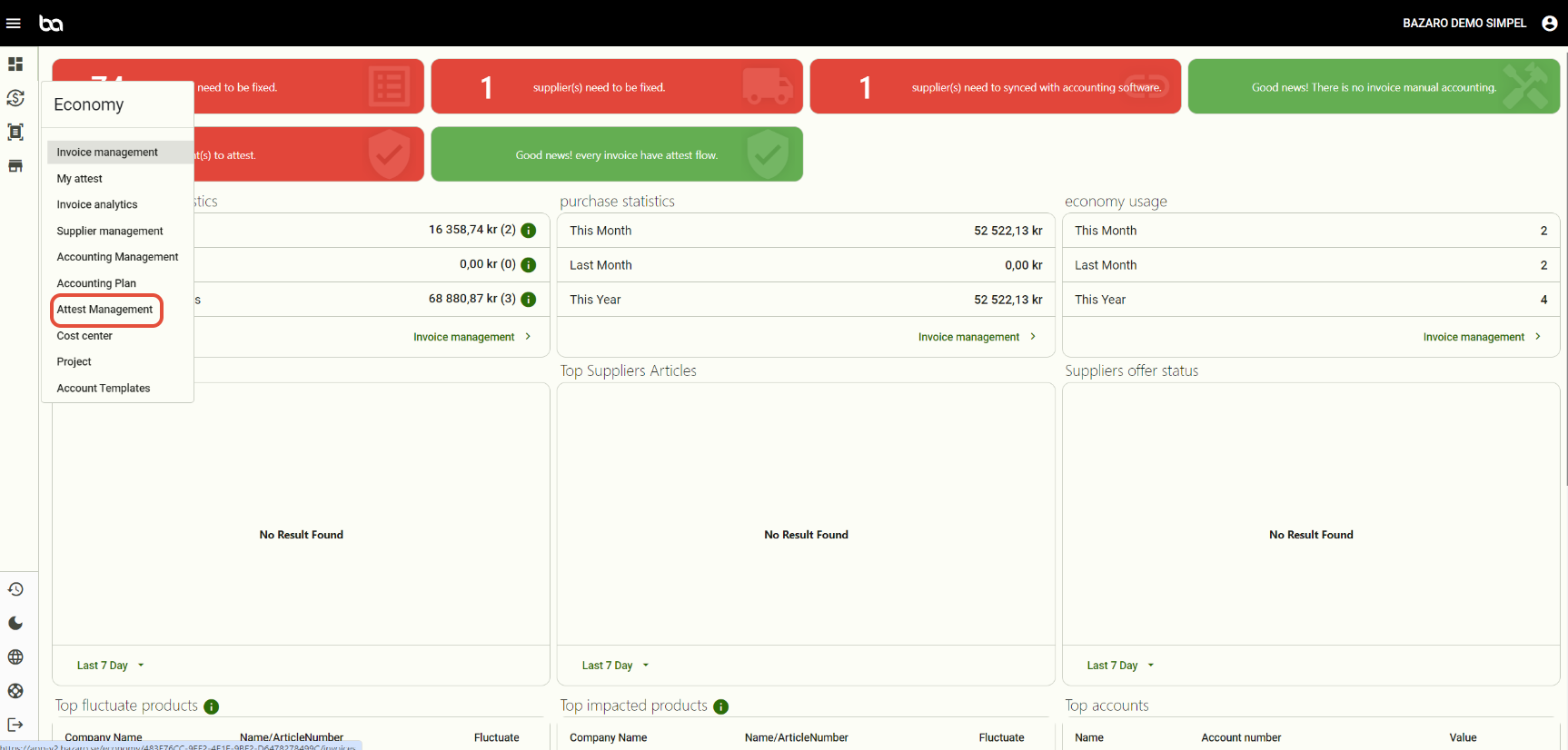
Step 1, Go to Economy -> Attest management
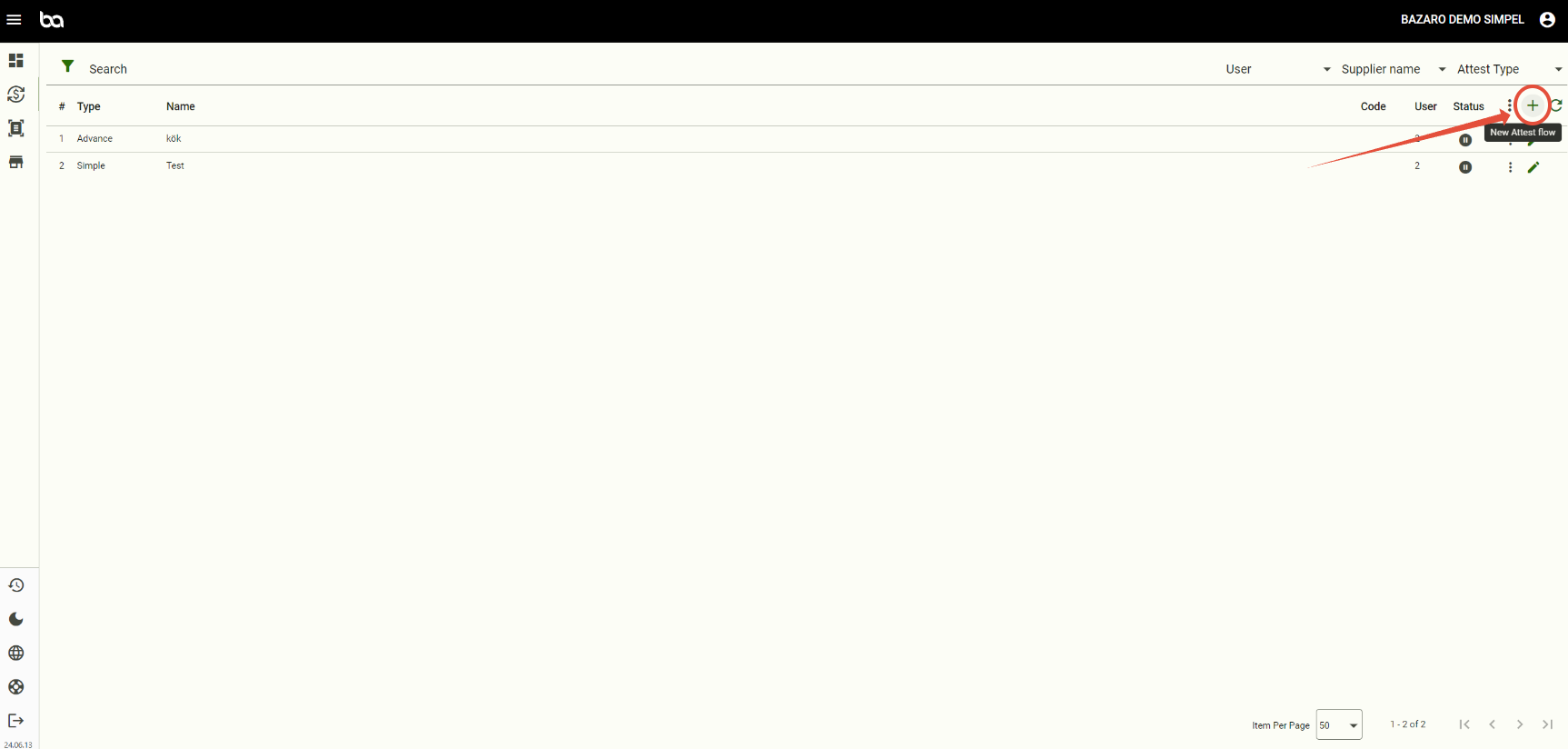
Step 2, Press "+"
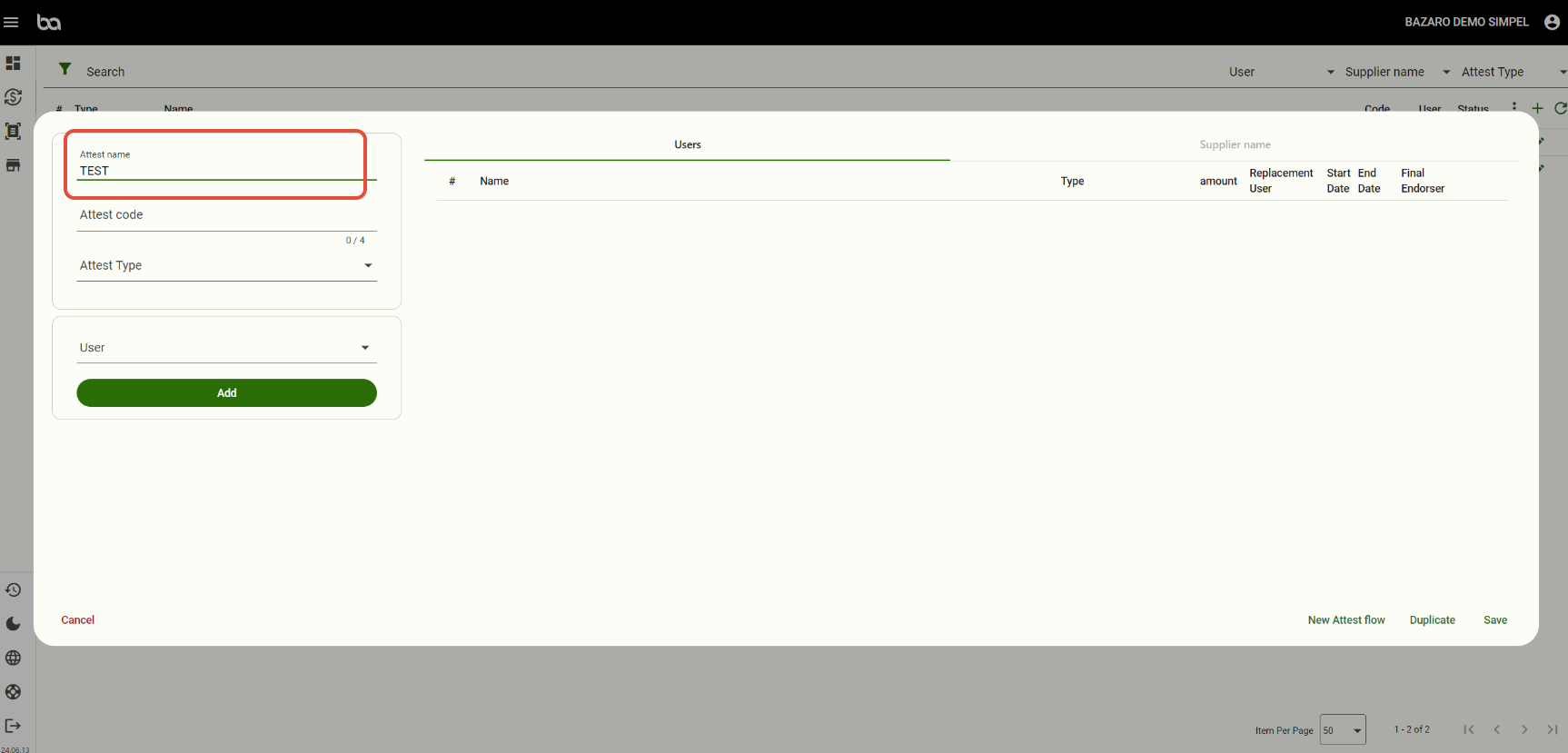
Step 3, Give your attest flow a name
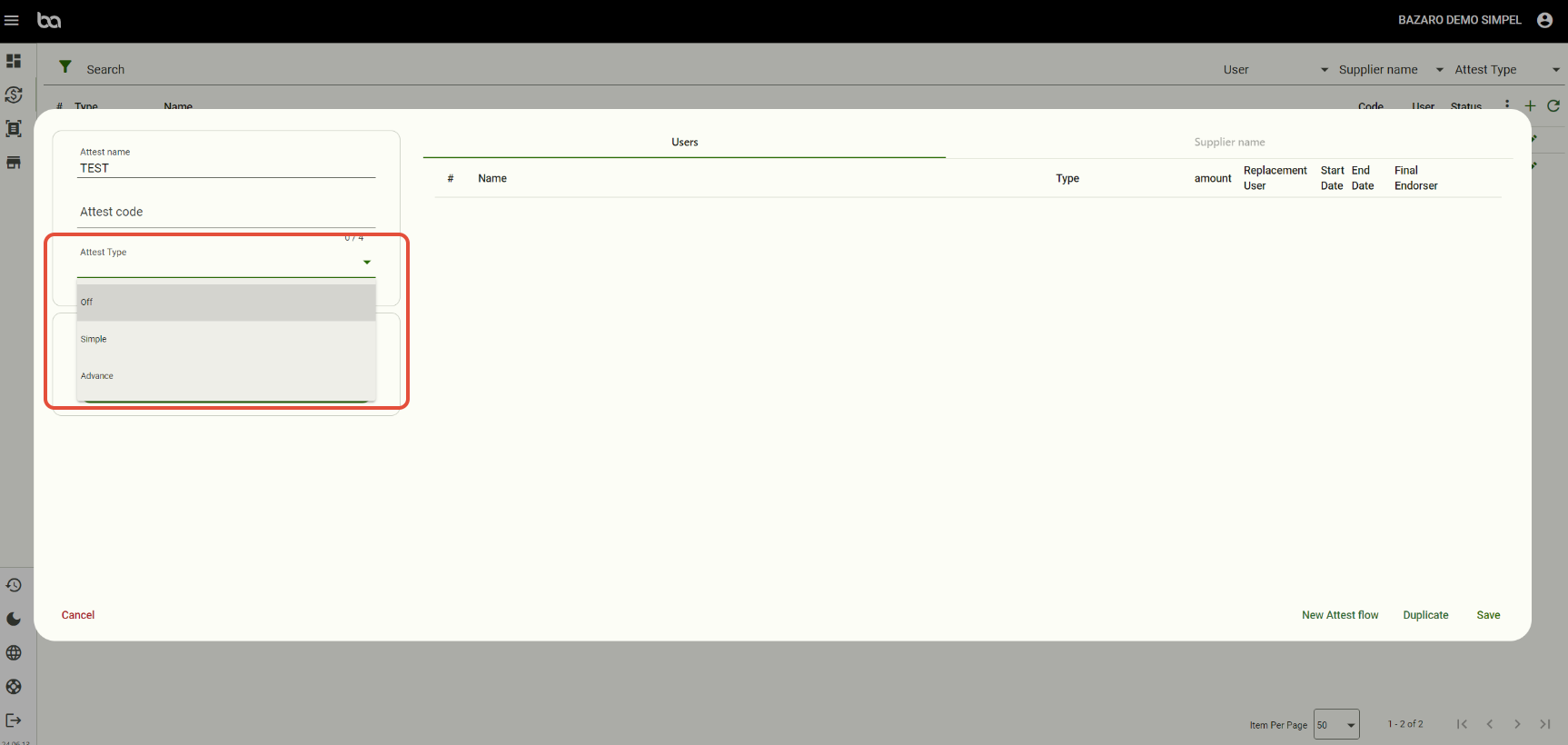
Step 4, Choose "Attest type"
Simpel - The attest flow should connect to all suppliers (Maximun 1 per company)
Avancerad - The attest flow should connect to a specific supplier.
Step 5, Connect a specific person to the attest flow and choose final endorser.
Here you can also add a amount limit. Example: Person X should only attest if the amount is over 50 000:- SEK.
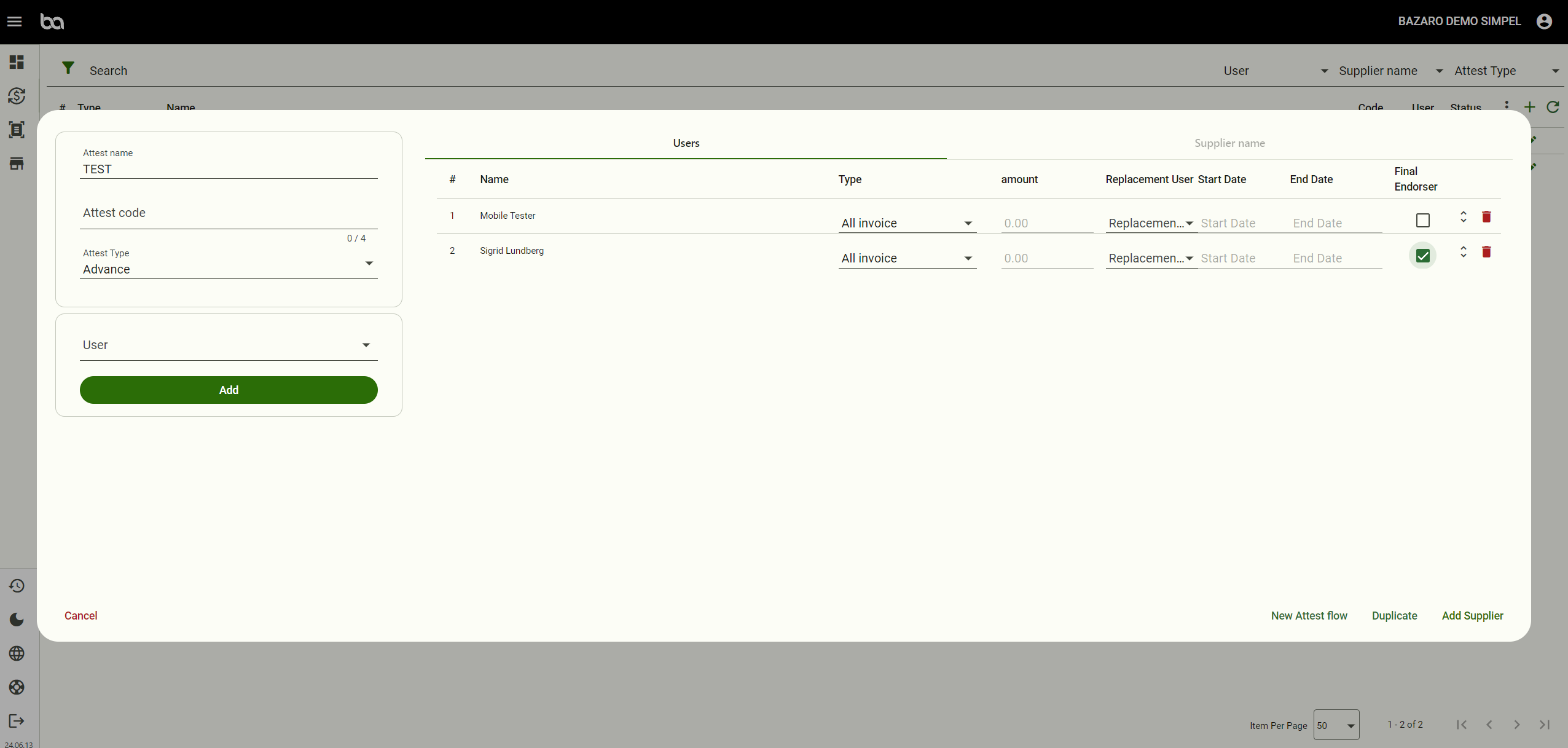
If its "simple" attest flow you can just press save and its finished.
If advanced:
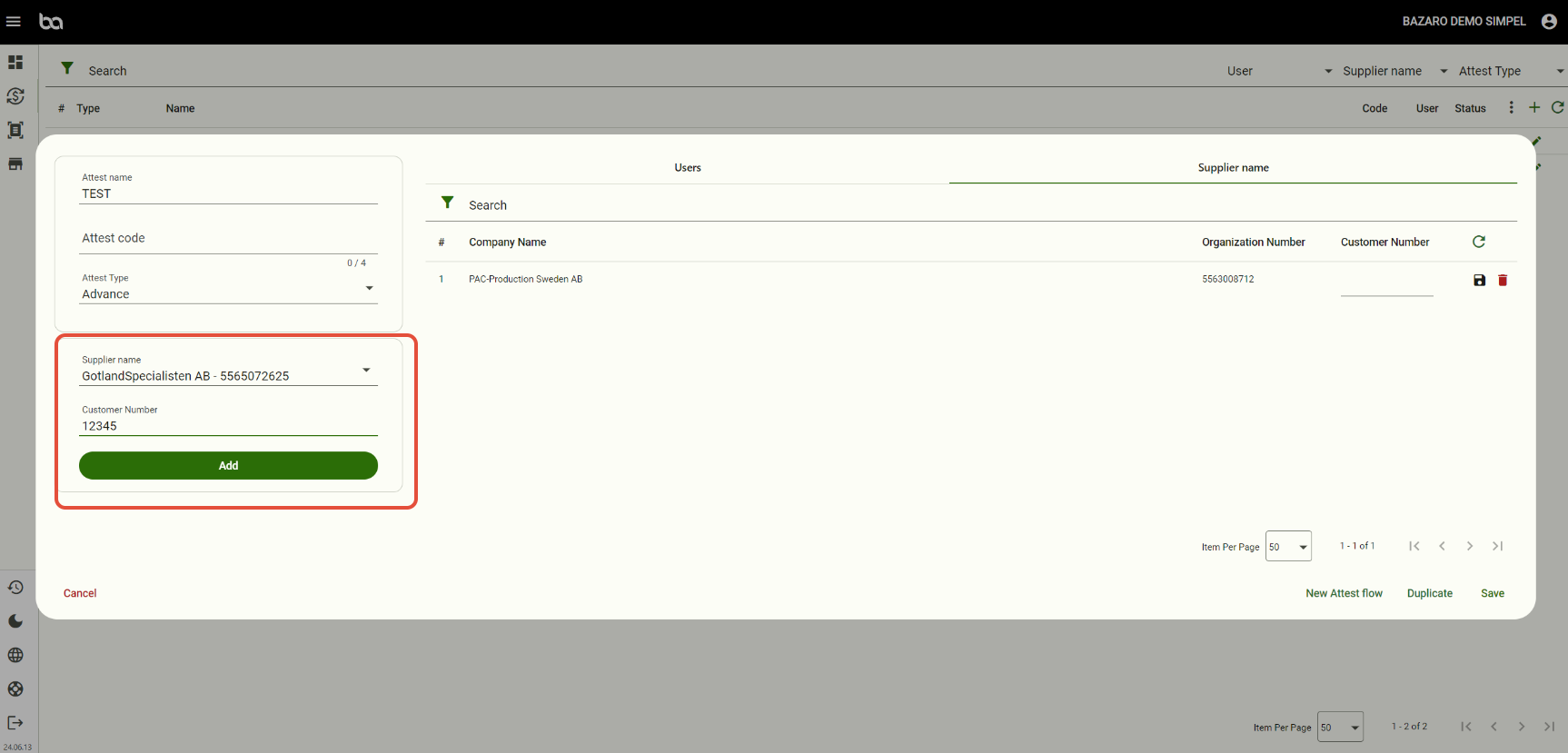
Step 6, Add suppliers and connect customer number if necessary.
Was this article helpful?
That’s Great!
Thank you for your feedback
Sorry! We couldn't be helpful
Thank you for your feedback
Feedback sent
We appreciate your effort and will try to fix the article