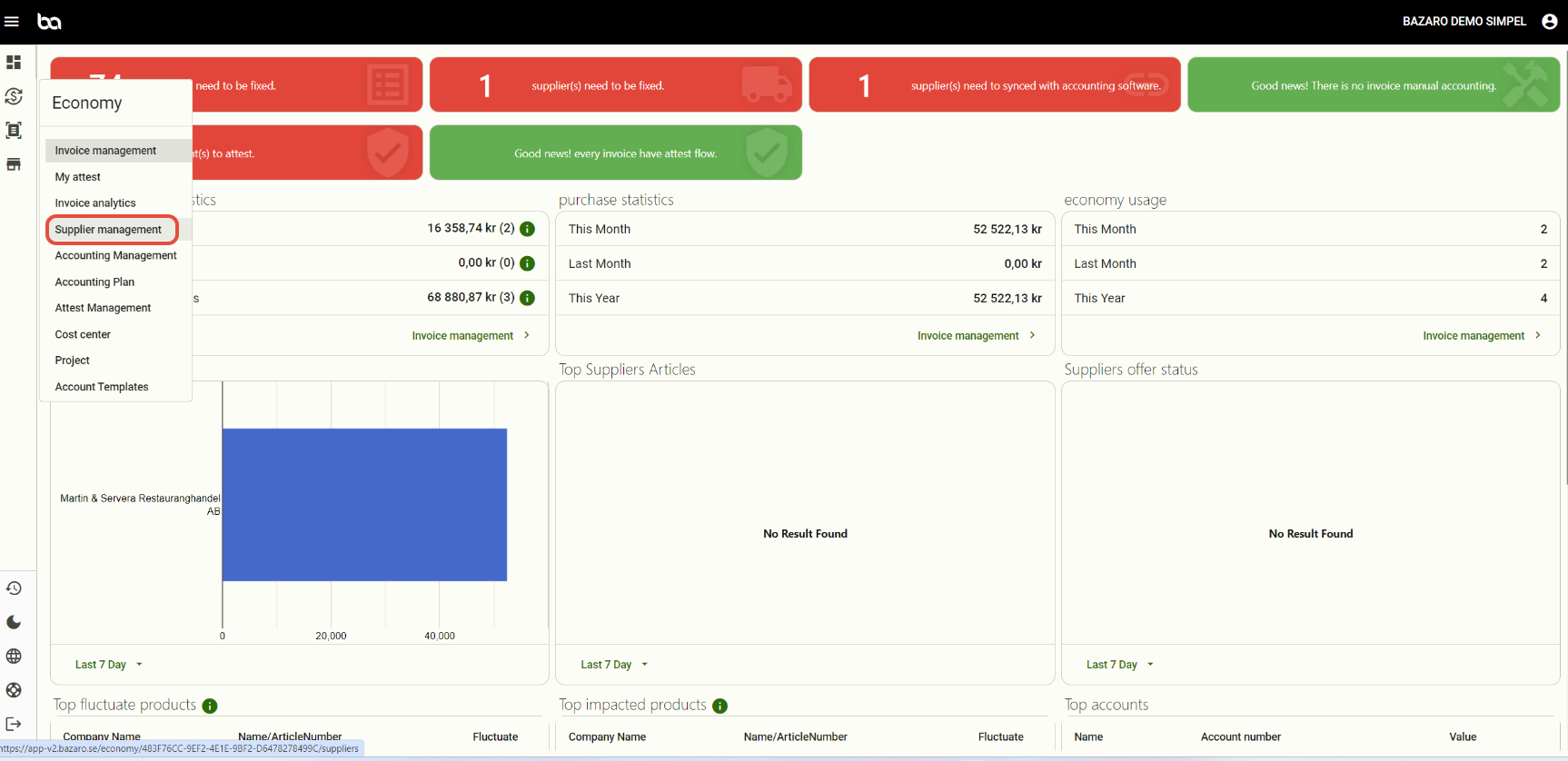
Step 1, Go to Economy -> Supplier management
Step 2, Press the arrows "Sync with accounting software"
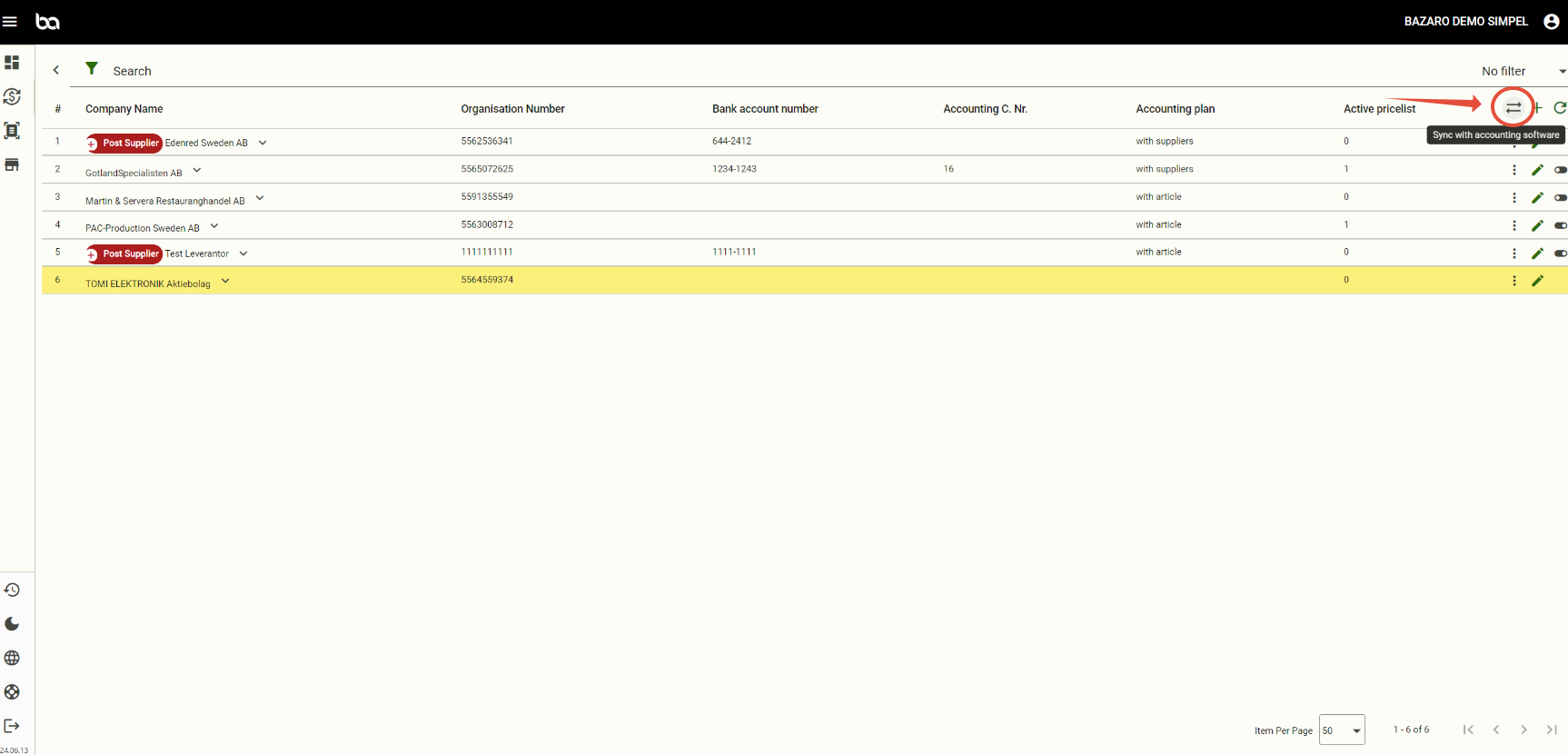
If the supplier still exists in the list it means that the supplier doesnt exist or match the information from your accounting software. Create the supplier in the red box.
Was this article helpful?
That’s Great!
Thank you for your feedback
Sorry! We couldn't be helpful
Thank you for your feedback
Feedback sent
We appreciate your effort and will try to fix the article