When it comes to the accounting management there is three different rules/methods:
1, Article method - Perfect for suppliers that supply article heavy invoices such as food/drinks/consumables, where the articles need different accounting
2, Supplier method - When a supplier only needs to be connected to one account. For example leasing fees
3, Manual accounting - When the supplier doesn´t have articles and can't be connected to only one account.
This can be done in two different ways:
First alternative:
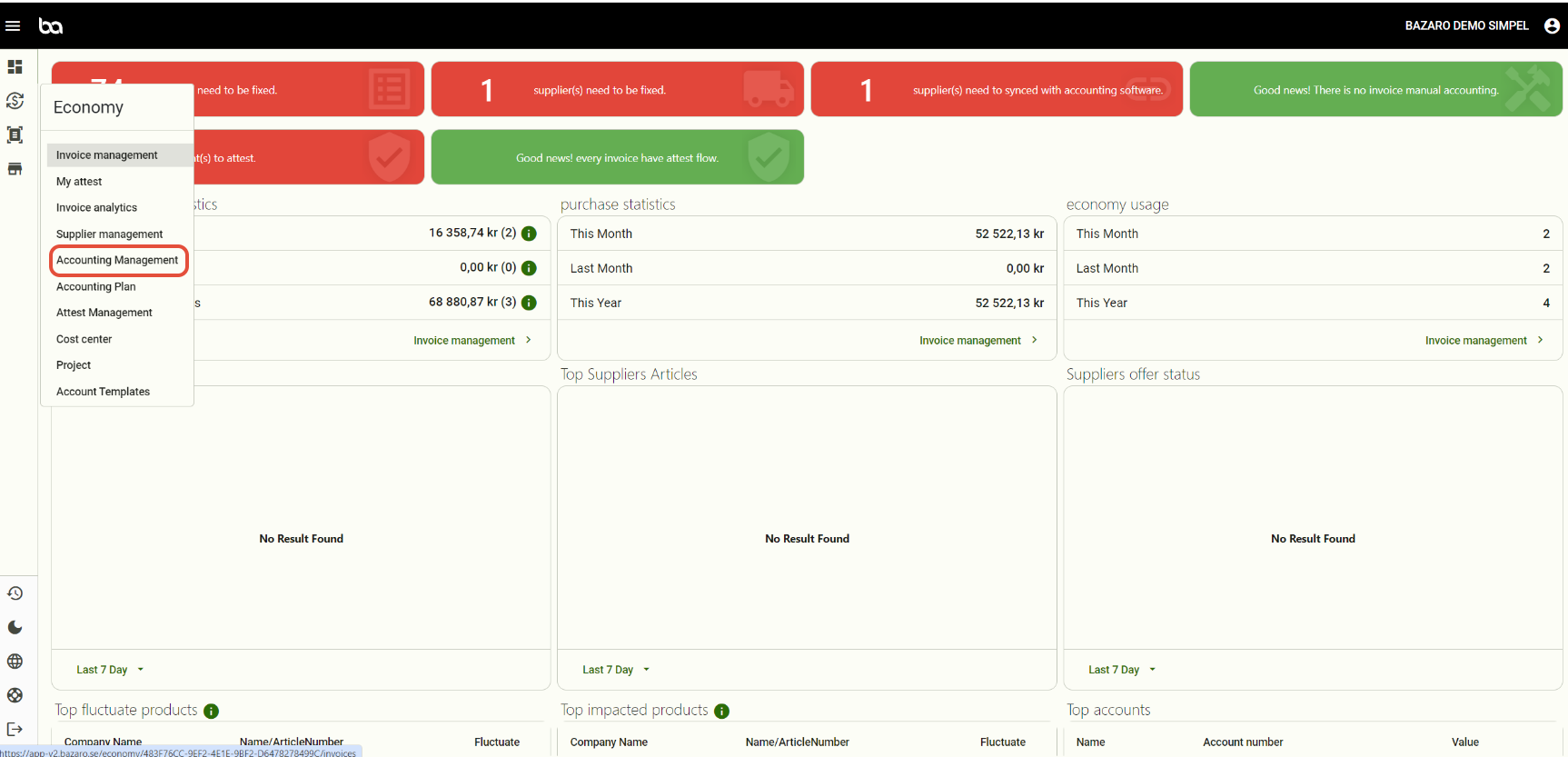
Step 1, Go to Economy -> Accounting management
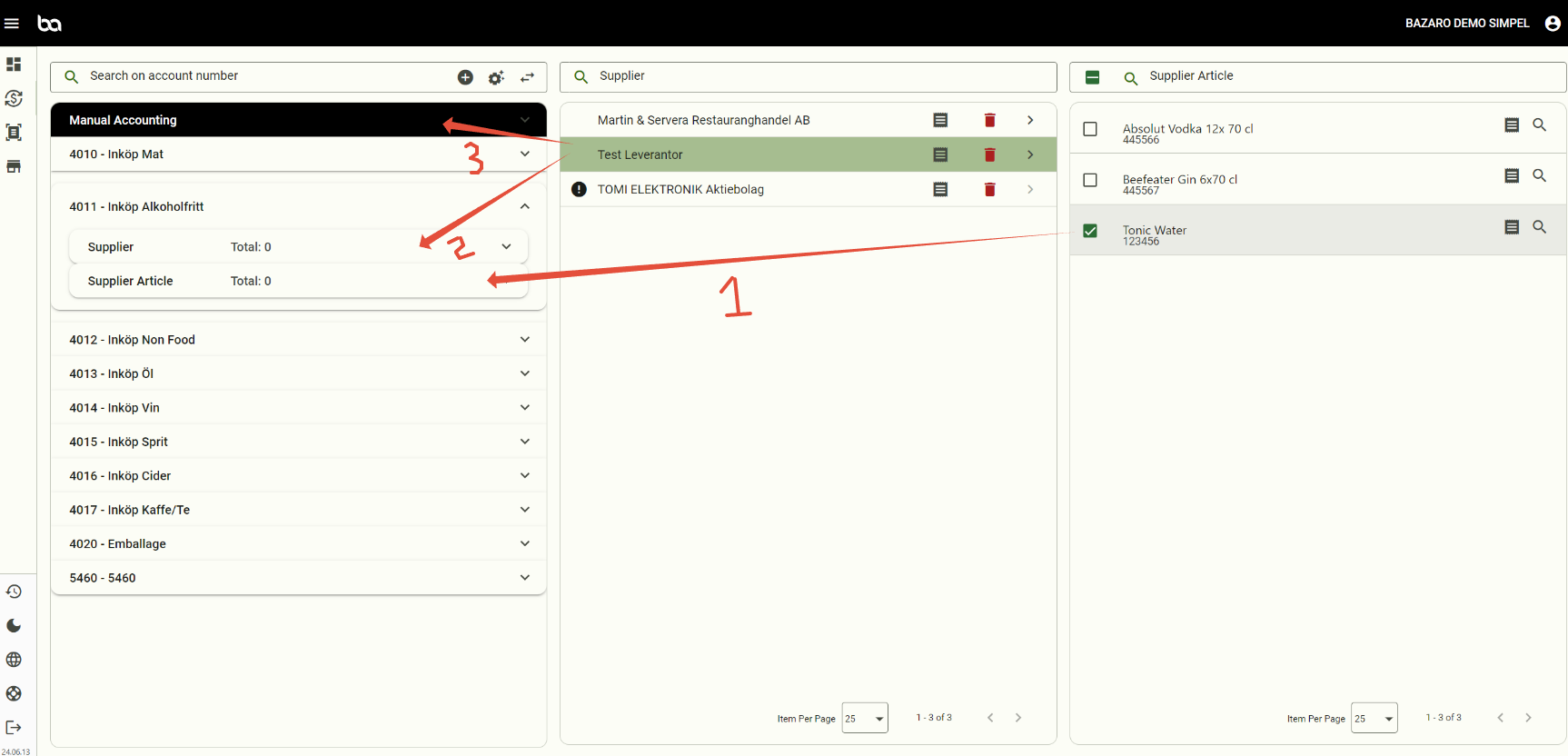
Step 2, Choose the supplier in the middle that you want to determine accounting method for.
If the invoice contains articles press the blue arrow to read out the articles which will appear in the right column.
Then you can drag the article(s) to the matching account (Arrow 1).
For supplier method you drag the entire supplier (Arrow 2).
For manual accounting you drag the supplier to "Manual Accounting" (Arrow 3).
Second alternative:
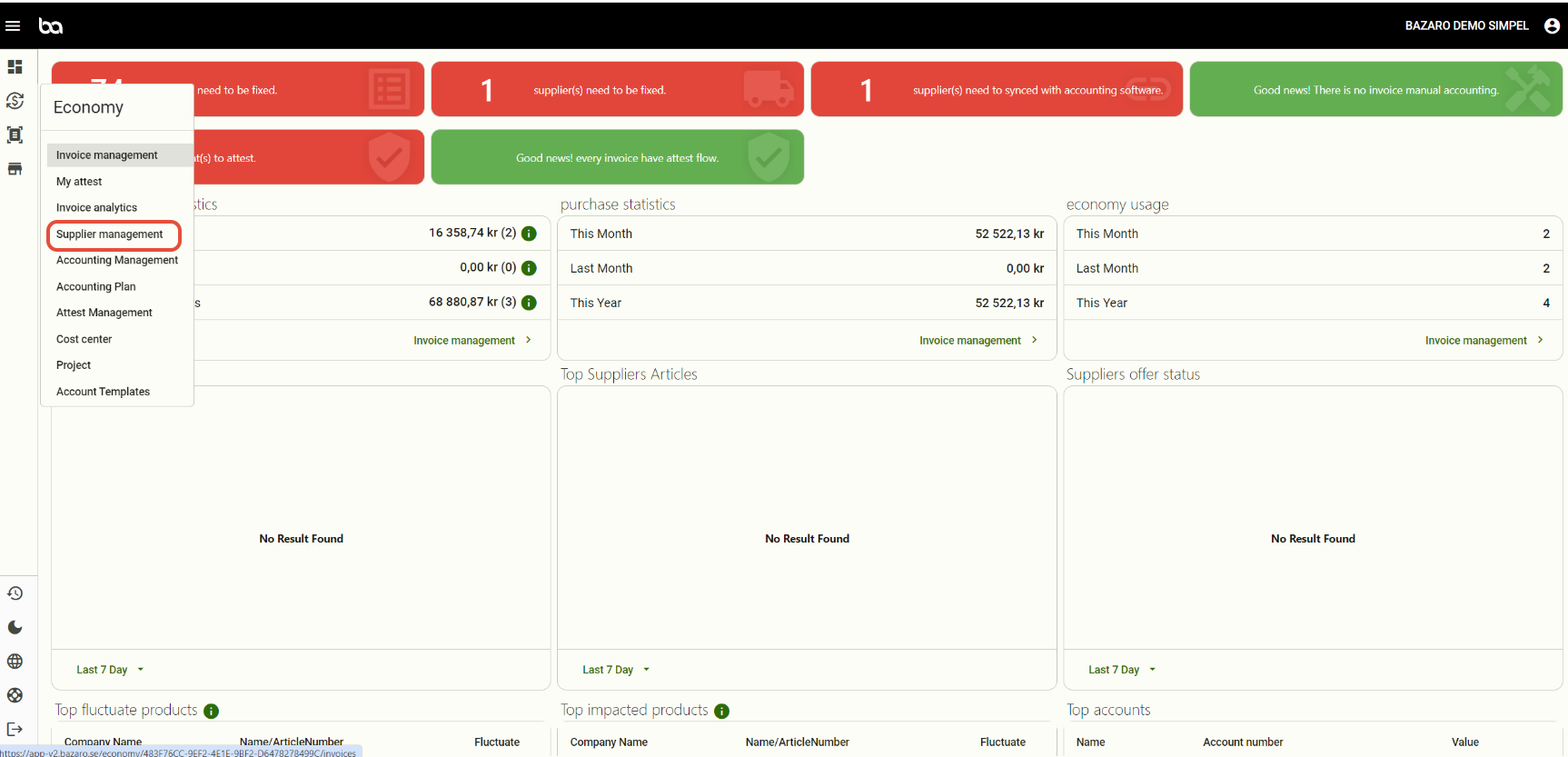
Step 1, Go to Economy -> Supplier management
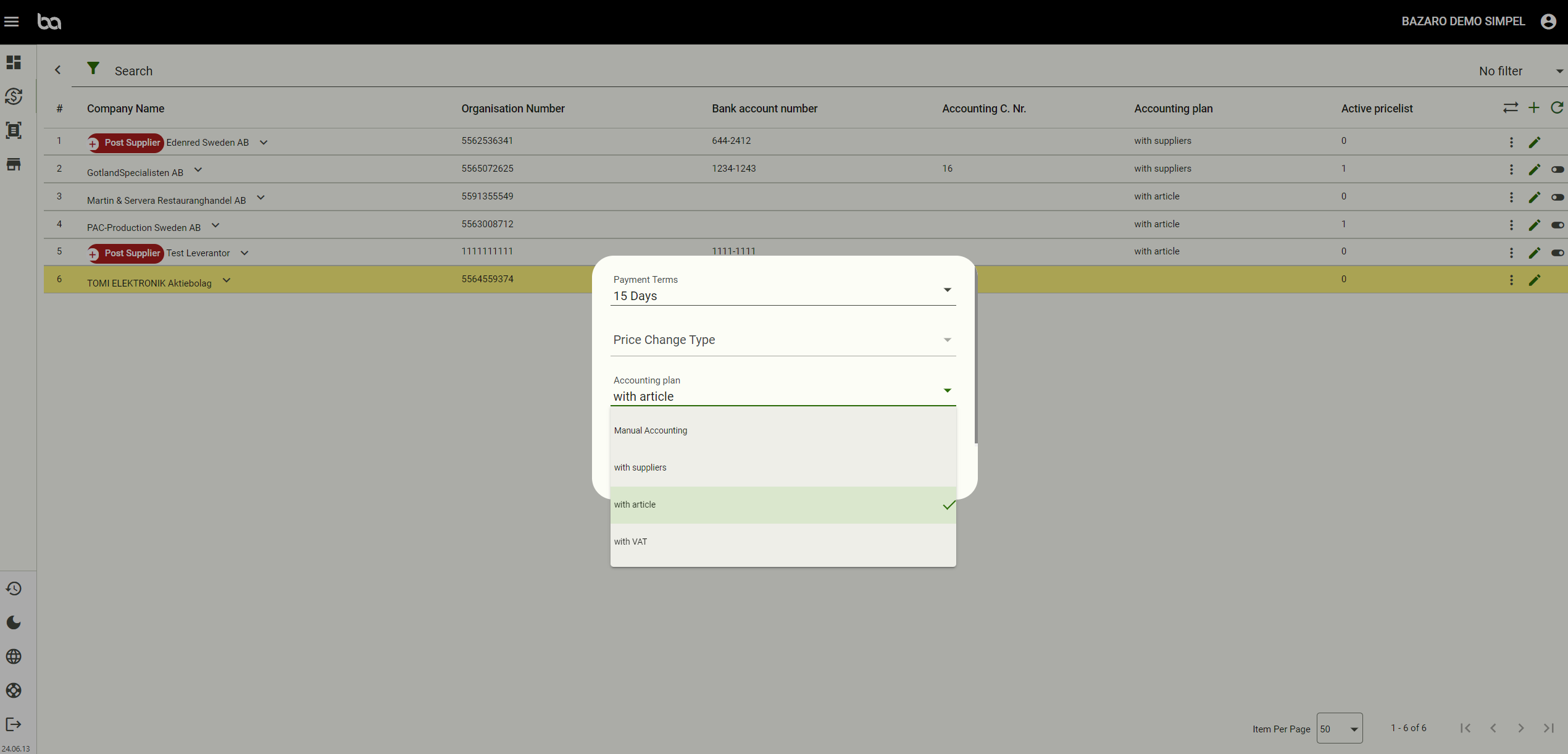
Step 2, Press the pen on the desired supplier and select which of the accounting methods you want for the particular supplier.
Was this article helpful?
That’s Great!
Thank you for your feedback
Sorry! We couldn't be helpful
Thank you for your feedback
Feedback sent
We appreciate your effort and will try to fix the article