Reverse accounting is a great function if you want to change the article accounting of suppliers. For example if some articles have been misplaced you can correct it with this function.
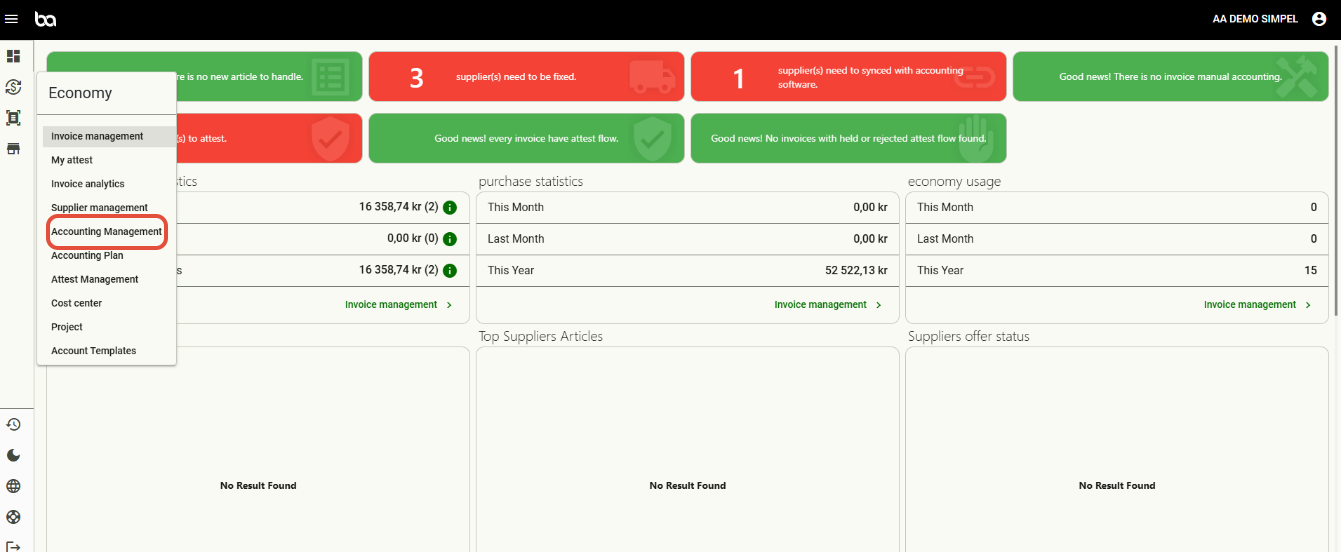
Step 1, Go to Economy>Accounting management
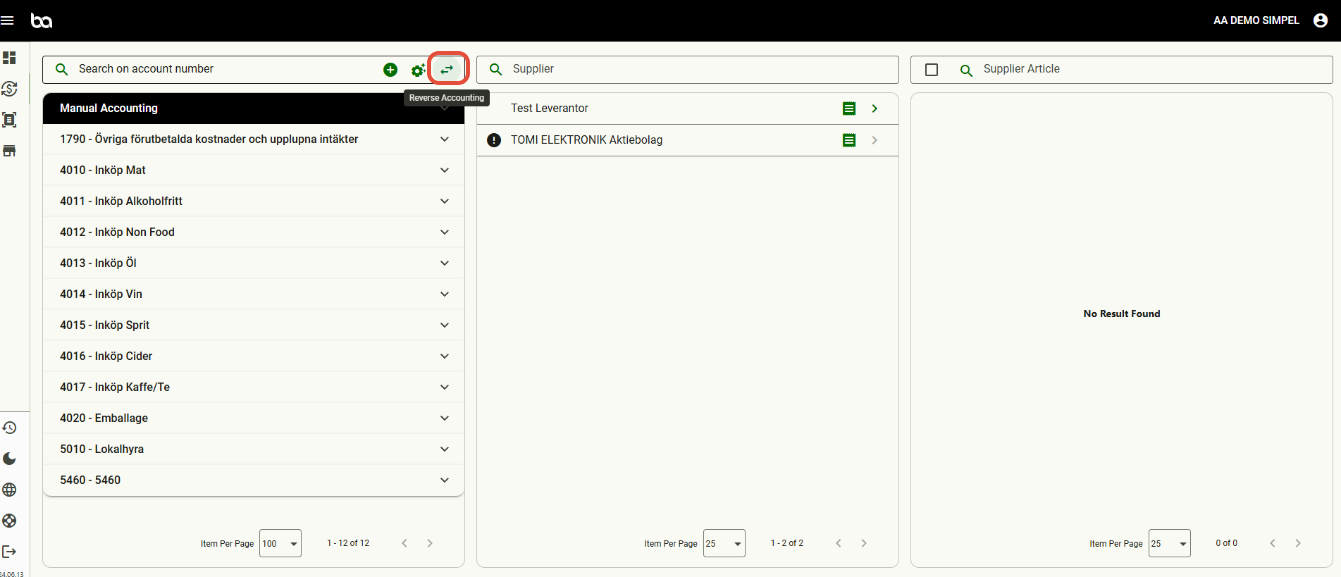
Step 2, Press the reverse accounting symbol
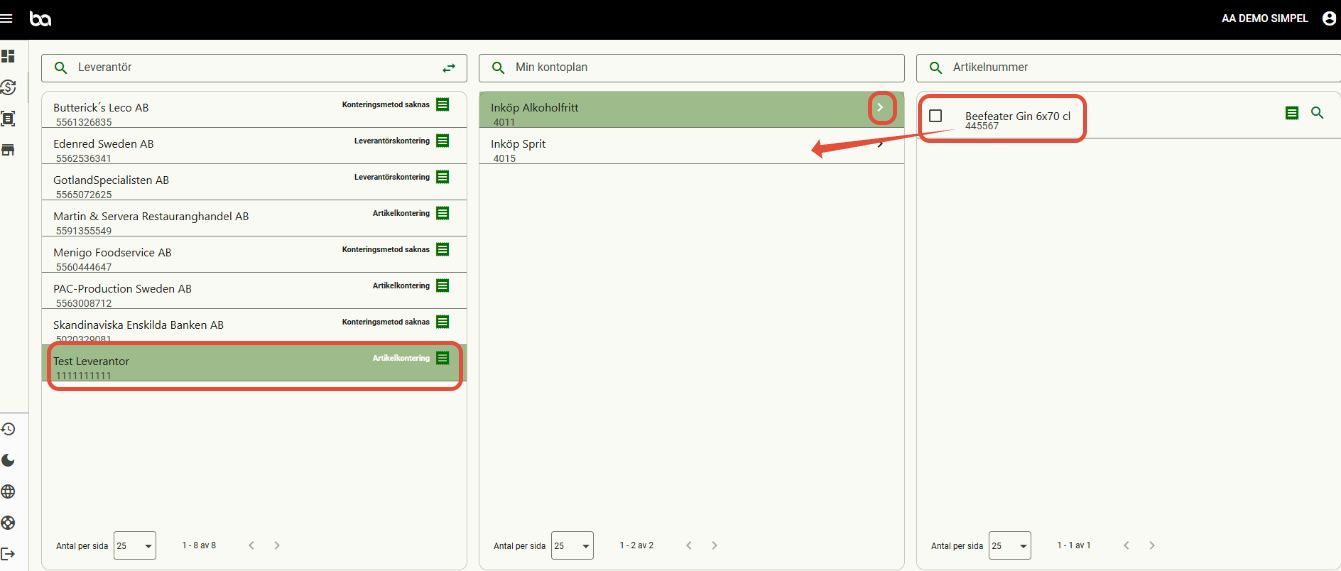
Step 3, Press the supplier that you want to change accounting for and then the account. The articles will display and you can drag them to the correct account
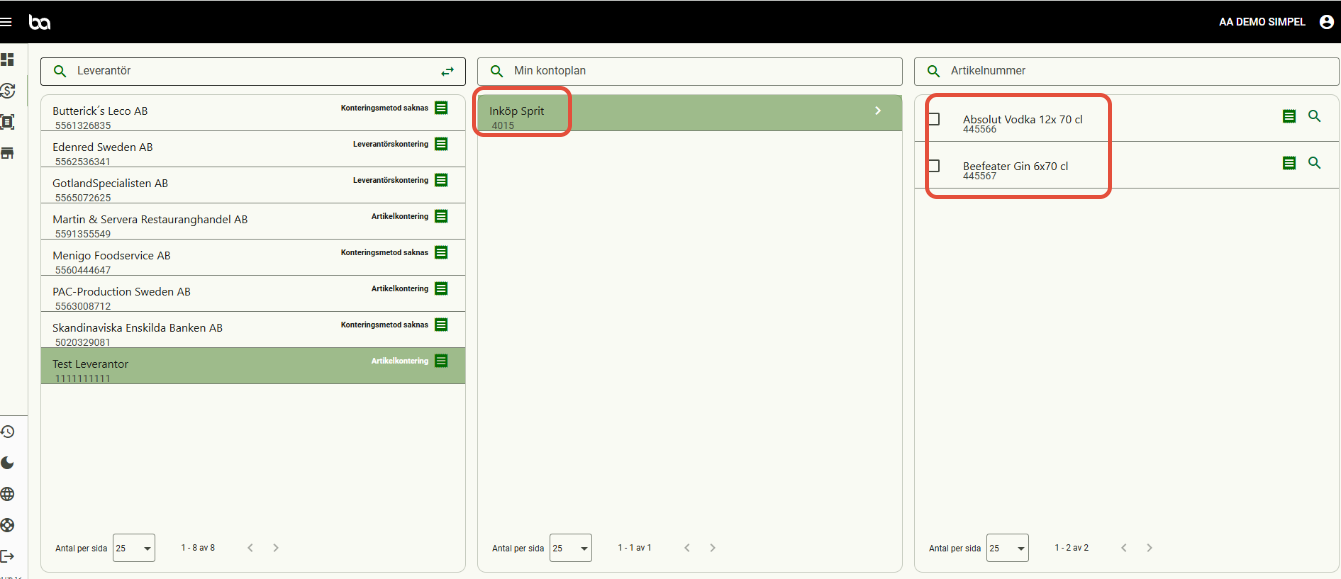
Step 4, Your articles will now be placed correctly for the future
Was this article helpful?
That’s Great!
Thank you for your feedback
Sorry! We couldn't be helpful
Thank you for your feedback
Feedback sent
We appreciate your effort and will try to fix the article