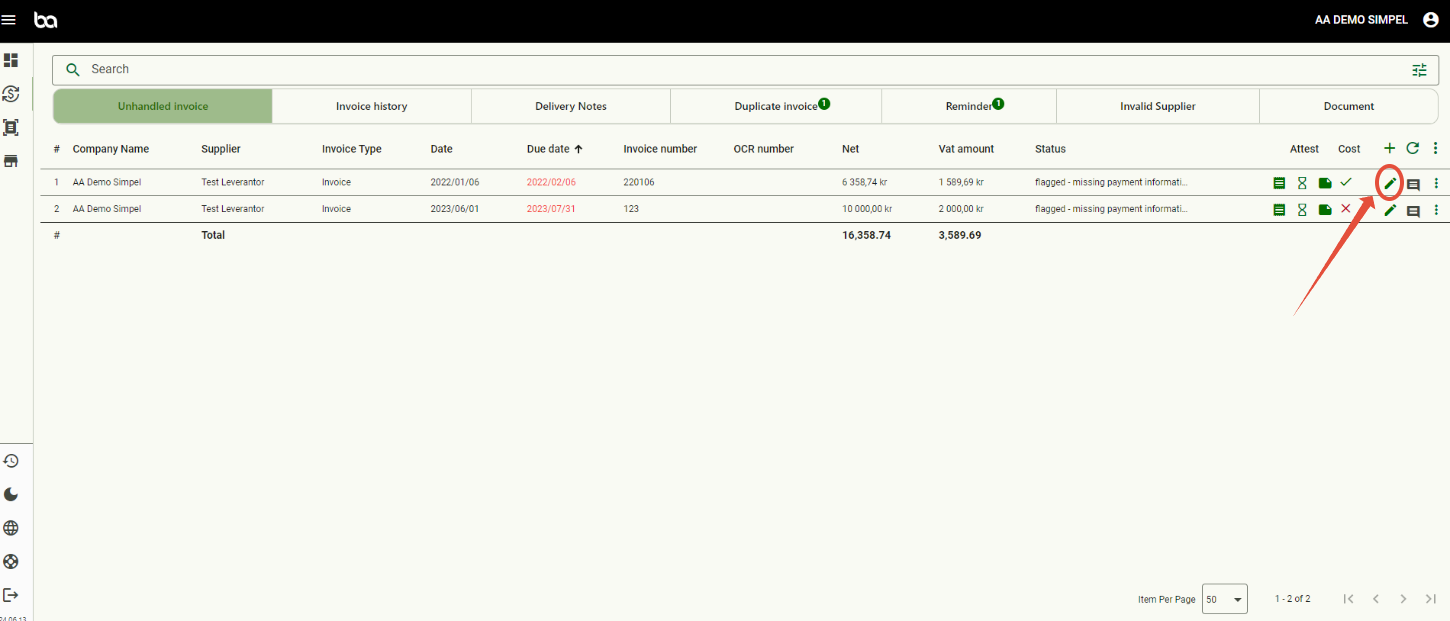
Step 1, Go to Economy>Invoice management and then press the pen of the invoice you want to do period allocation for
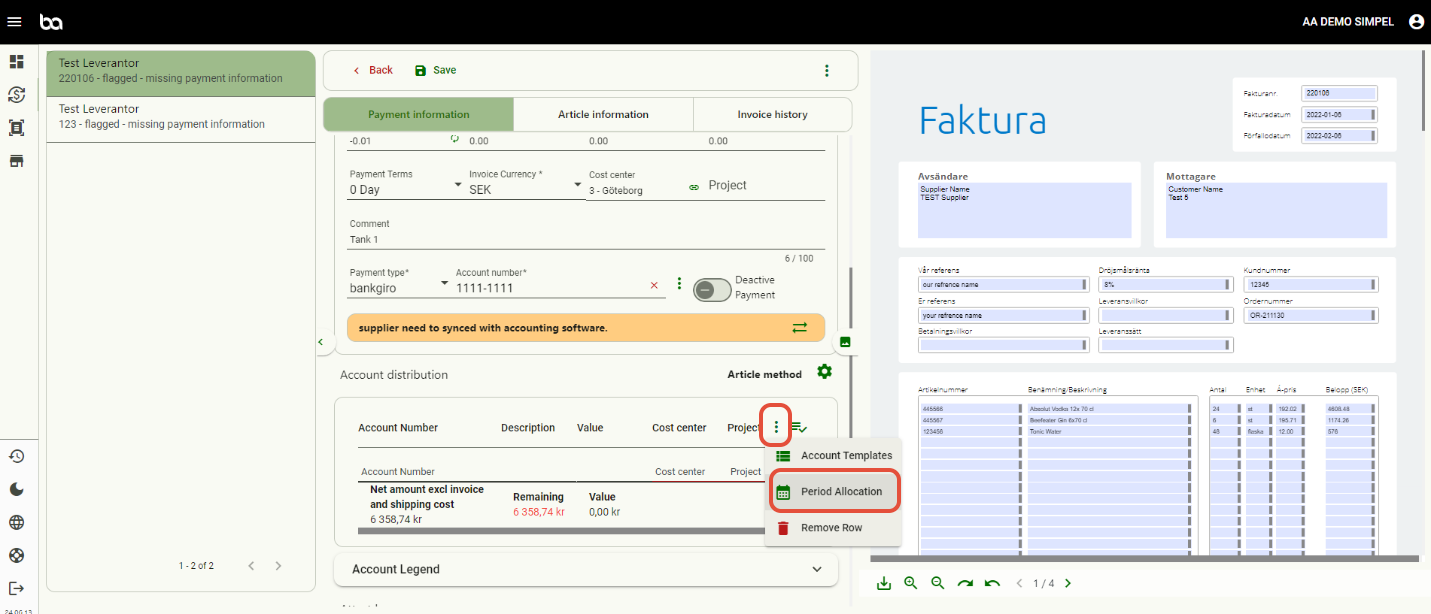
Step 2, Scroll down to the accounting distribution, press the three dots and then "Period Allocation"
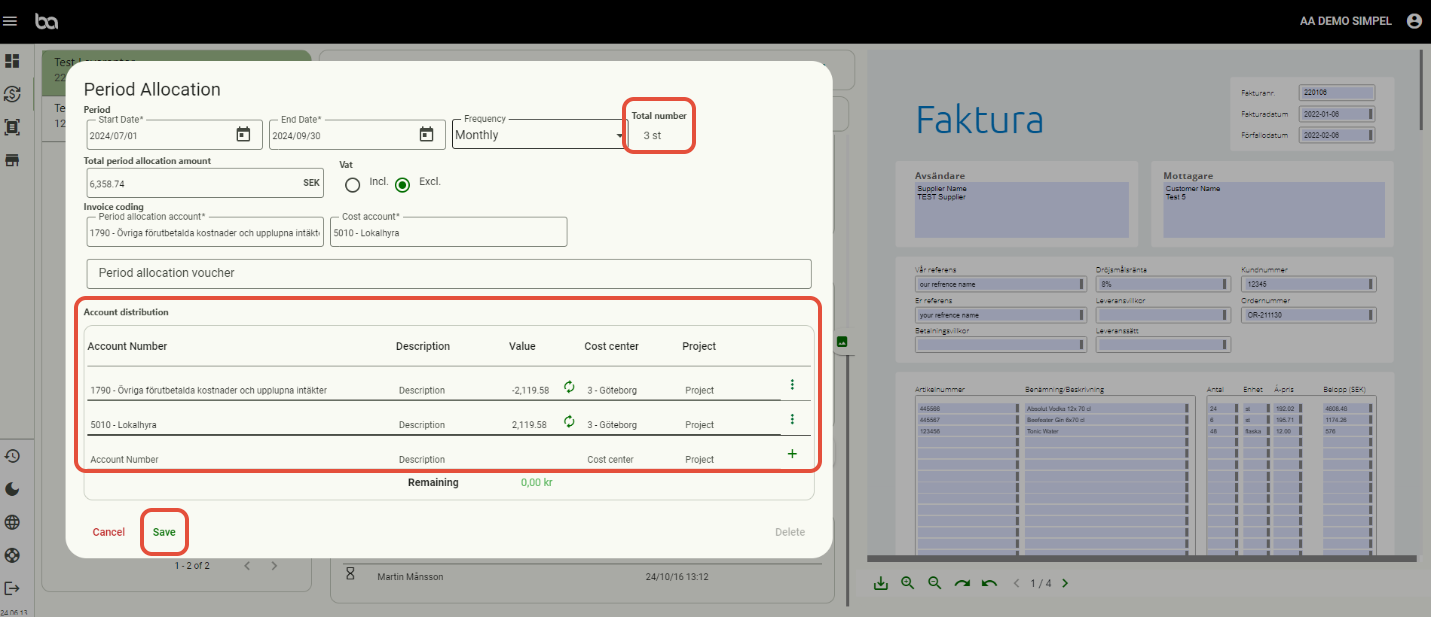
 Step 3, The Period Allocation window will pop up and you are asked to fill in the start and end date, the frequency, if VAT should be included or excluded and the accounts.

Step, 4
Below is an example or a rent invoice that is period allocated over three months. Furthermore you can also choose cost centers and/or projects.
When finished, press "Save"
Was this article helpful?
That’s Great!
Thank you for your feedback
Sorry! We couldn't be helpful
Thank you for your feedback
Feedback sent
We appreciate your effort and will try to fix the article