Basic explanation of the market index function. If you dont have it activated, please contact support@bazaro.io
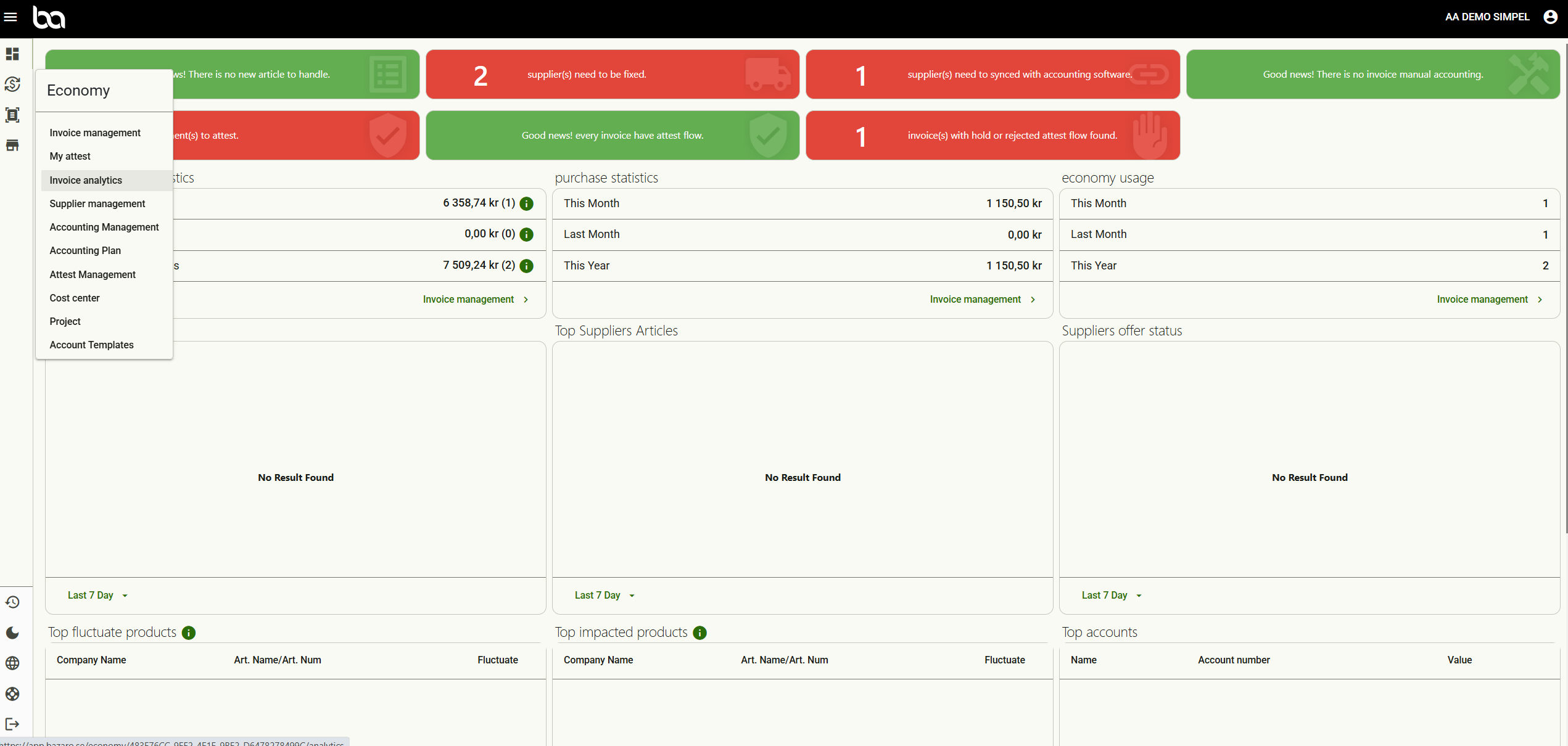
Step 1, Go to Economy>Invoice analytics
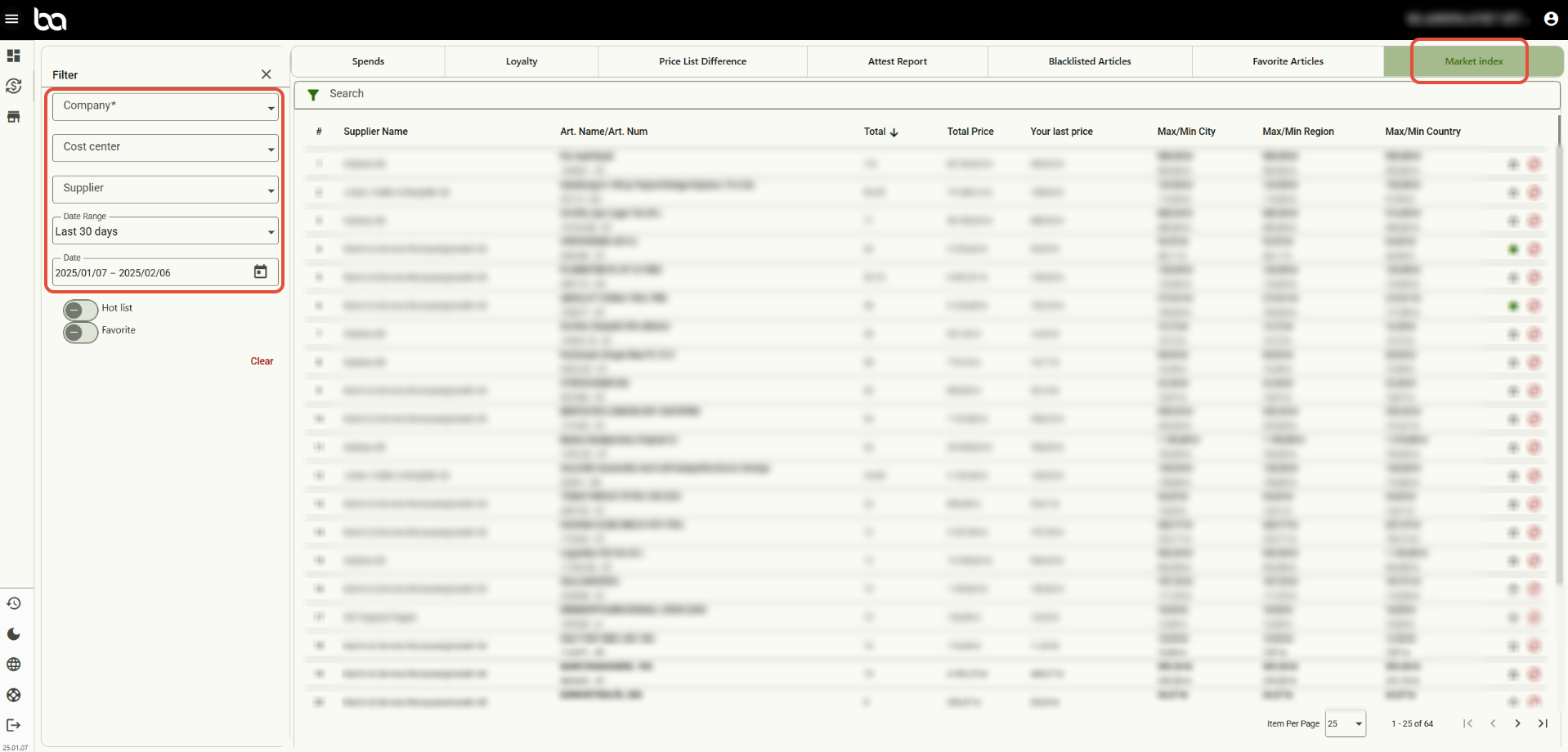
Step 2, Go to the header "Market index"
After this you can choose a company as well as time period
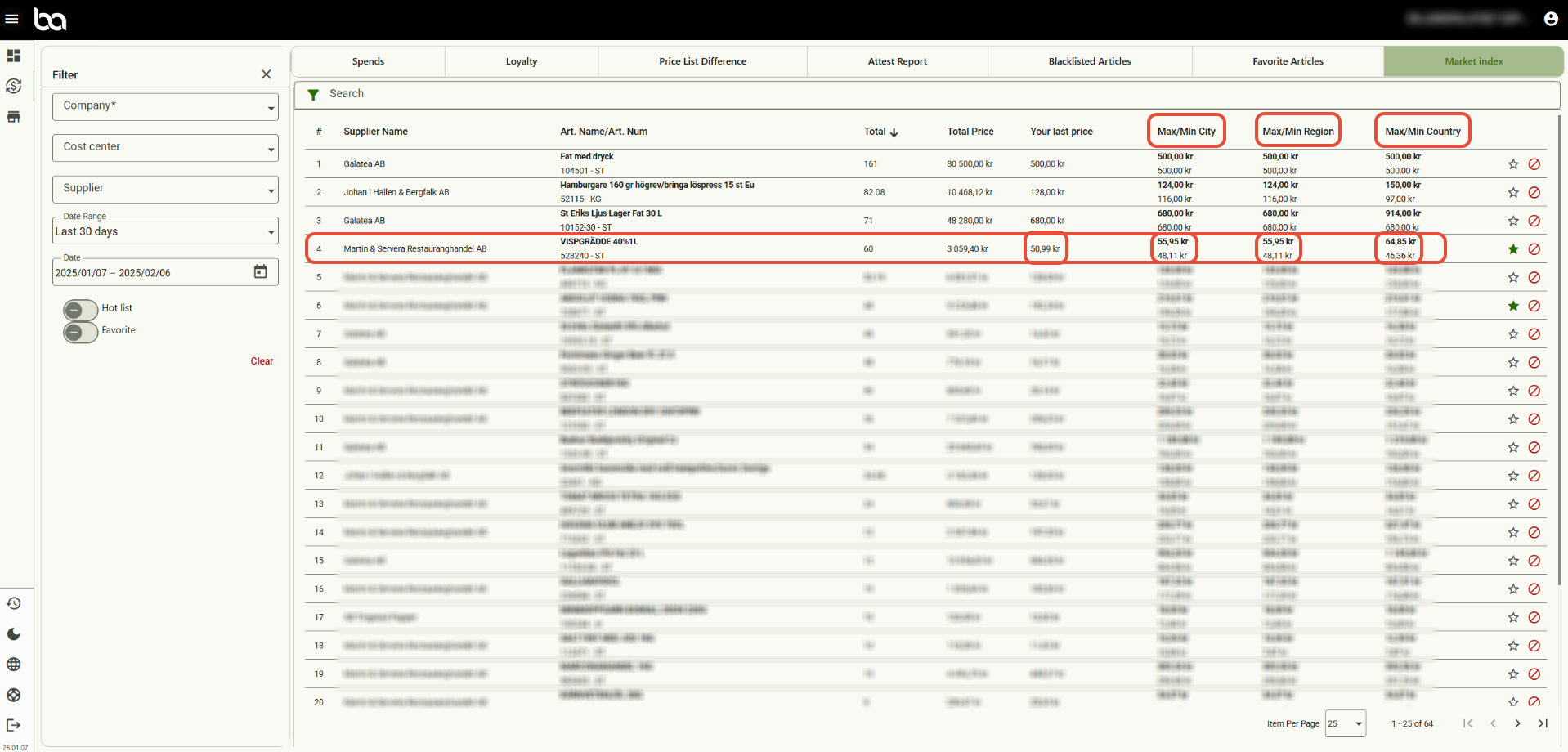
Step 3, You can now now compare prices with other Bazaro customers on city, region and state level.
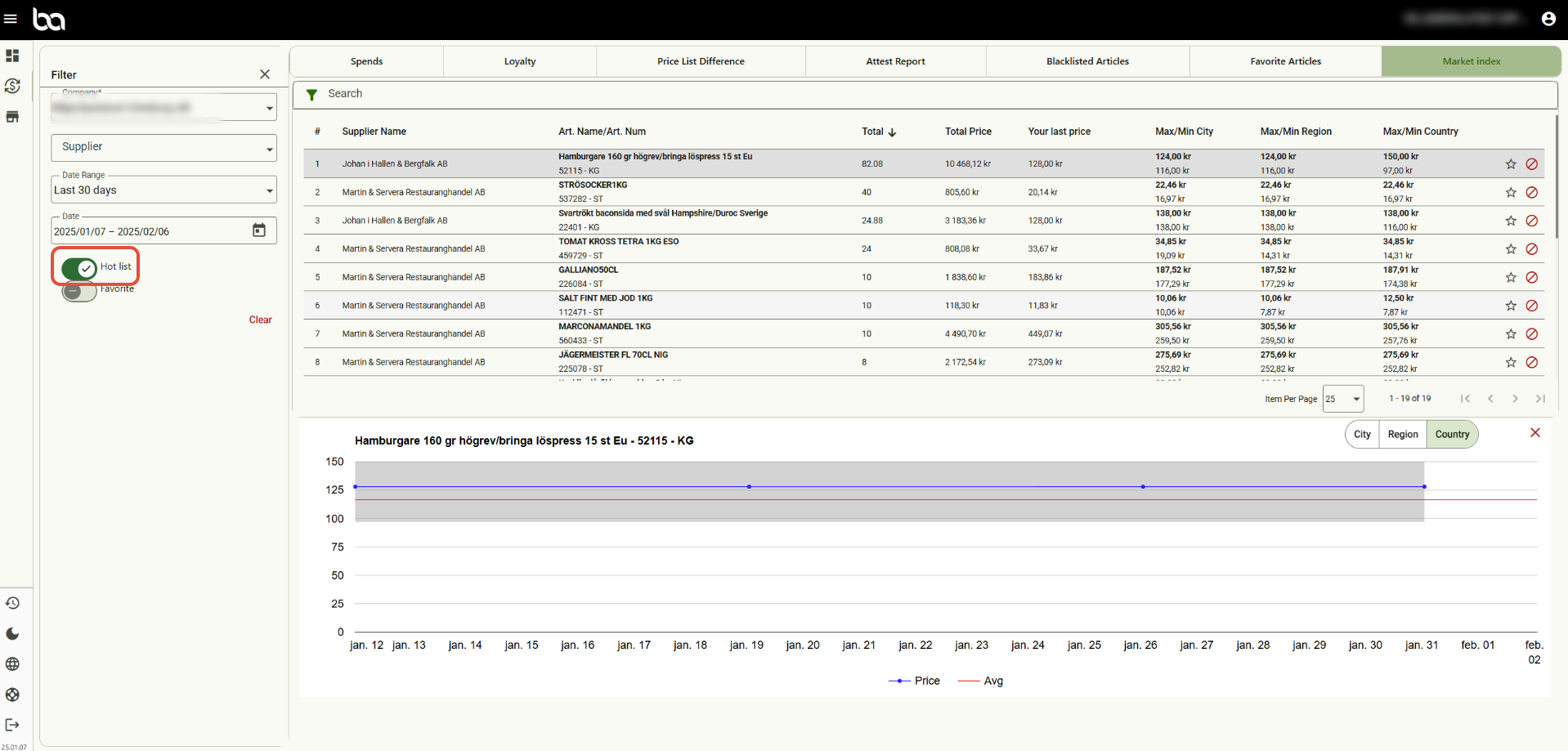
Step 4, The button "Hot list" only shows the articles where you as a customer pay a higher price than the average.
If you click on a certain article it will display a graph that shows price interval (grey area), your price (blue line) and average price (red line).
Was this article helpful?
That’s Great!
Thank you for your feedback
Sorry! We couldn't be helpful
Thank you for your feedback
Feedback sent
We appreciate your effort and will try to fix the article