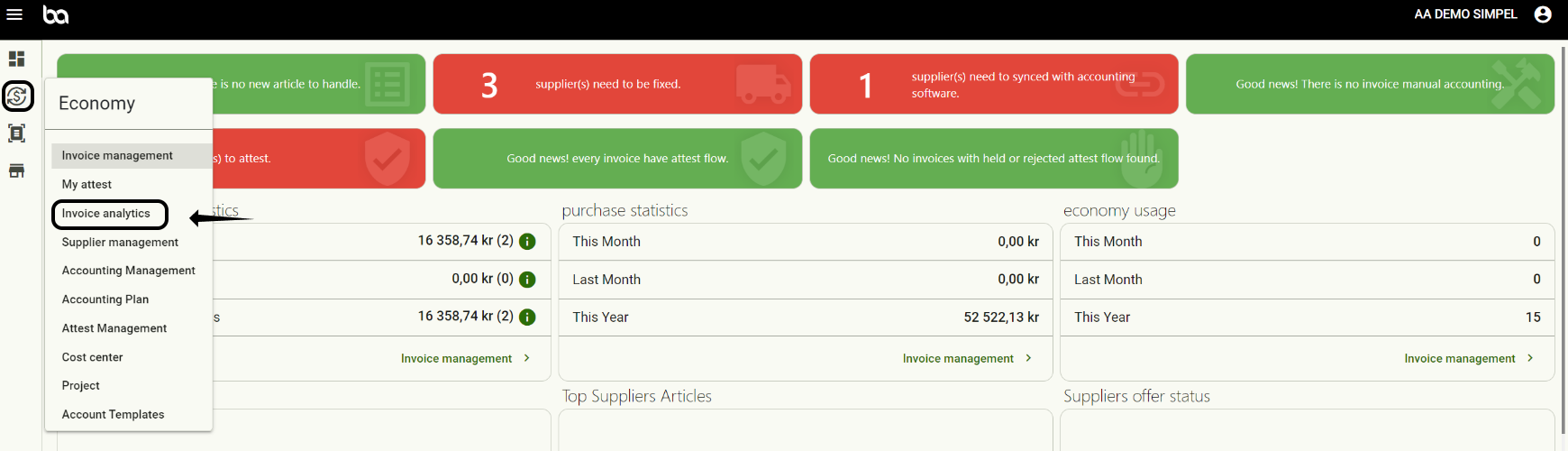
Step 1, Go to Economy>Invoice Analytics
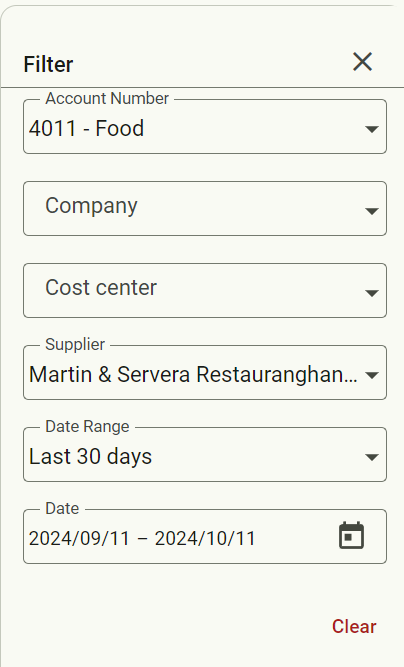
Step 2, Use the filter to make sure the report only has the information you want it to have
Step 3, Scroll down until you see this symbol

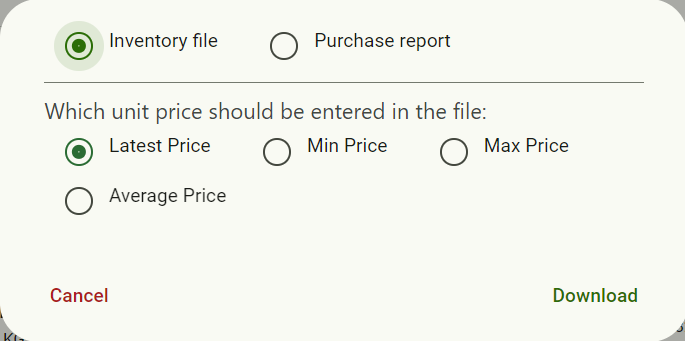
Step 4, Step 4, Choose between an inventory file or purchase report and select which price should be used.
Was this article helpful?
That’s Great!
Thank you for your feedback
Sorry! We couldn't be helpful
Thank you for your feedback
Feedback sent
We appreciate your effort and will try to fix the article