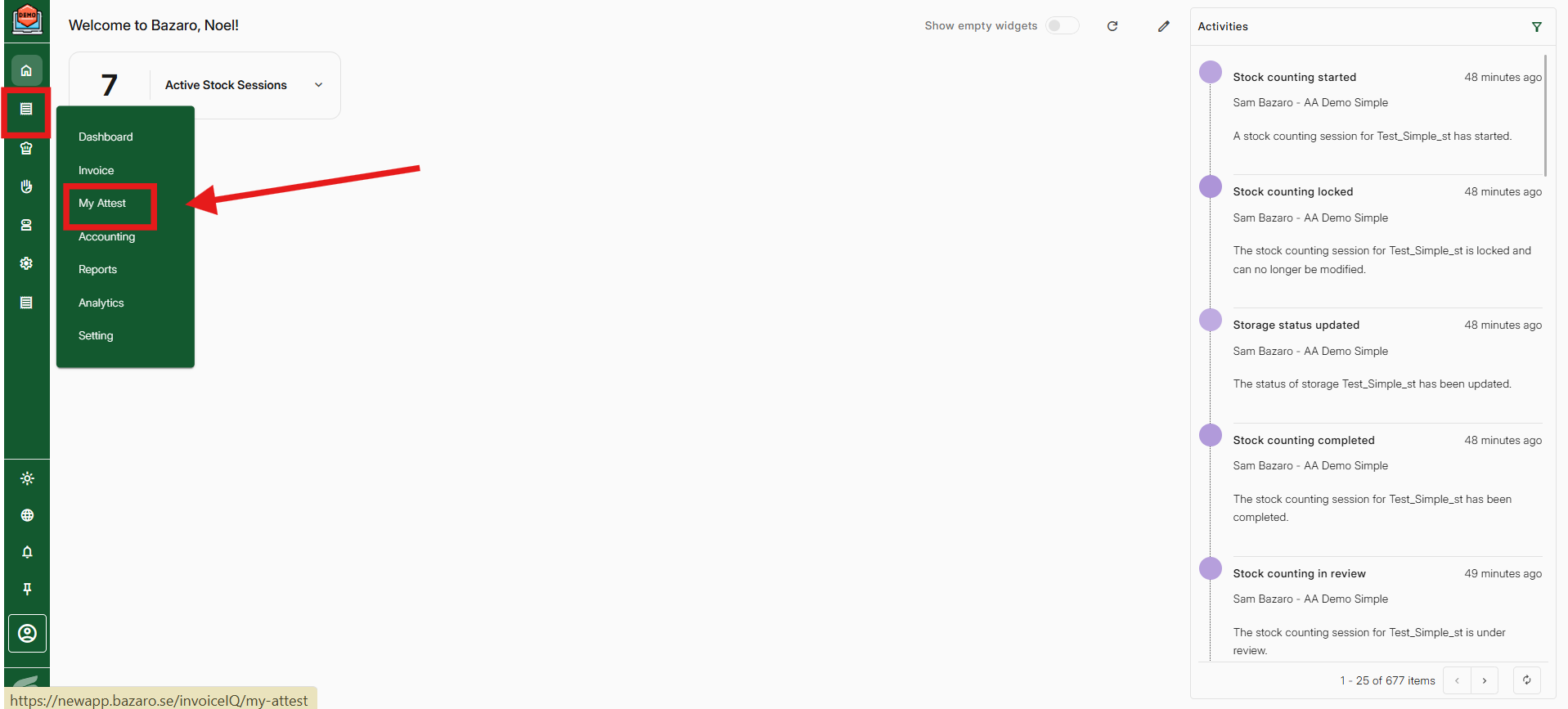
Step 1, Go to Economy -> My attest
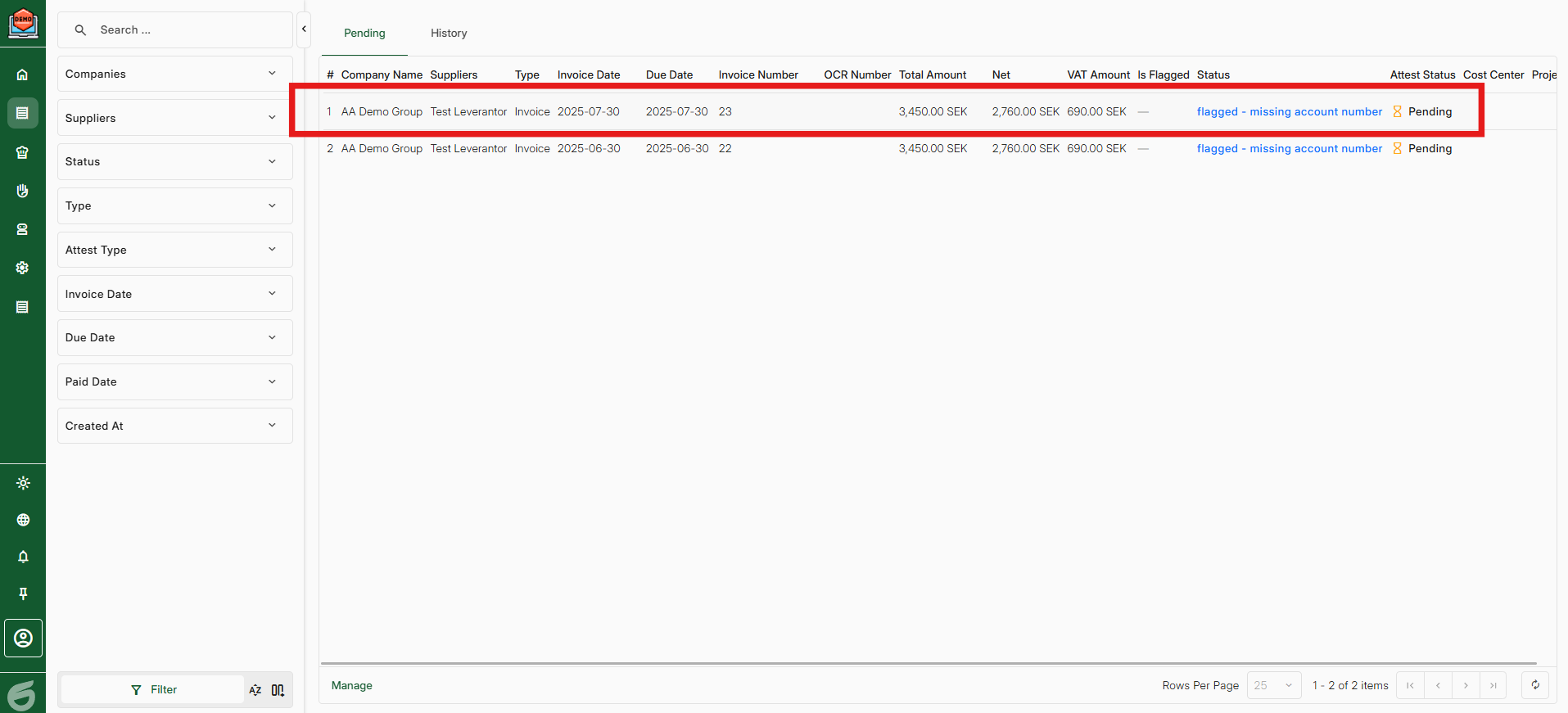
Step 2, Press the on the invoice that you want to approve.
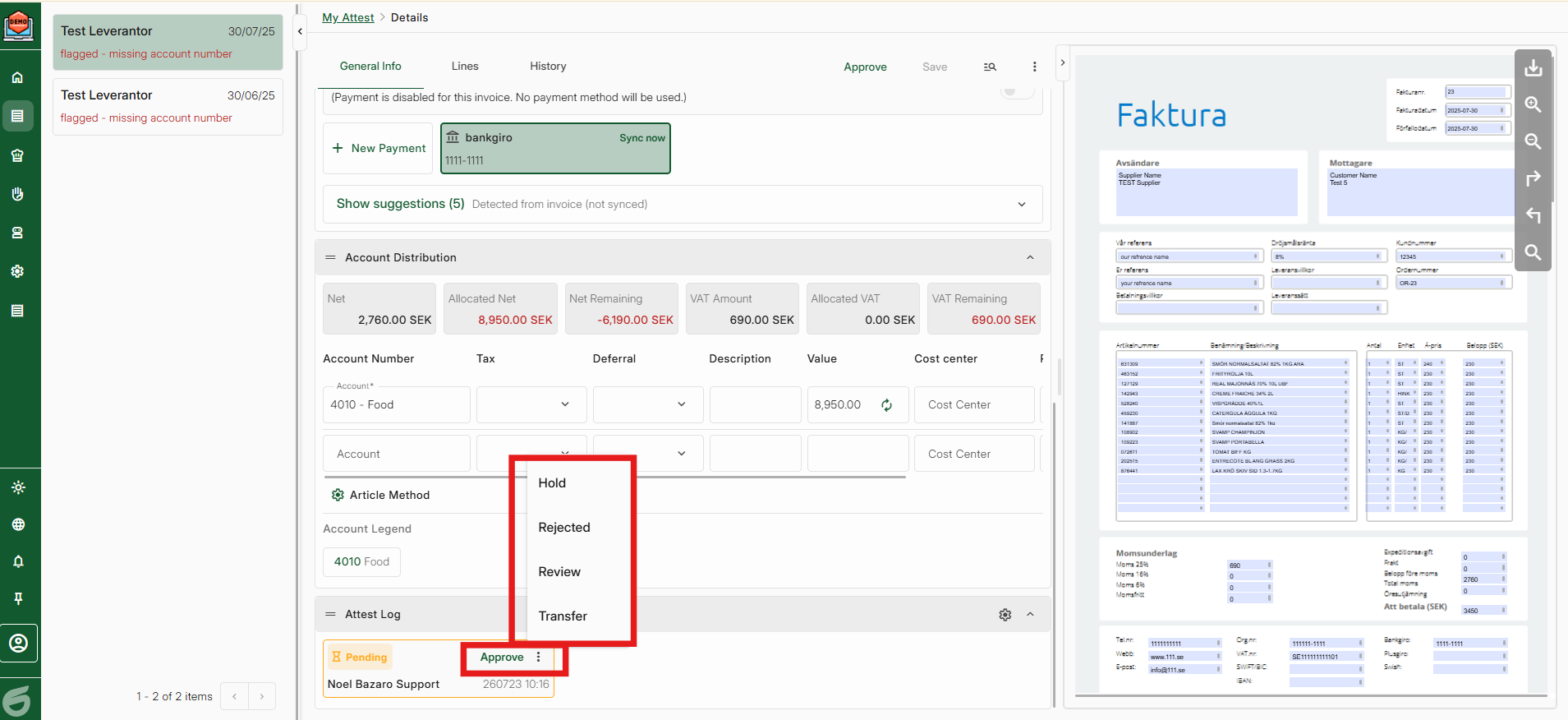
Step 3, Check all information and choose one of the options
Approve - Everything is correct
Reject - The invoice is not okay
Hold - I want to pause the invoice to check something about the information
Review - I want to transfer my attest to another colleague but after they have checked it, I want it back
Transfer - I want to transfer my attest to another colleague (give the attest away)
Was this article helpful?
That’s Great!
Thank you for your feedback
Sorry! We couldn't be helpful
Thank you for your feedback
Feedback sent
We appreciate your effort and will try to fix the article