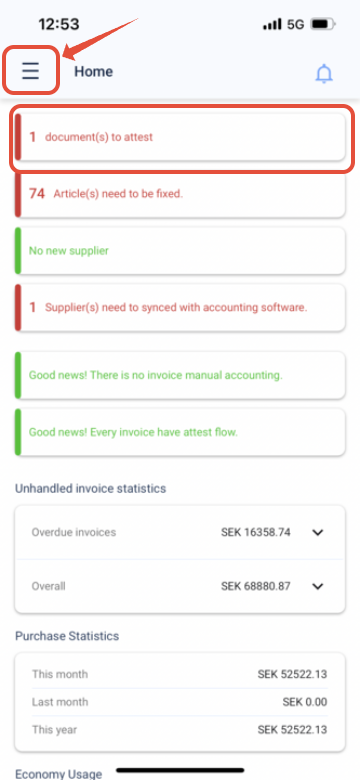
Step 1, When you have logged in. Press the three lines at the top left corner of the screen.
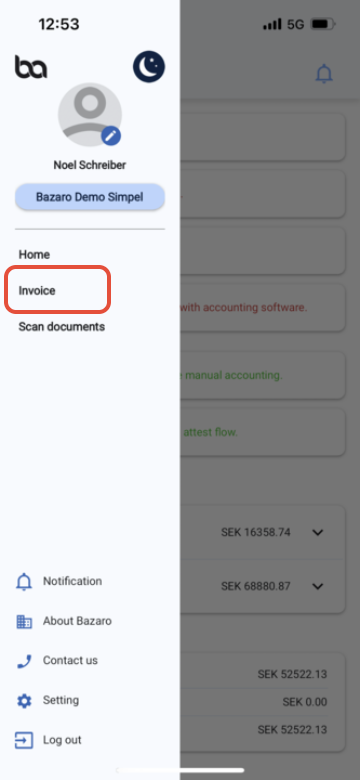
Step 2, Press "Invoice"
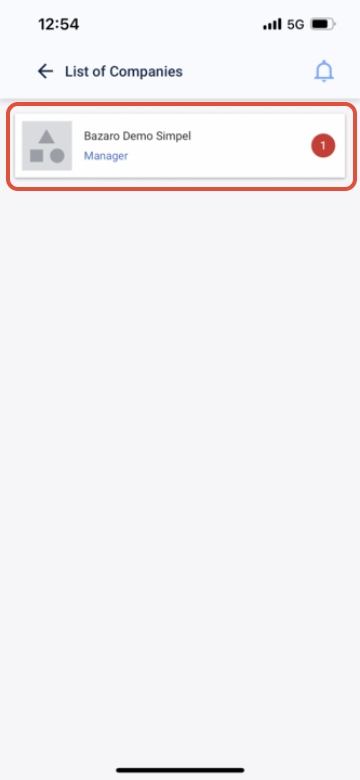
Step 3, A list of companies that you have an invoice for attest will show. Press the desired company which you want to attest an invoice for
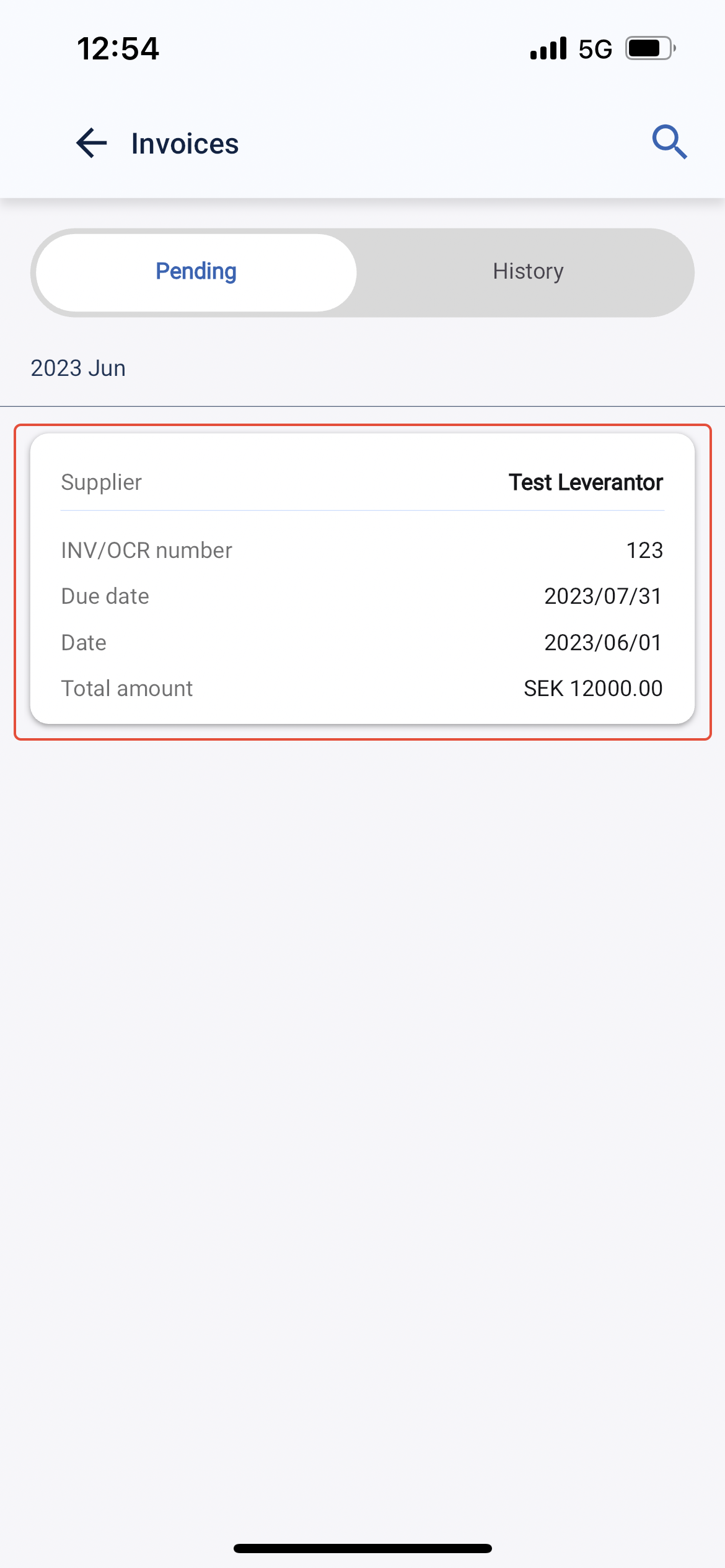
Step 4, The invoices you have for attest will show in the list, press the invoice you want to attest
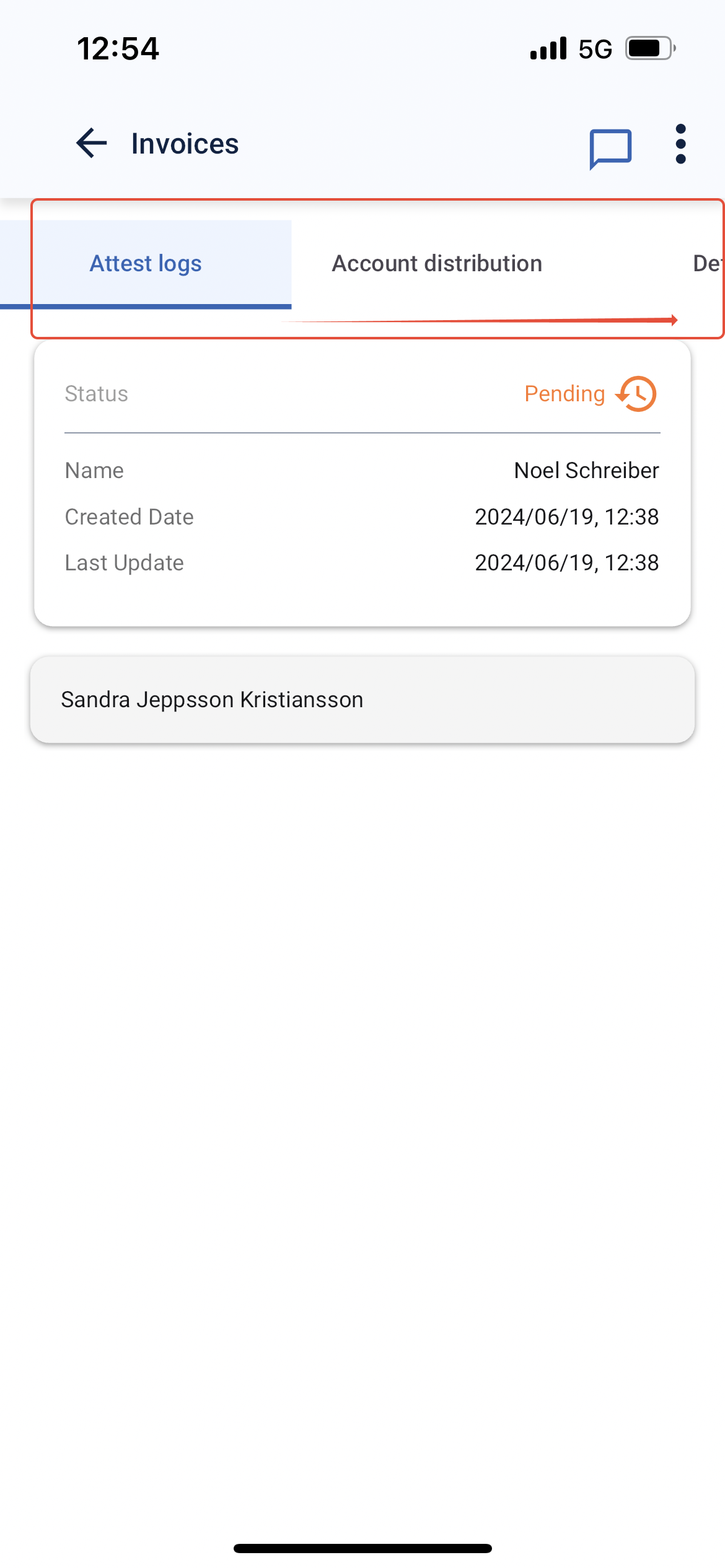
Step 5, Scroll through the headers to view the information on the invoice
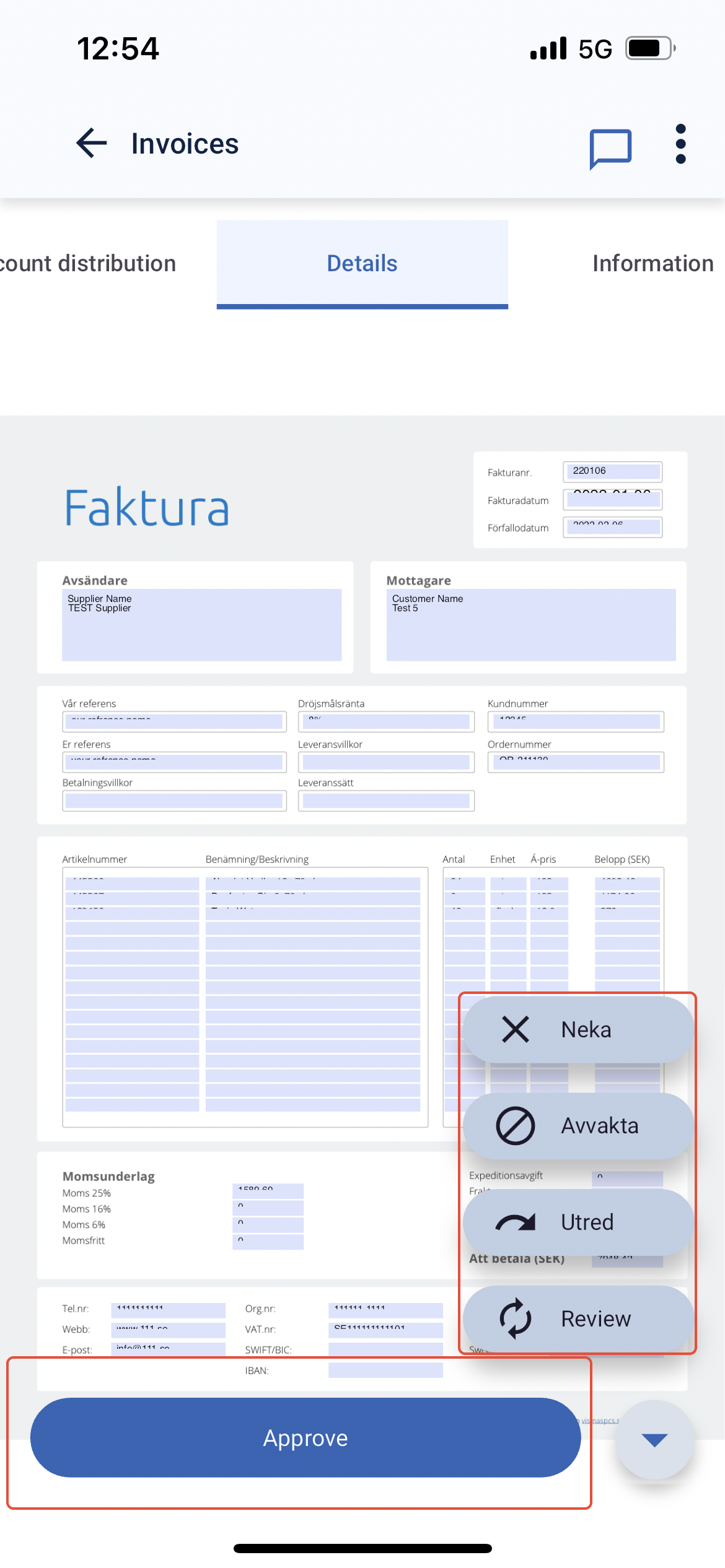
Step 6, In "Details" you can either approve or choose on of the other options
Was this article helpful?
That’s Great!
Thank you for your feedback
Sorry! We couldn't be helpful
Thank you for your feedback
Feedback sent
We appreciate your effort and will try to fix the article