Step 1, Go to Economy -> Settings > Attest Flow
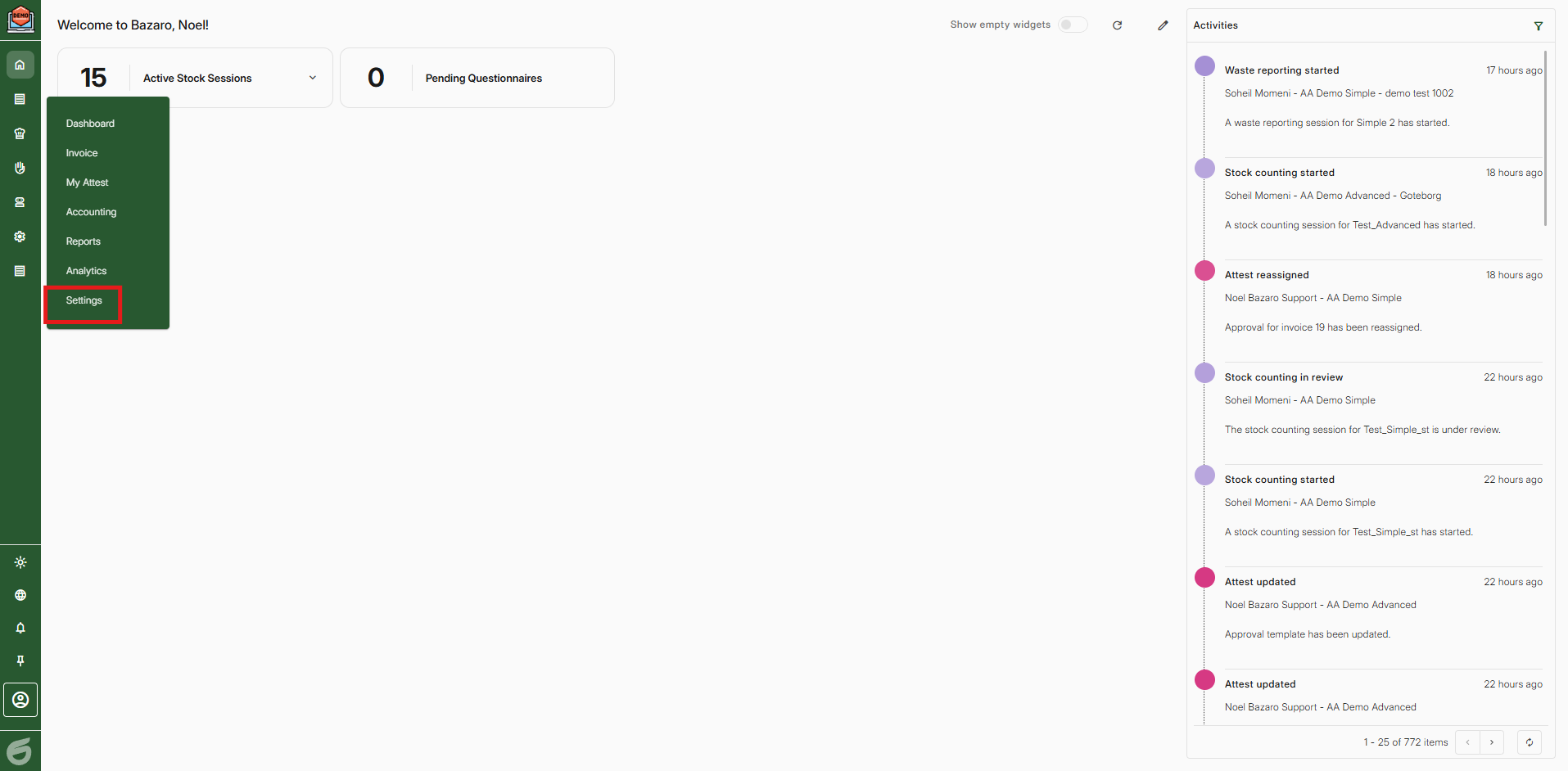
Step 2, Press "Add"
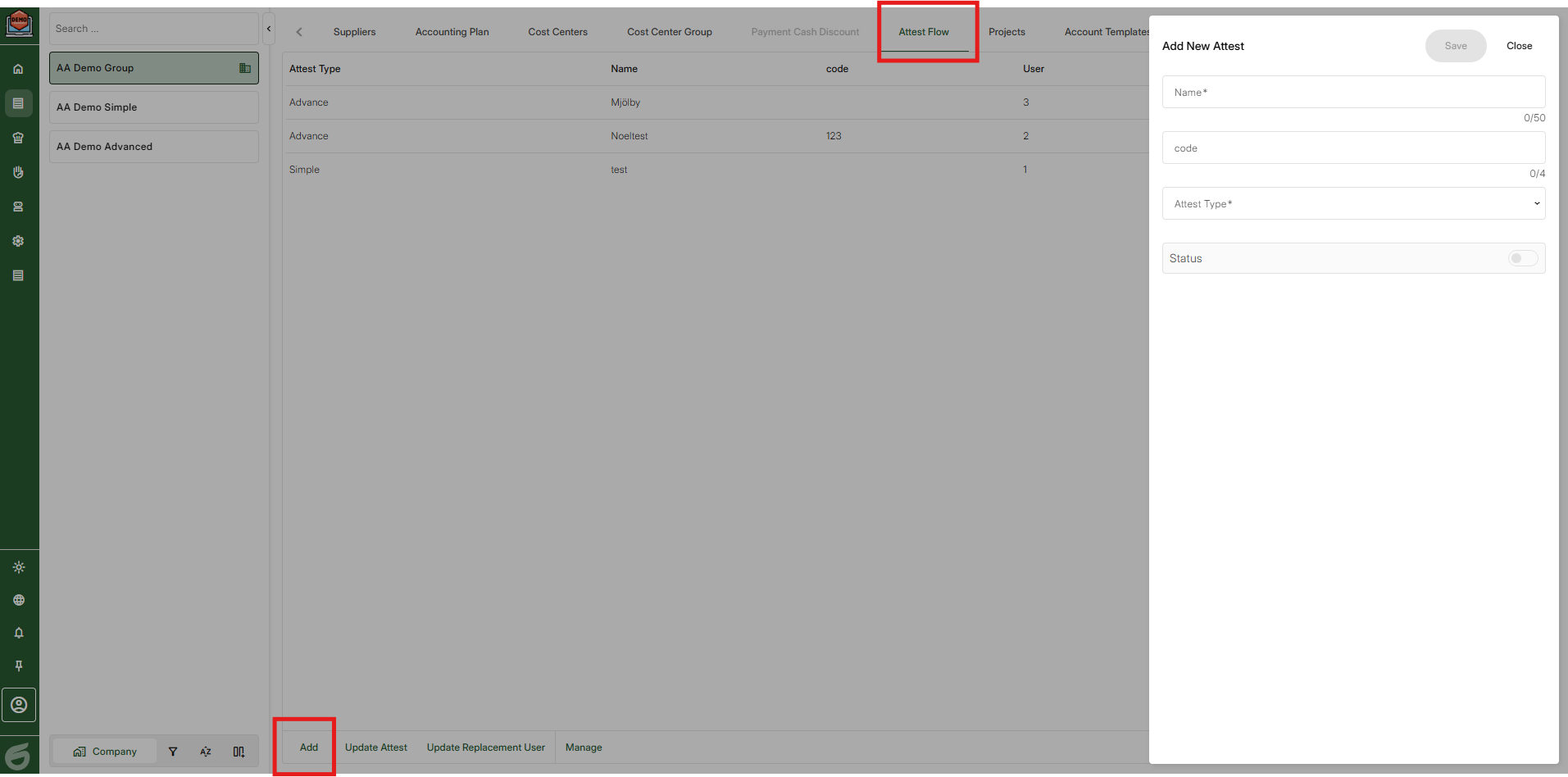
Step 3, Give your attest flow a name.
Then choose "Attest type"
Simple - The attest flow should connect to all suppliers (Maximun 1 per company)
Advance - The attest flow should connect to a specific supplier.
Lastly, click "on" for the status if you want the attest flow to be active.
Then save.
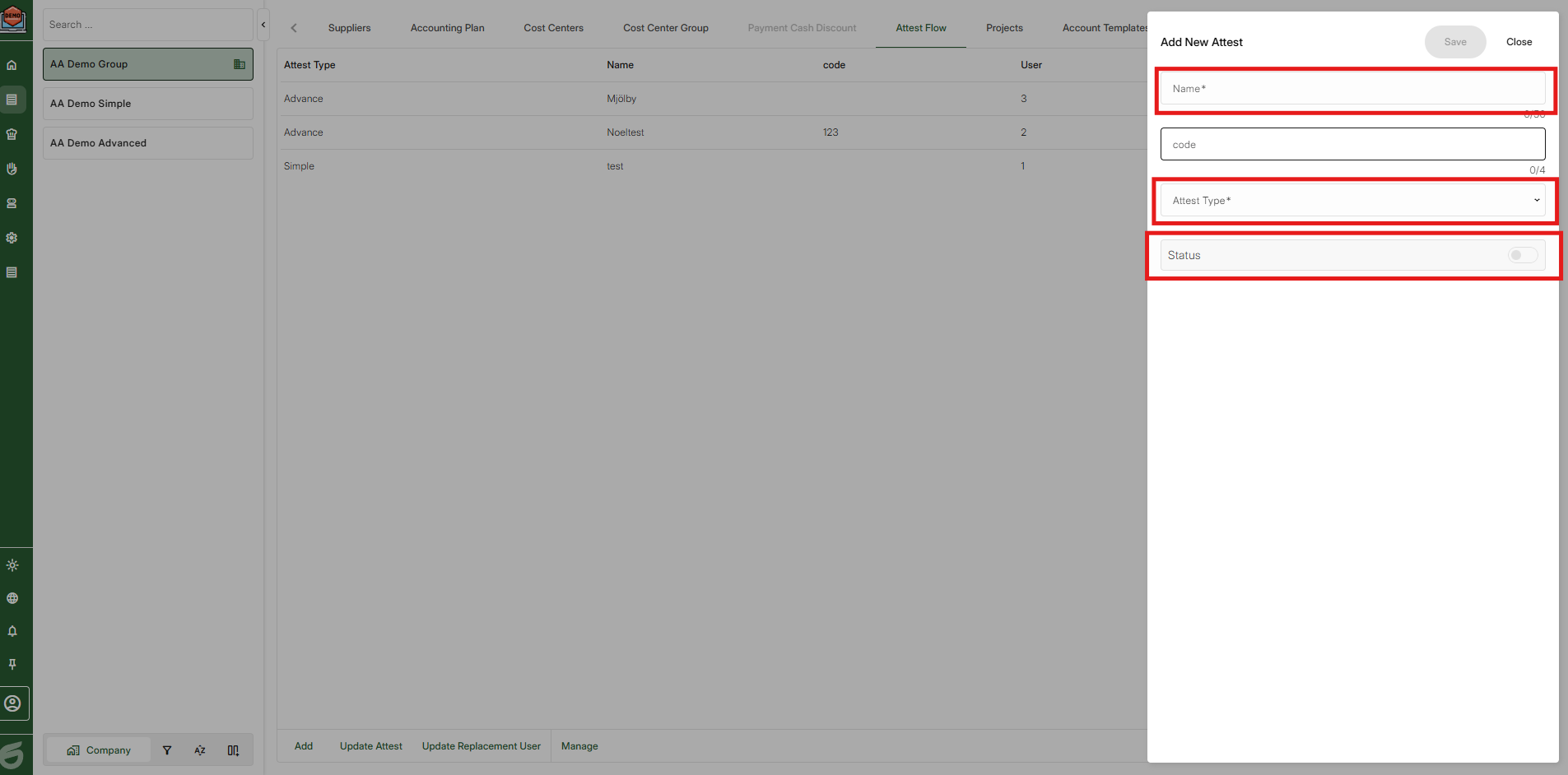
Step 4, Click on details
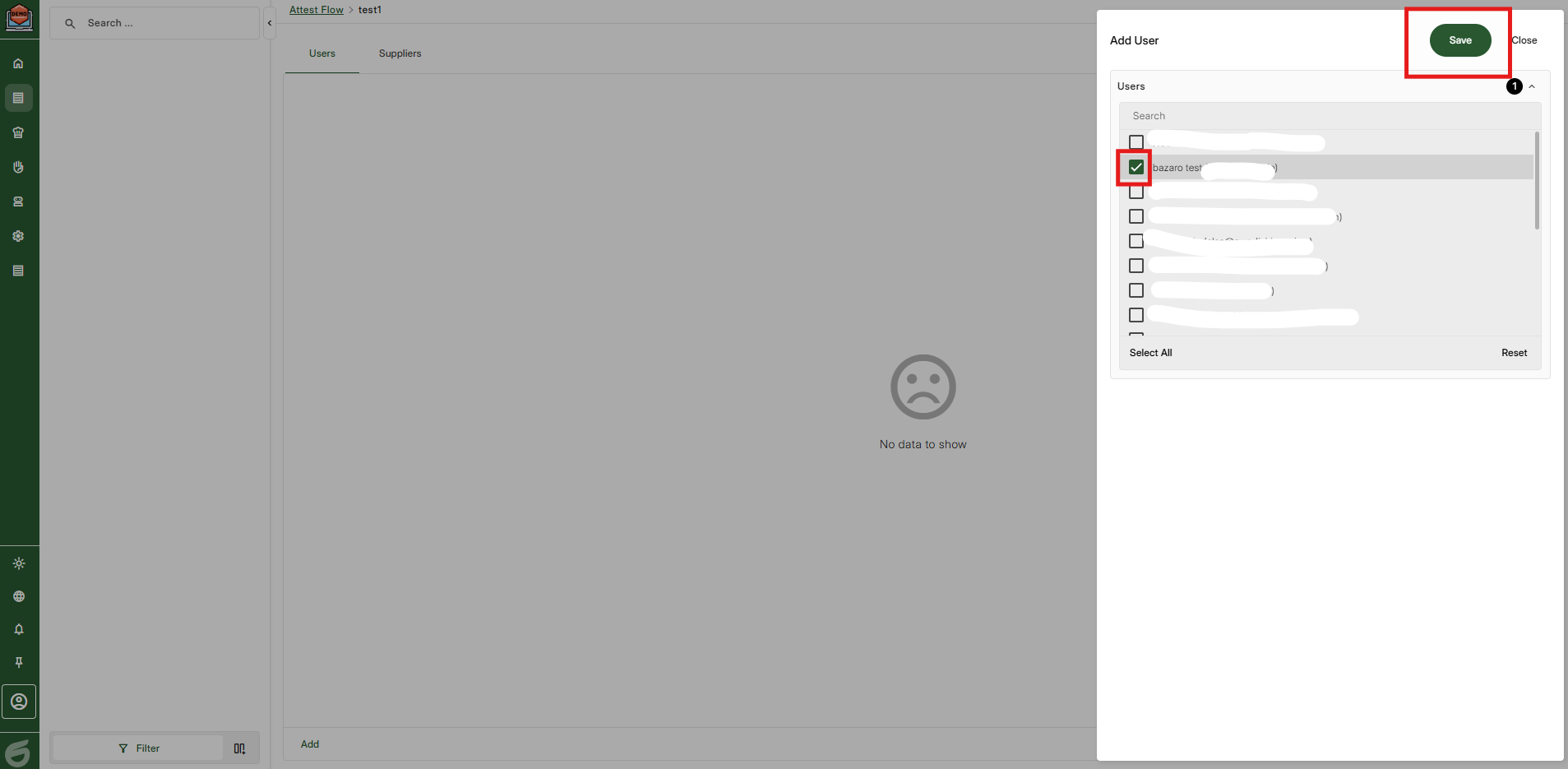
Step 5, Add one or several people to the attestflow by clicking "Add" and then marking the user/users.
Step 6, Click on the row of the added user and choose one person as the final endorser.
Here you can also add a amount limit. Example: Person X should only attest if the amount is over 50 000:- SEK.
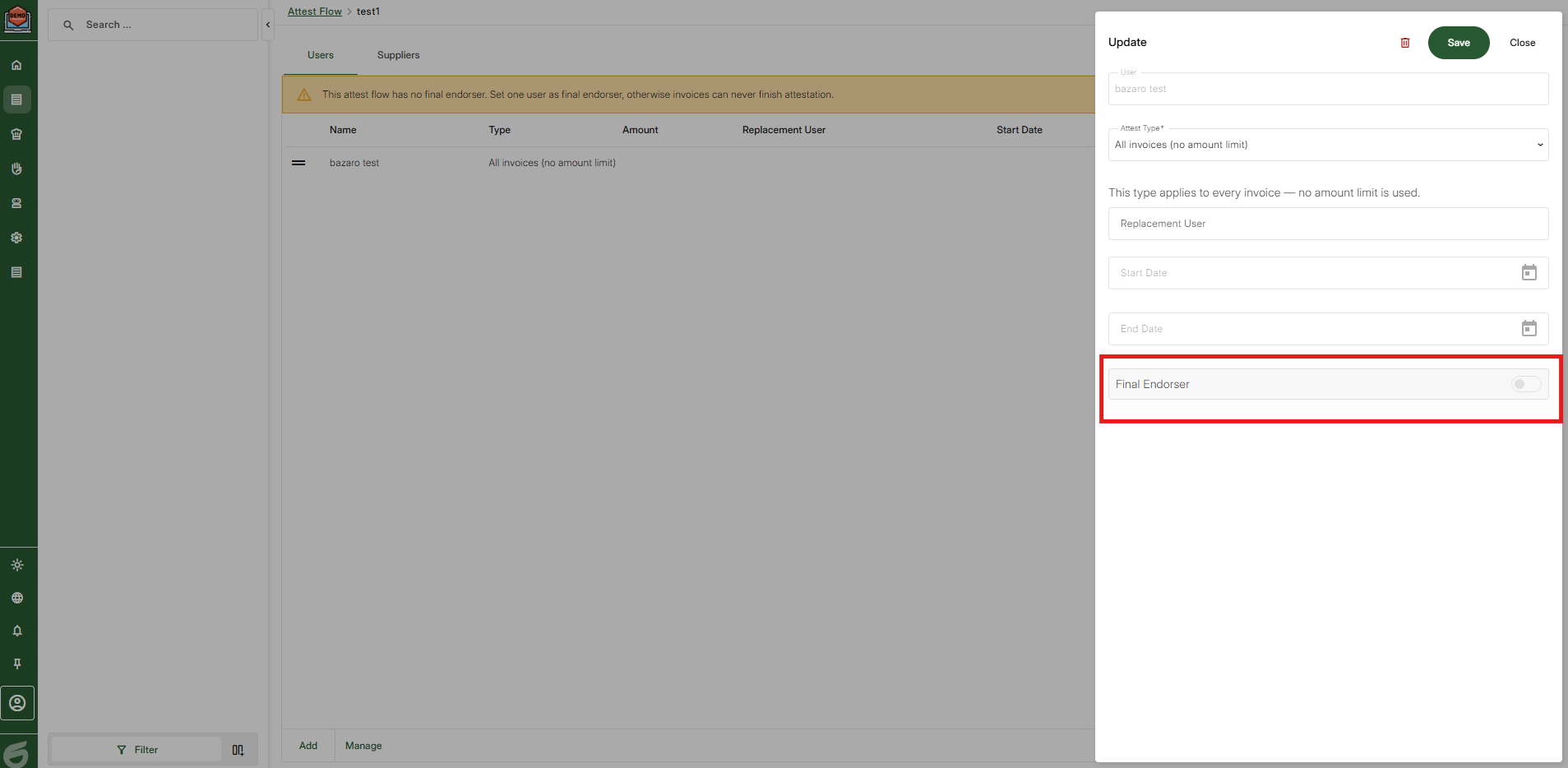
If its "simple" attest flow you can just press save and its finished.
If advanced:
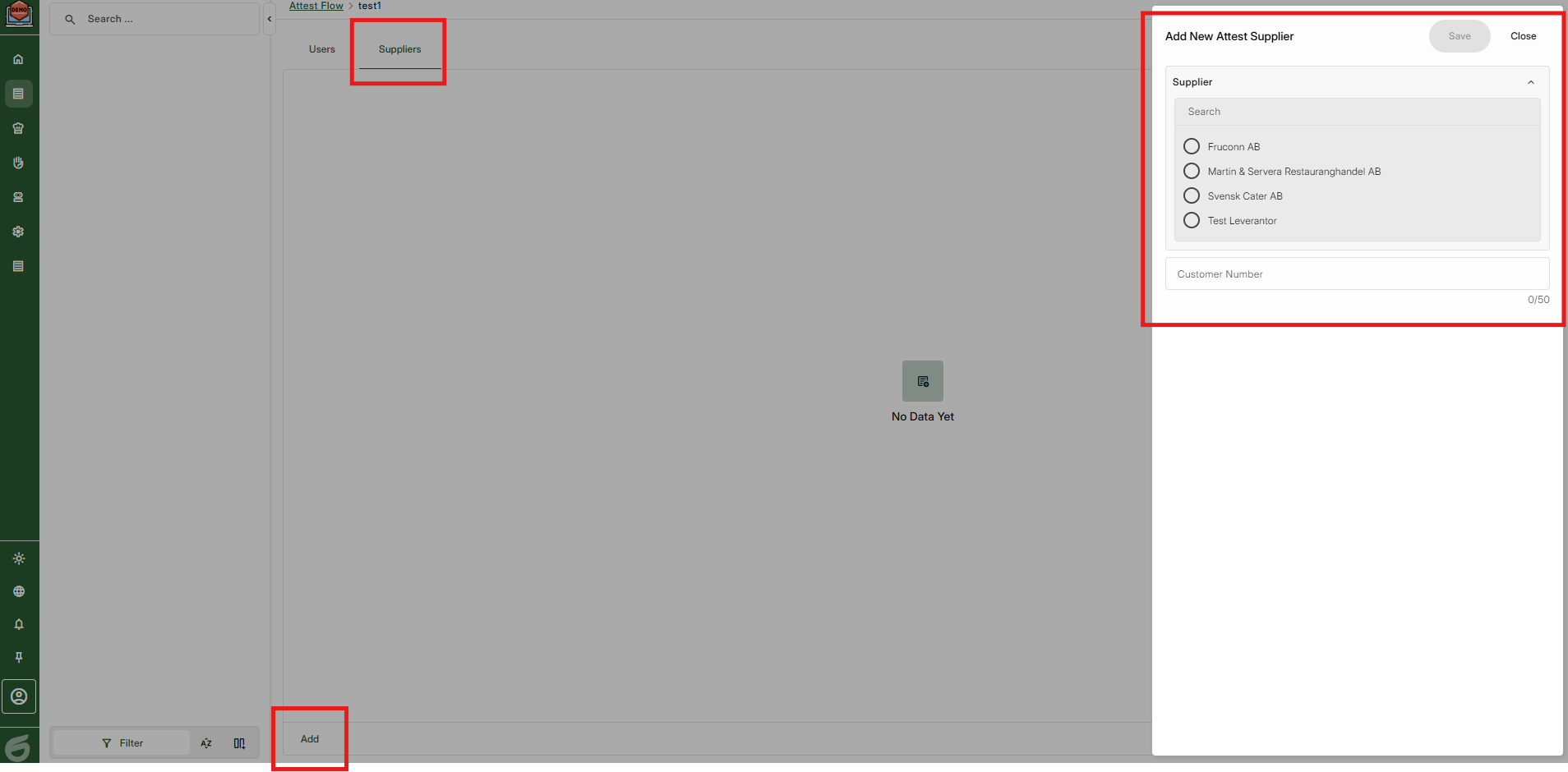
Step 7, Add suppliers and connect customer number if necessary.
This is done by going to Suppliers and then pressing "Add"
**Tips
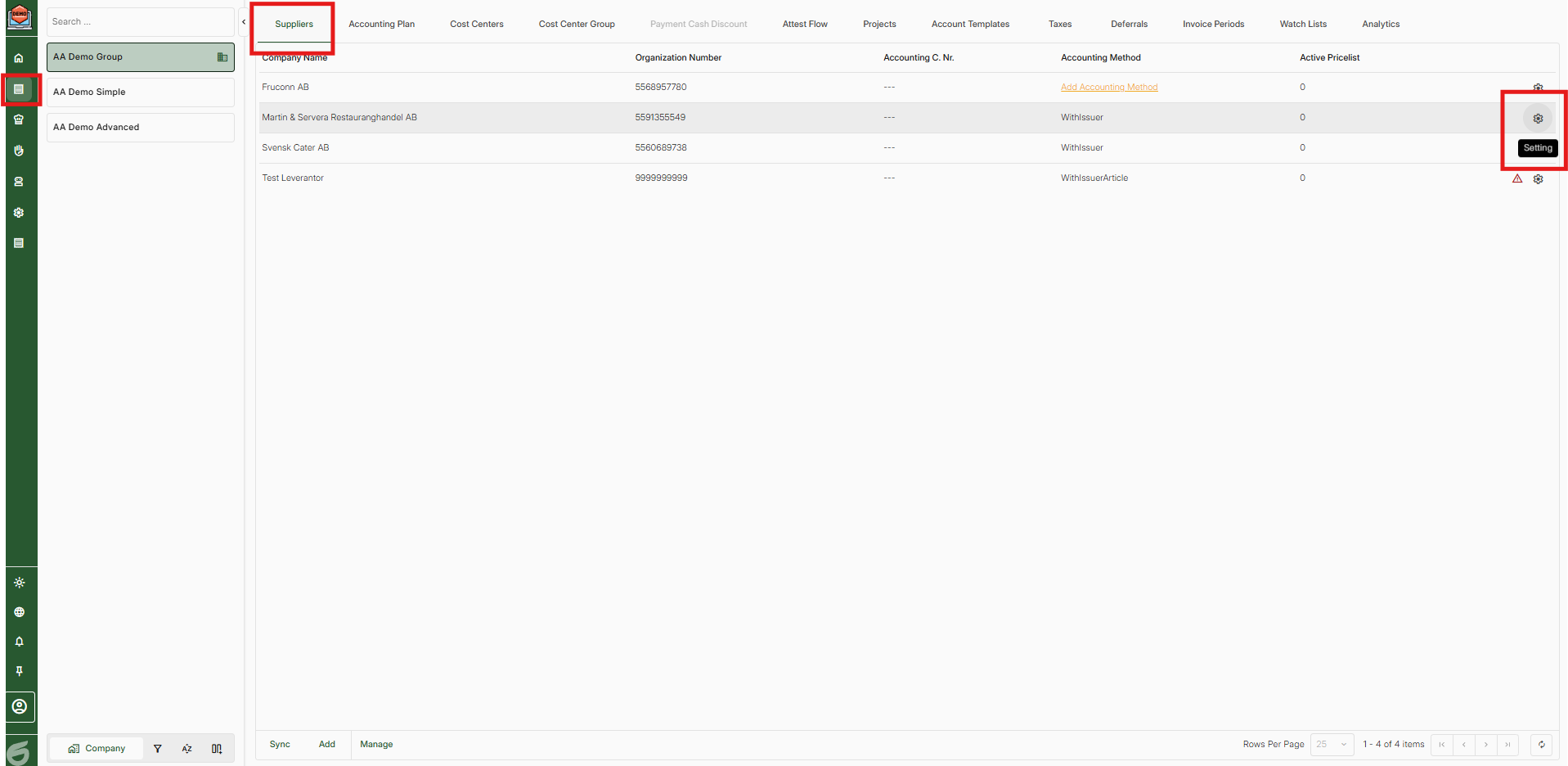
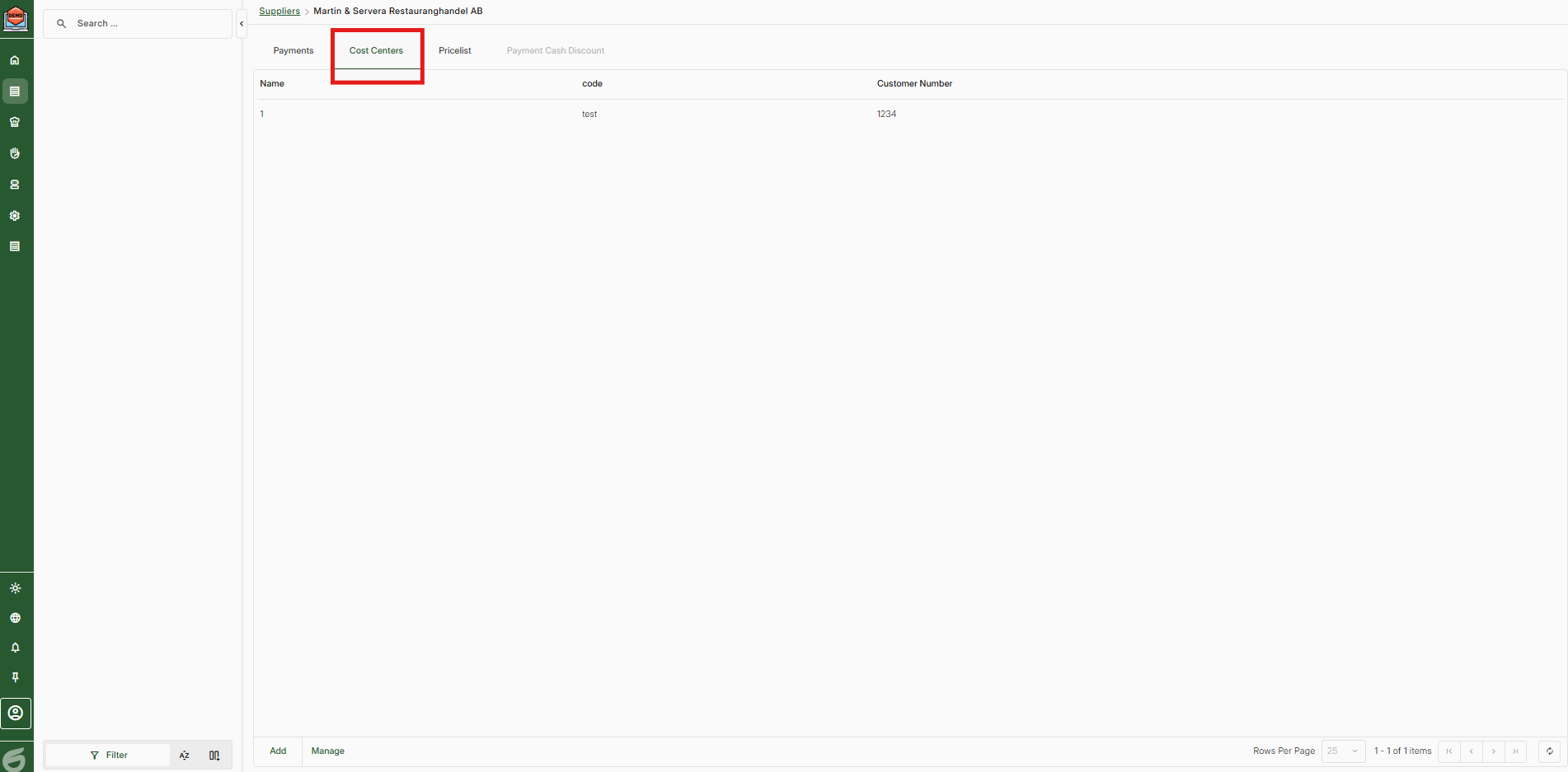
Connected customer numbers for a particular supplier kan easily be found by going to Economy > Settings > Suppliers.
Then click on the settings for the supplier and choose cost centers.
Was this article helpful?
That’s Great!
Thank you for your feedback
Sorry! We couldn't be helpful
Thank you for your feedback
Feedback sent
We appreciate your effort and will try to fix the article