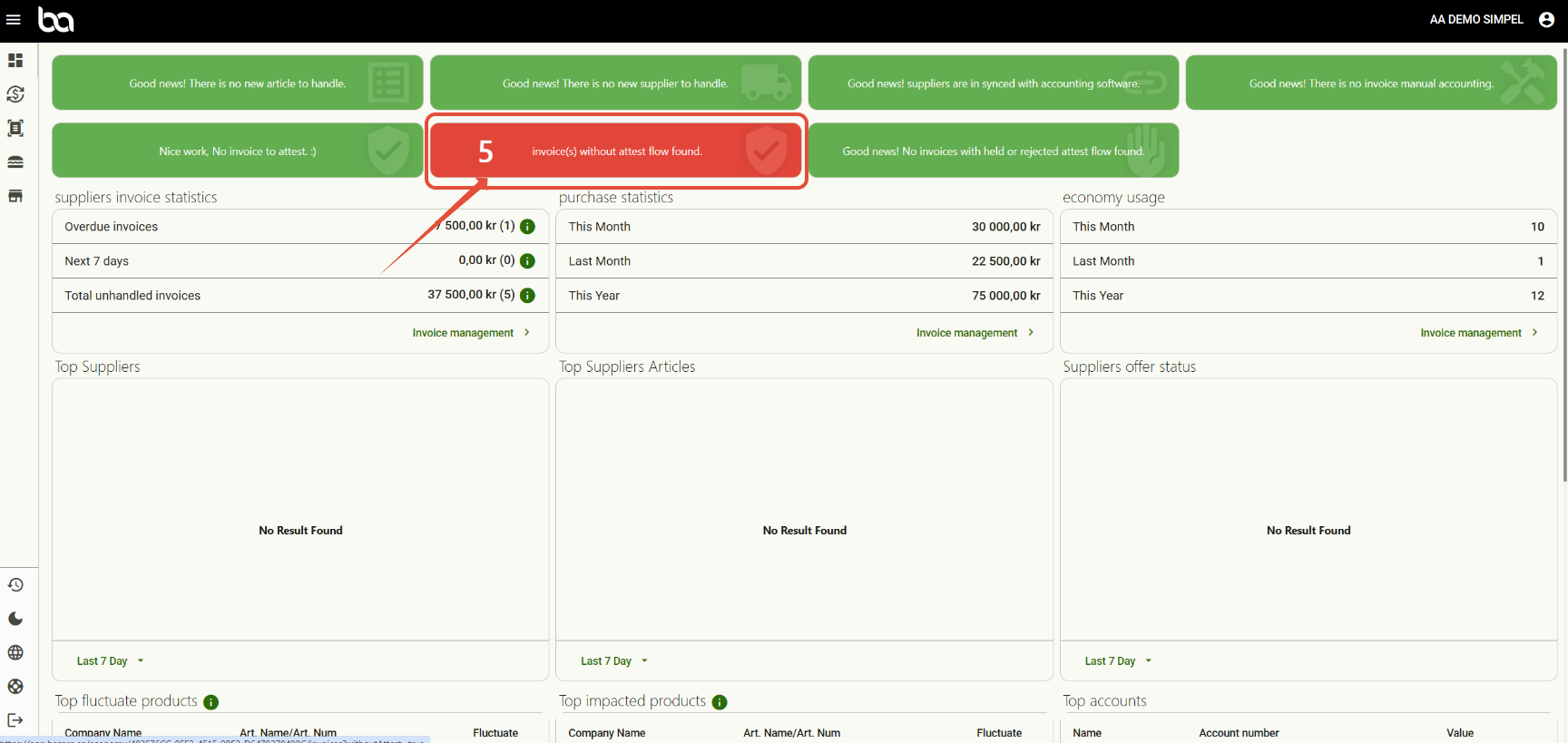
Step 1,
Click on "x amount of invoices withour attestflow found"
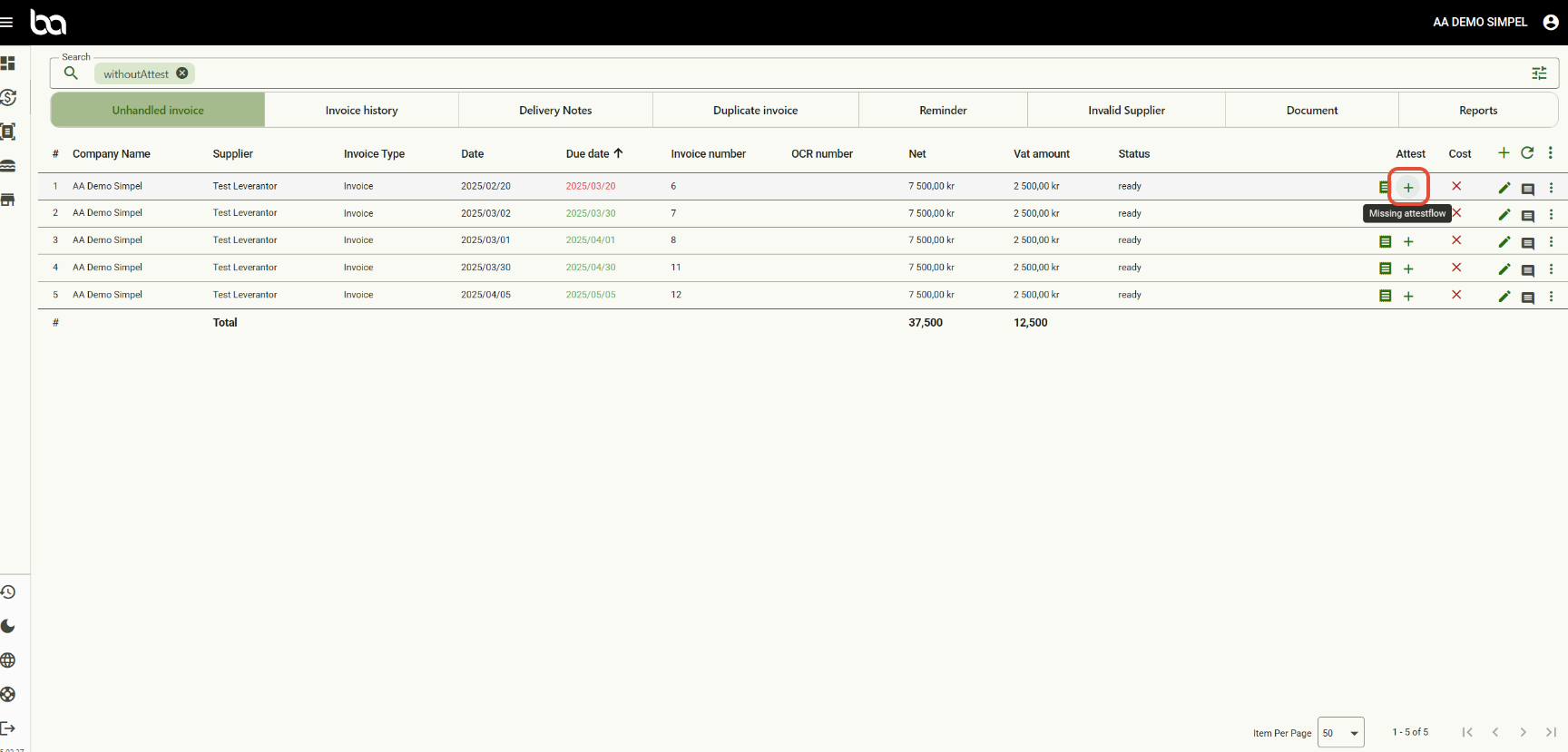
Step 2,
Click on "+", "Missing attestflow"
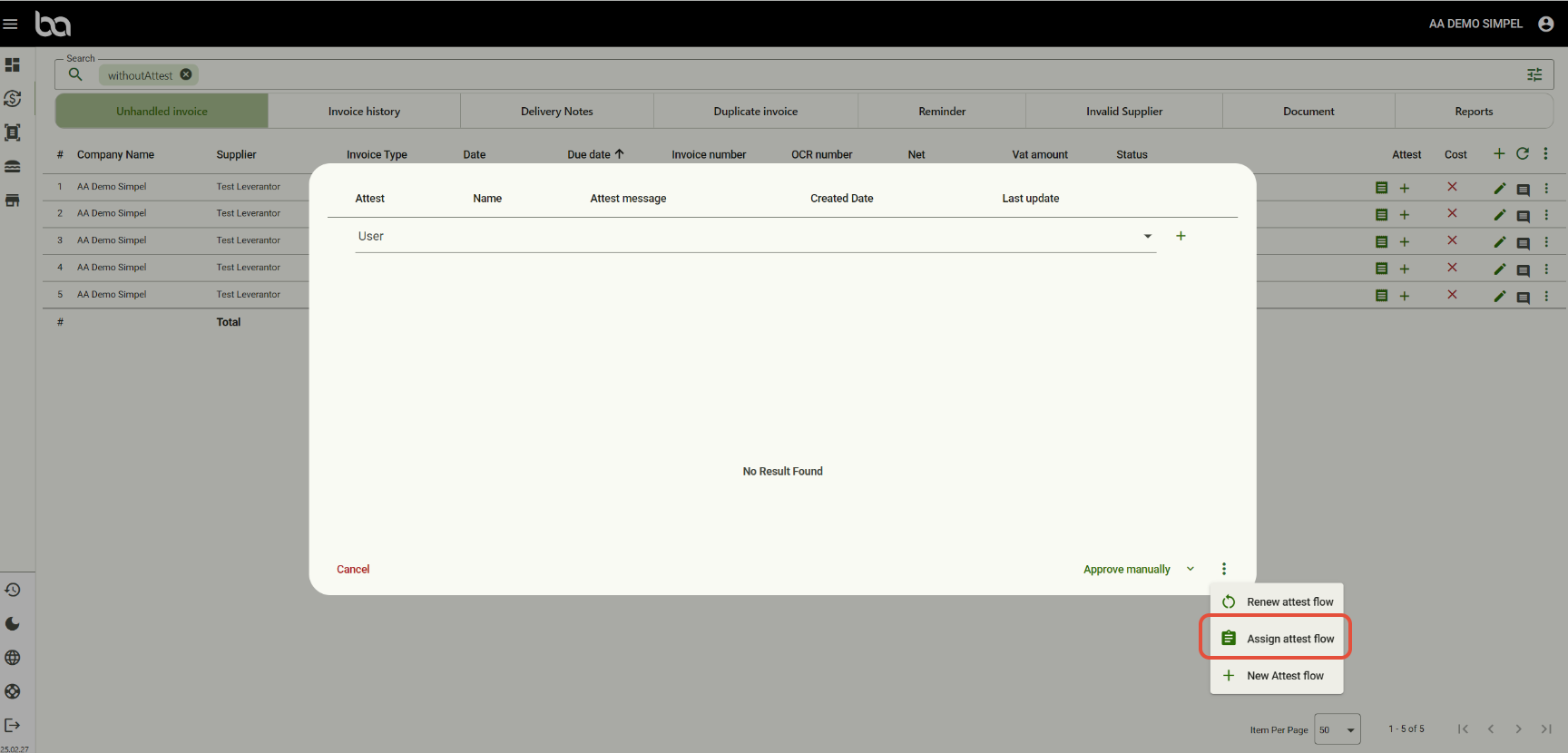
Step 3,
Click on "Assign attestflow"
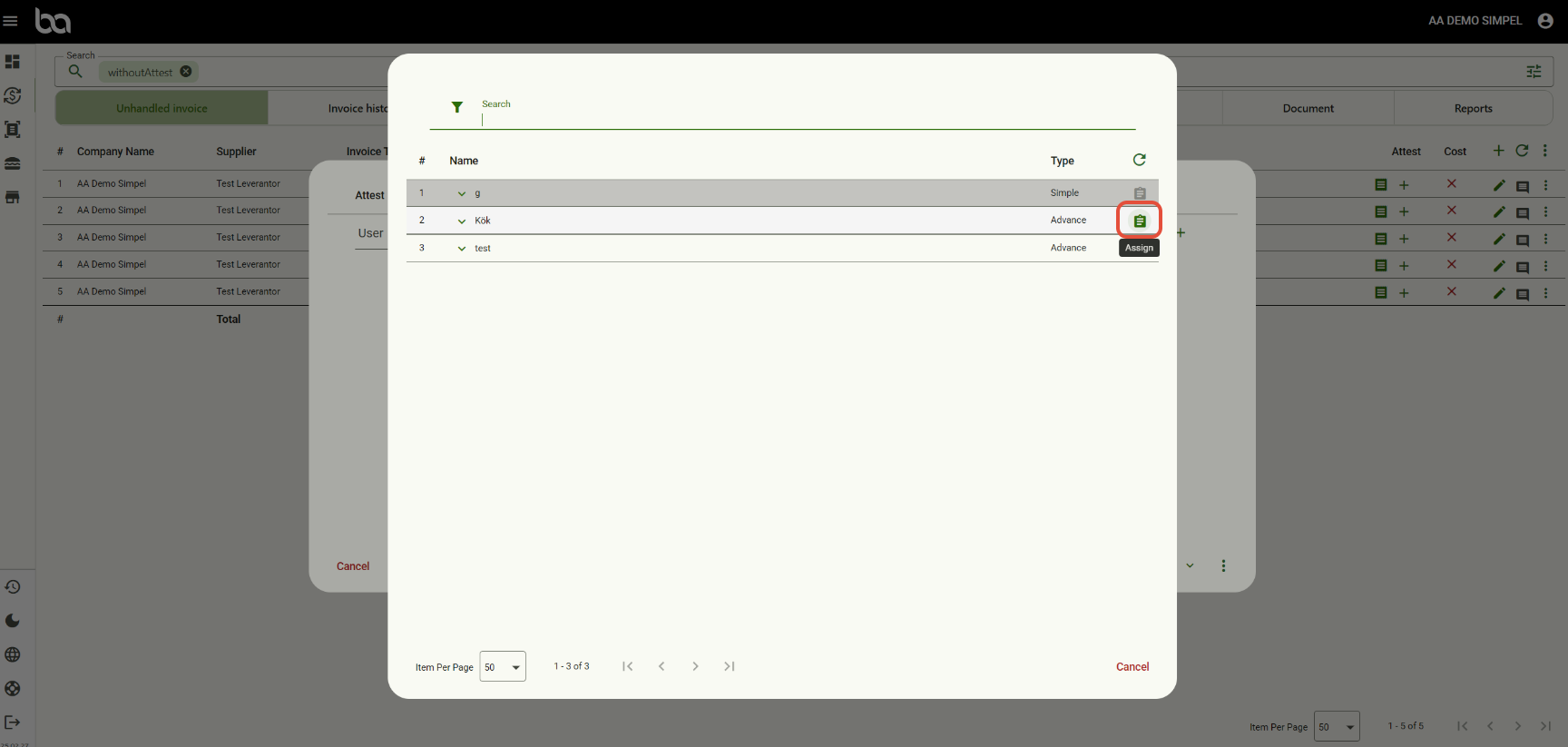
Step 4,
Click on "Assign" for the flow you want to assign to the invoice
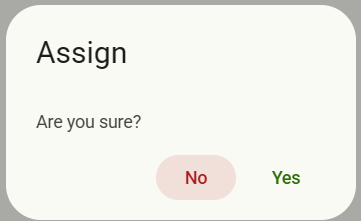
Then click "Yes" if youre sure
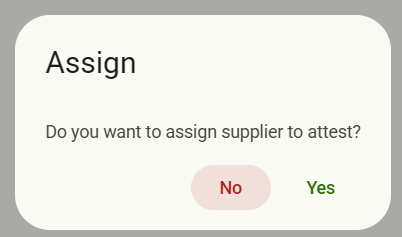
Lastly click "Yes"if you want to link the supplier to this flow for future invoices as well
Step 5,
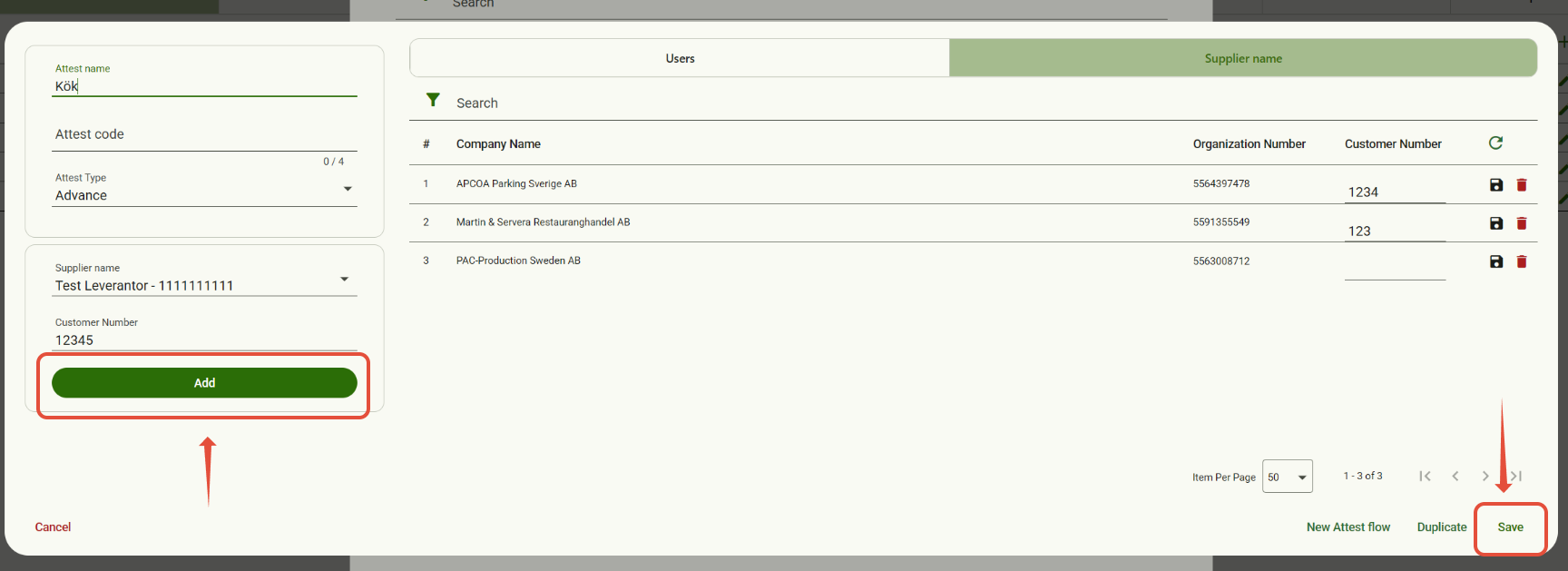
Click on "Add". This will add the supplier with that customer number in the chosen attestflow
Lastly click on "Save"
Step 6,
Now the supplier is linked to the attestflow
Was this article helpful?
That’s Great!
Thank you for your feedback
Sorry! We couldn't be helpful
Thank you for your feedback
Feedback sent
We appreciate your effort and will try to fix the article