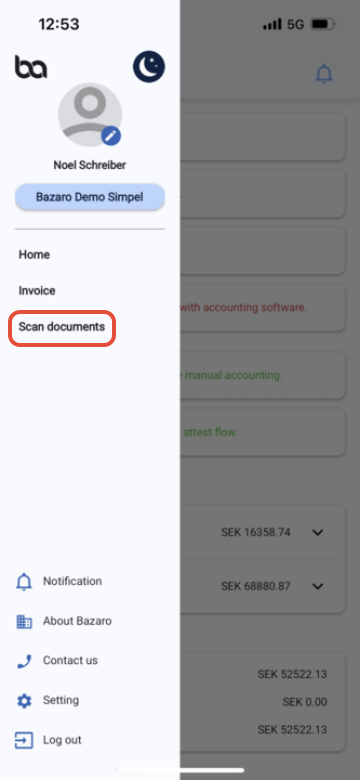
Step 1, Press the three lines at the left corner of the screen

Step 2, Press "Scan documents"
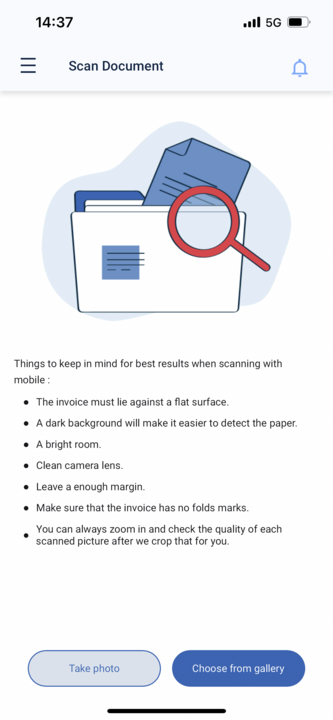
Step 3, Either take a photo of the invoice or choose from gallery if you already have a picture of it.
Was this article helpful?
That’s Great!
Thank you for your feedback
Sorry! We couldn't be helpful
Thank you for your feedback
Feedback sent
We appreciate your effort and will try to fix the article