The best way to process invoices in Bazaro is to email them directly to your Bazaro email adress. But if you cannot wait for Bazaro to process the invoice you can upload it manually.
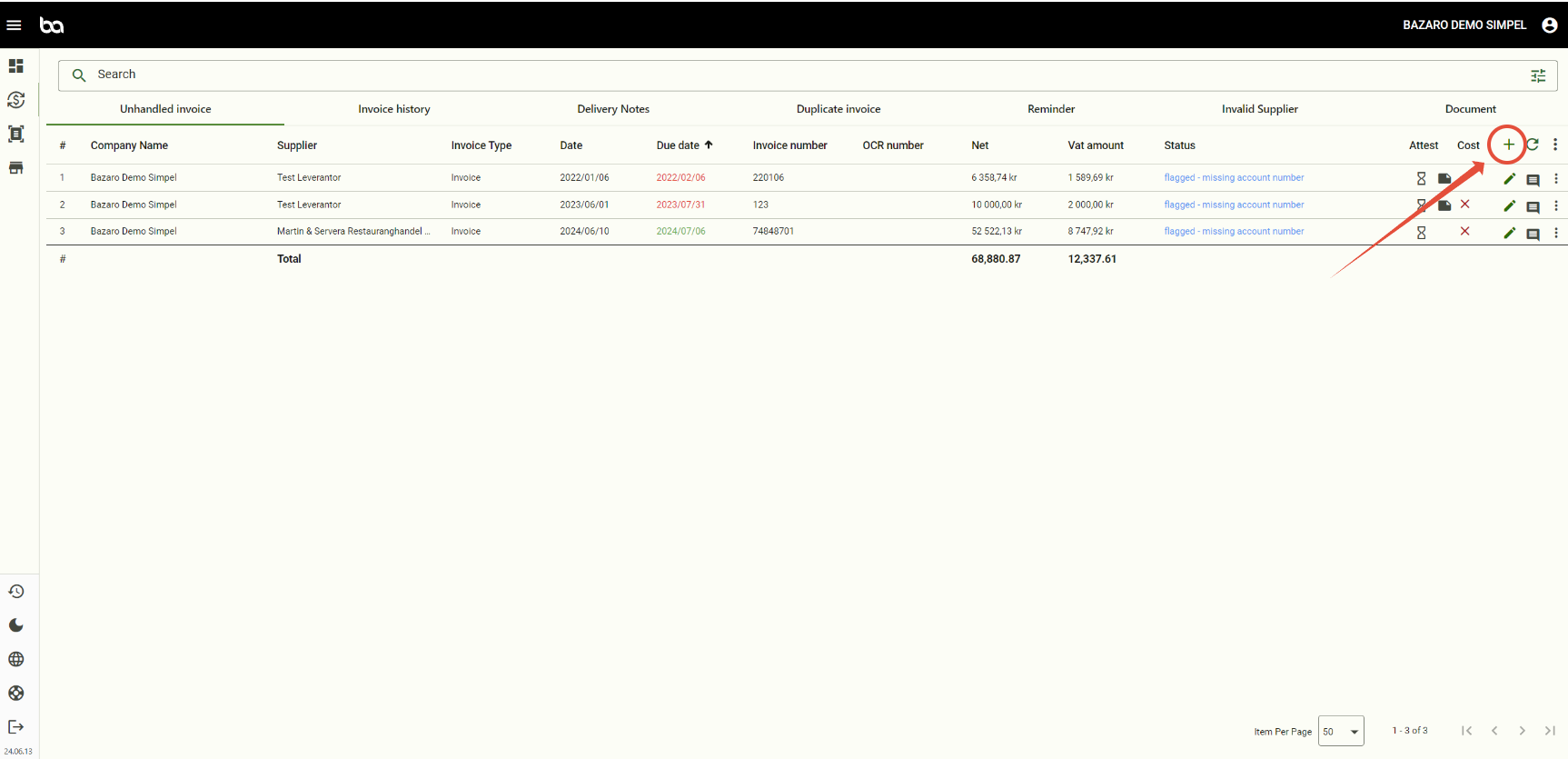
Go to Economy > Invoice management > And then press the + sign > "New invoice"
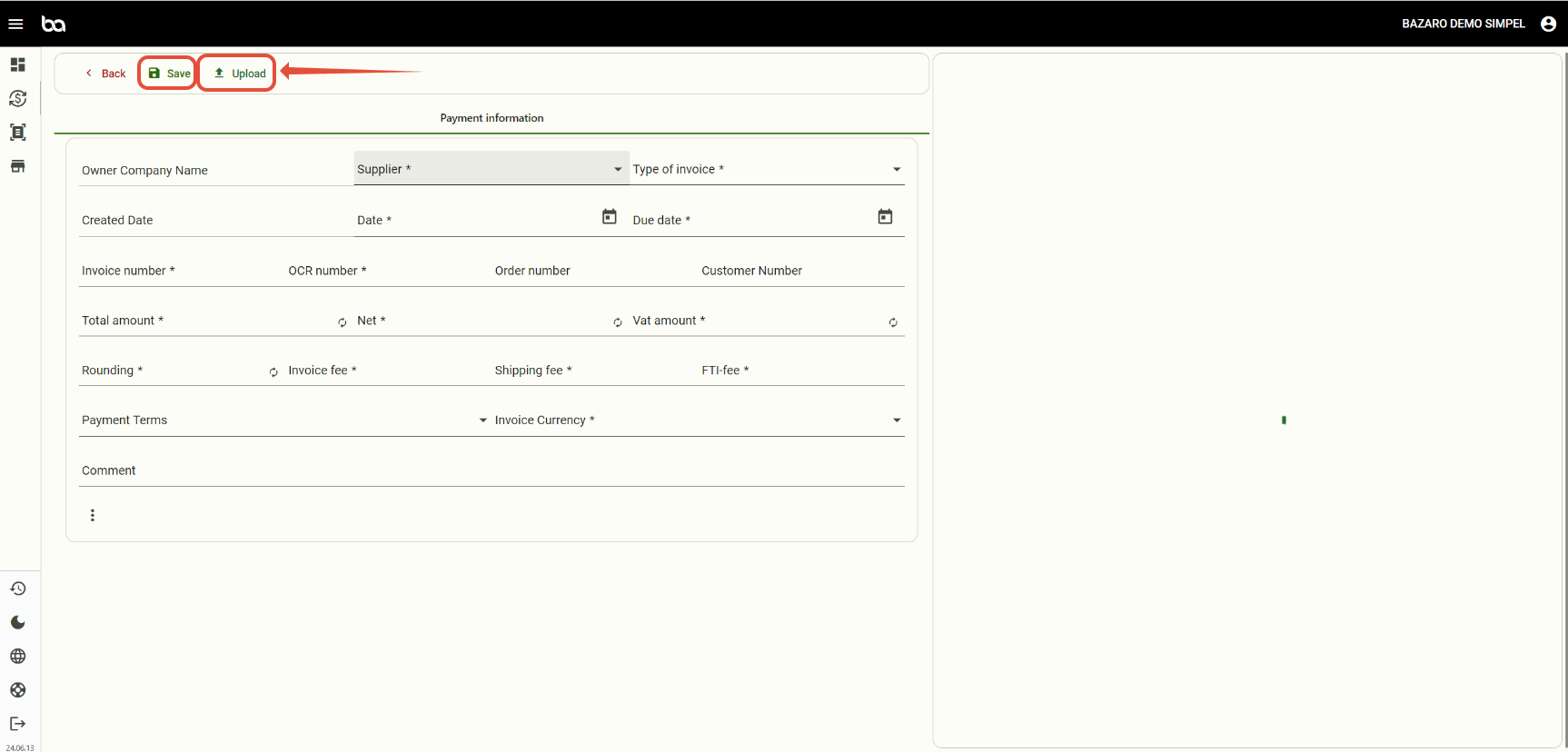
First upload the document and then fill in the required fields. Press Save to upload the invoice.
Was this article helpful?
That’s Great!
Thank you for your feedback
Sorry! We couldn't be helpful
Thank you for your feedback
Feedback sent
We appreciate your effort and will try to fix the article