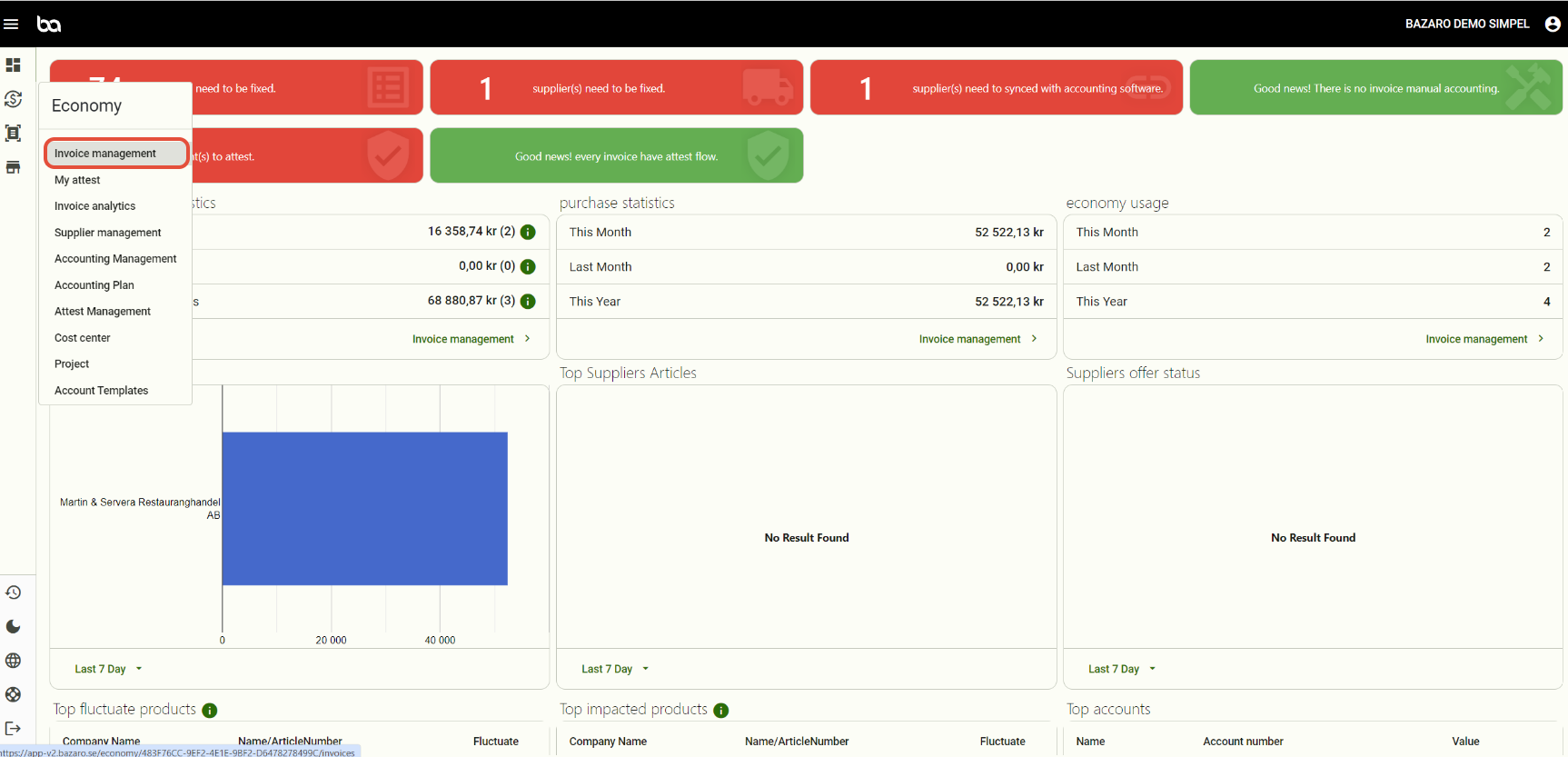
Step 1, Go to Economy -> Invoice management
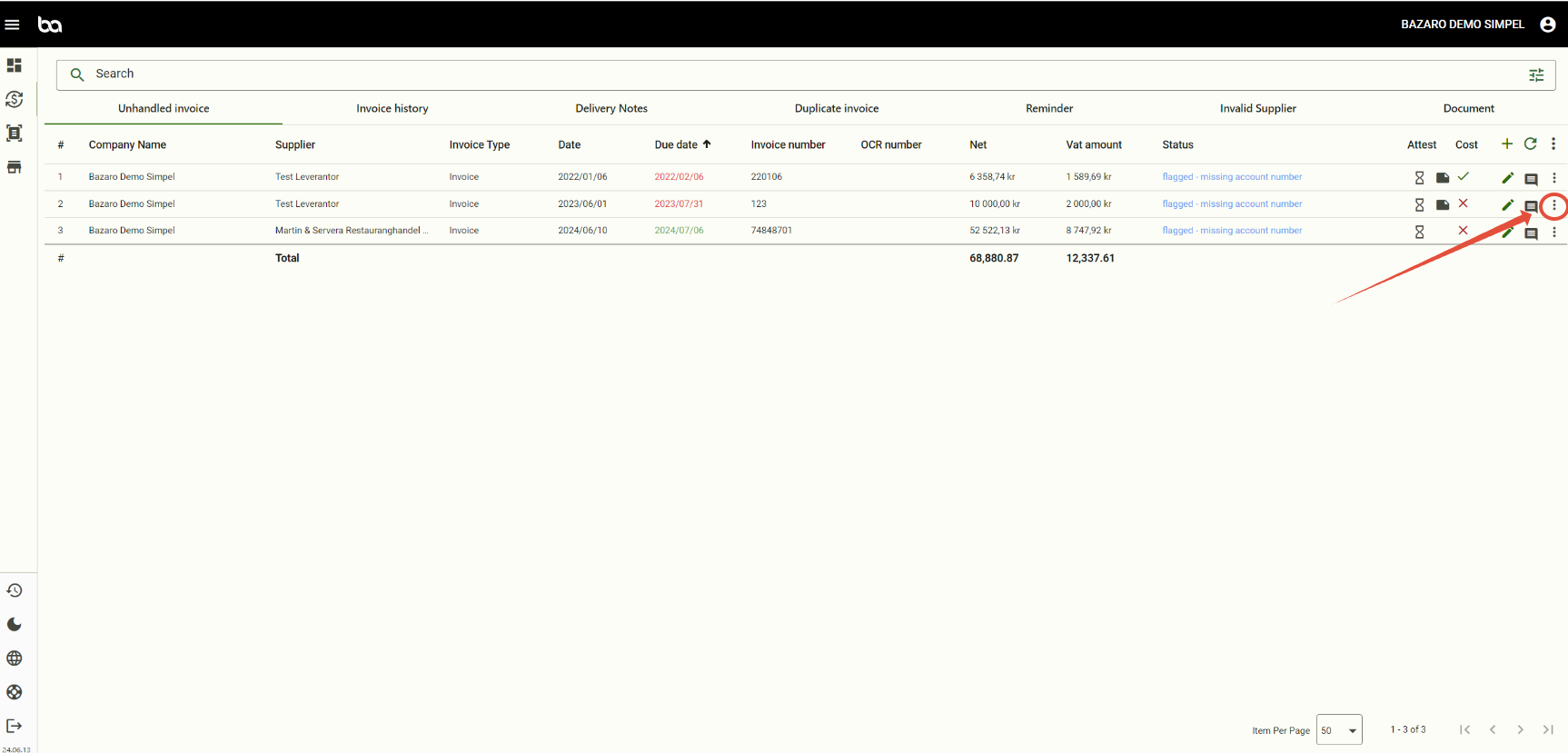
Step, 2 Press the three dots of the invoice you want to remove
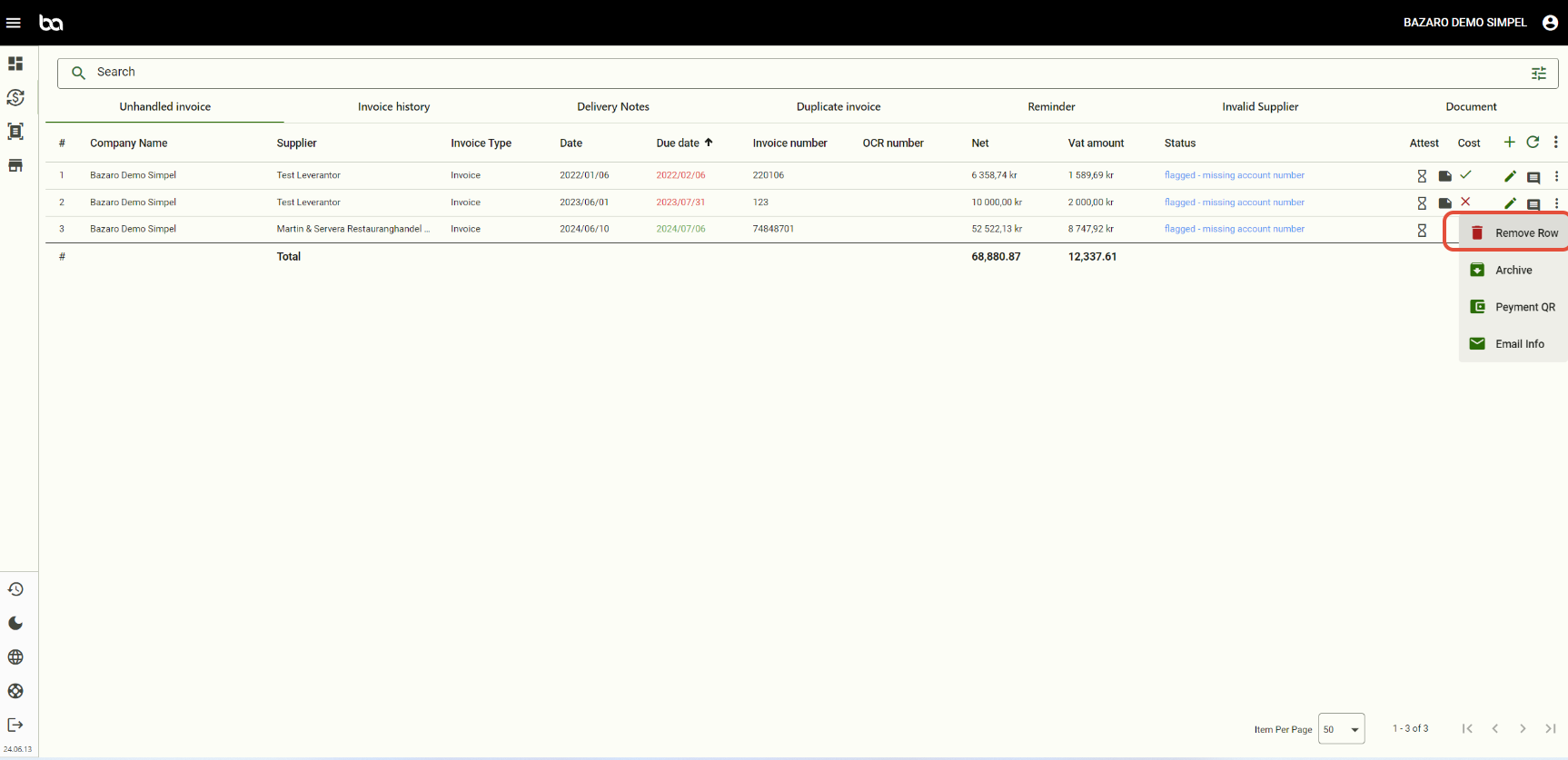
Step 3, Press "remove row"
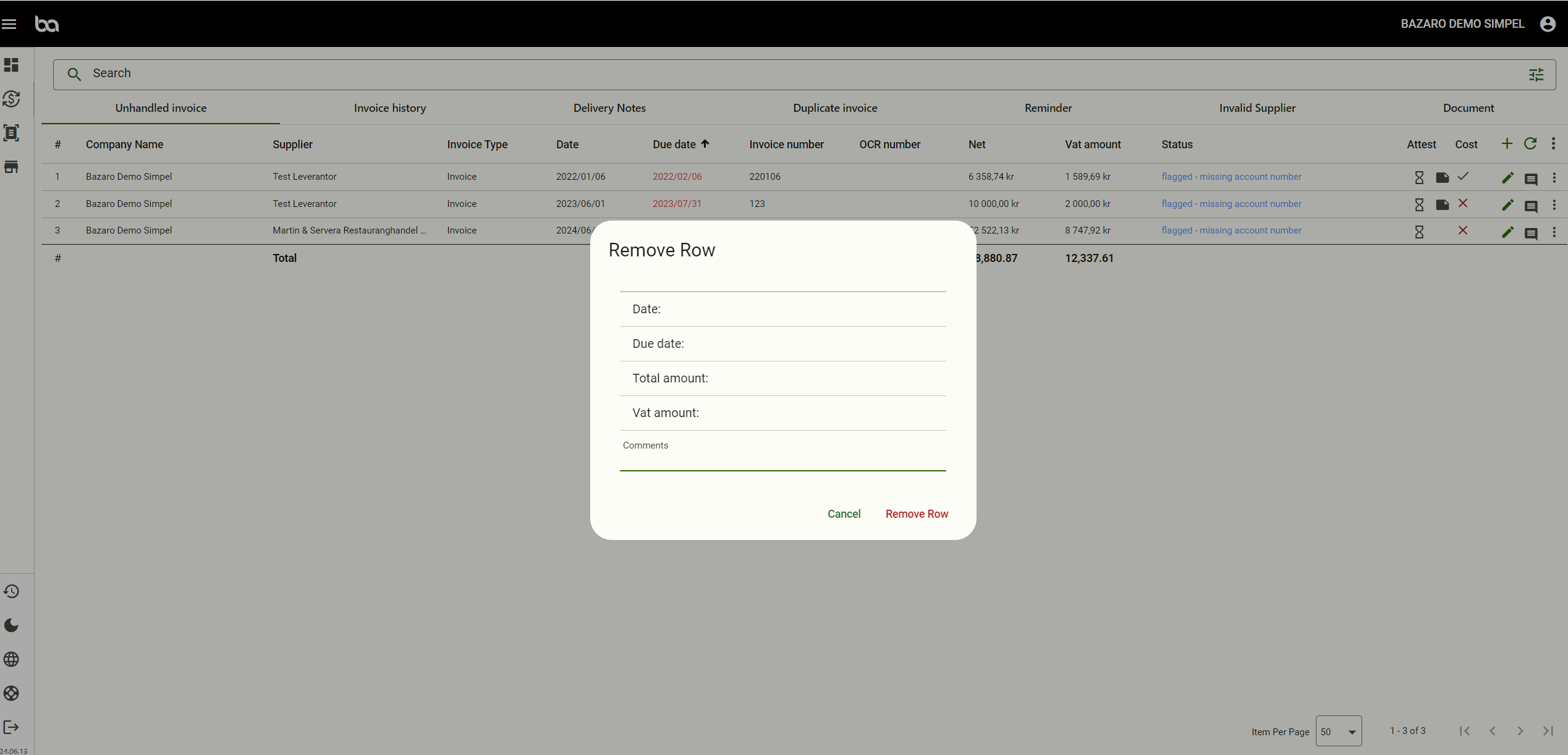
Step 4, Leave a comment why and then delete the invoice. Afterwards you will see the invoice as red under invoice history.
Was this article helpful?
That’s Great!
Thank you for your feedback
Sorry! We couldn't be helpful
Thank you for your feedback
Feedback sent
We appreciate your effort and will try to fix the article