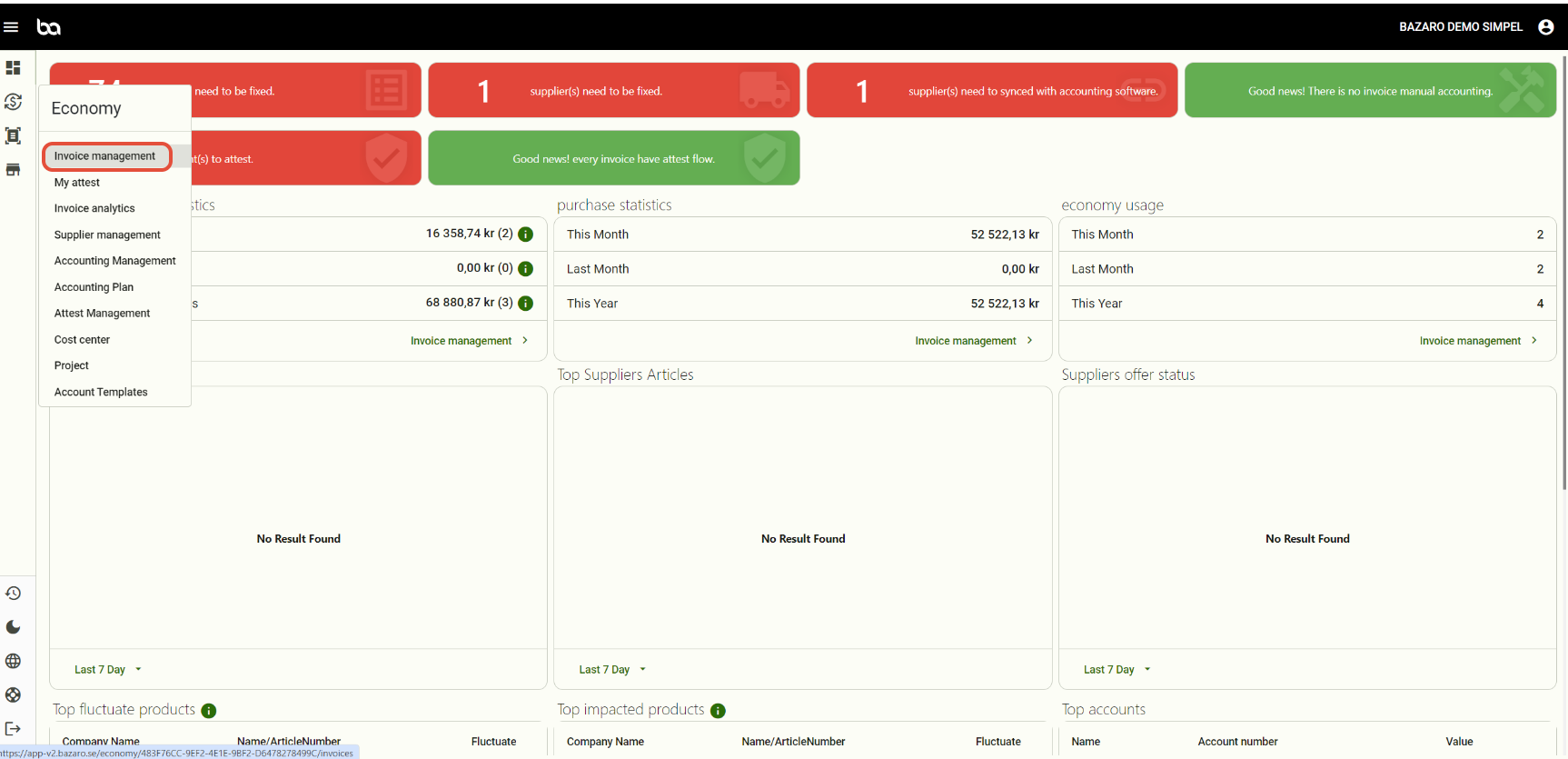
Step 1, Go to Economy -> Invoice management
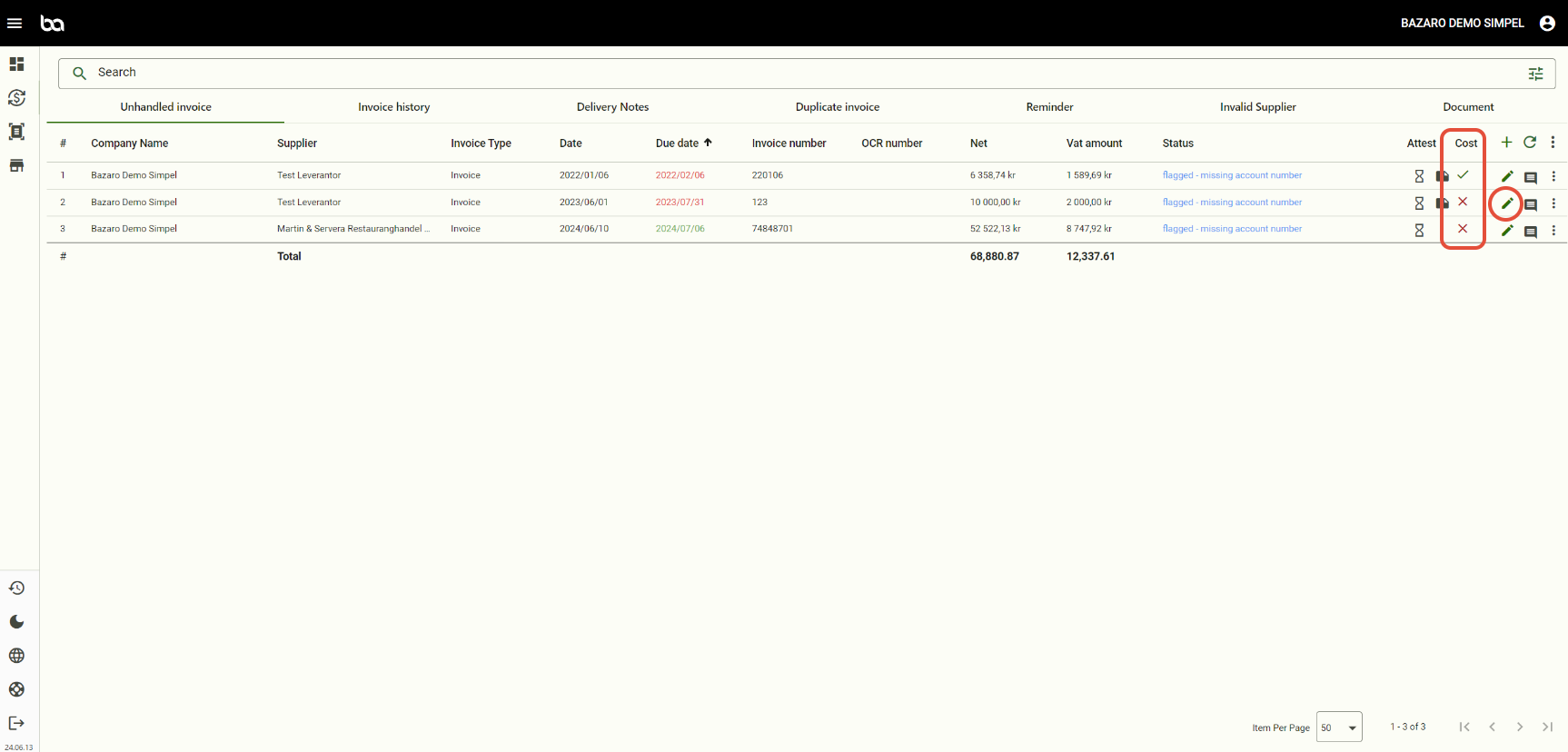
Step 2, Press the pen of the invoice you want to sync cost center and customer number
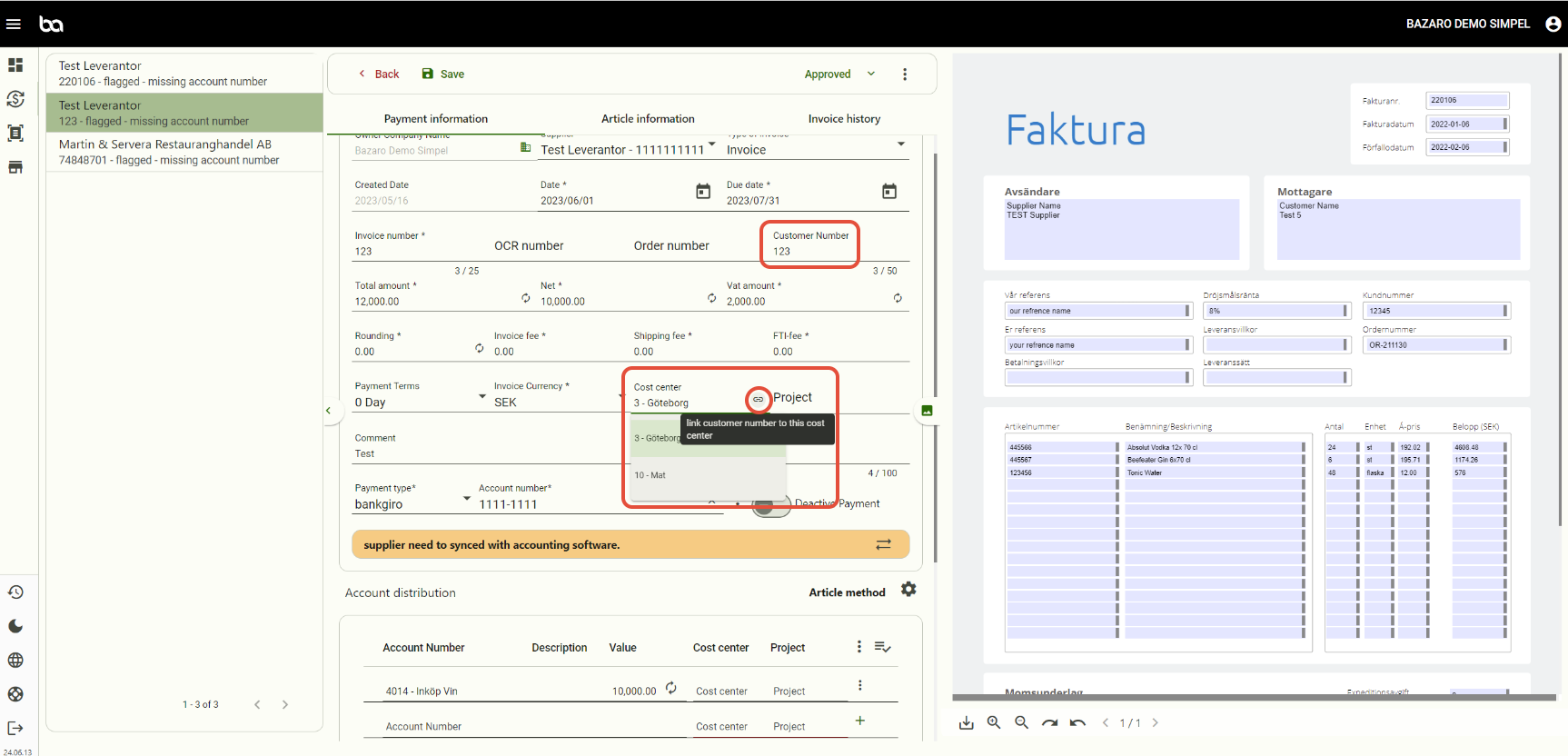
Step 3, Choose the cost center and then press "link customer number to this cost center". This will link the customer number to the chosen cost center for all future invoices.
Then press save.
Was this article helpful?
That’s Great!
Thank you for your feedback
Sorry! We couldn't be helpful
Thank you for your feedback
Feedback sent
We appreciate your effort and will try to fix the article