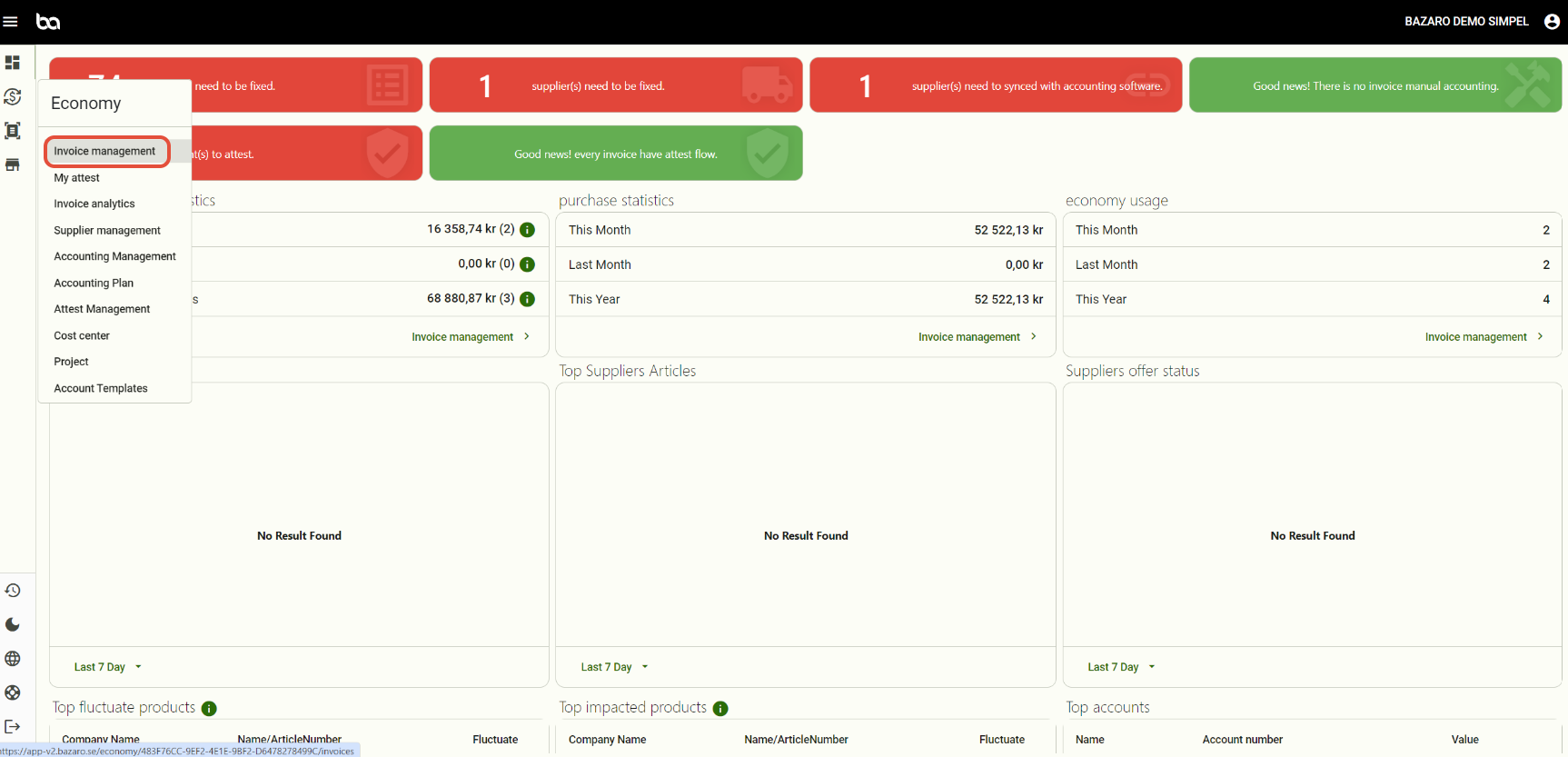
Step 1, Go to Economy -> Invoice management
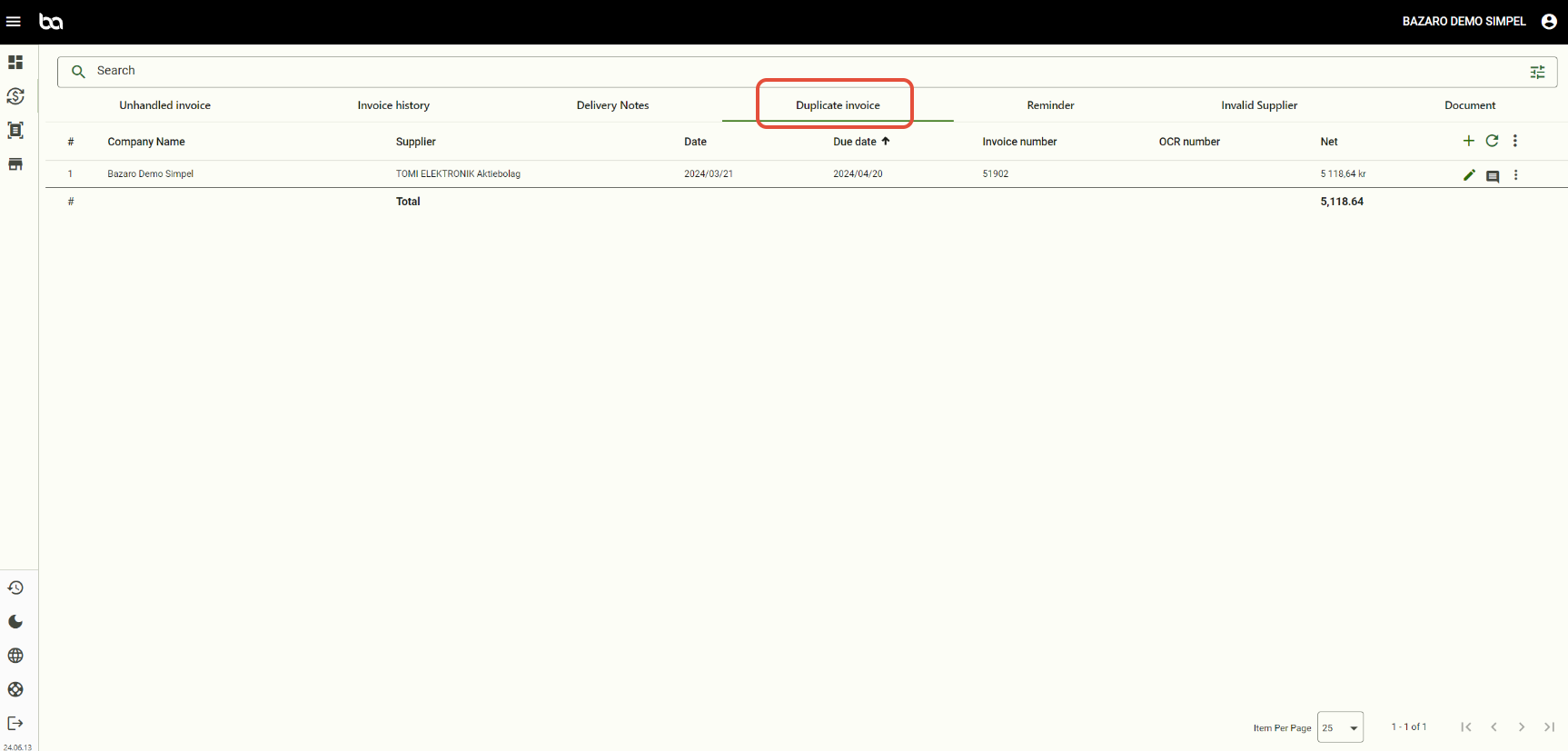
Step 2, Press "Duplicate invoice"
Step 3, Press the three dots and then either remove the invoice if its a duplicate or press "Move to unhandled" if you want to process the invoice.
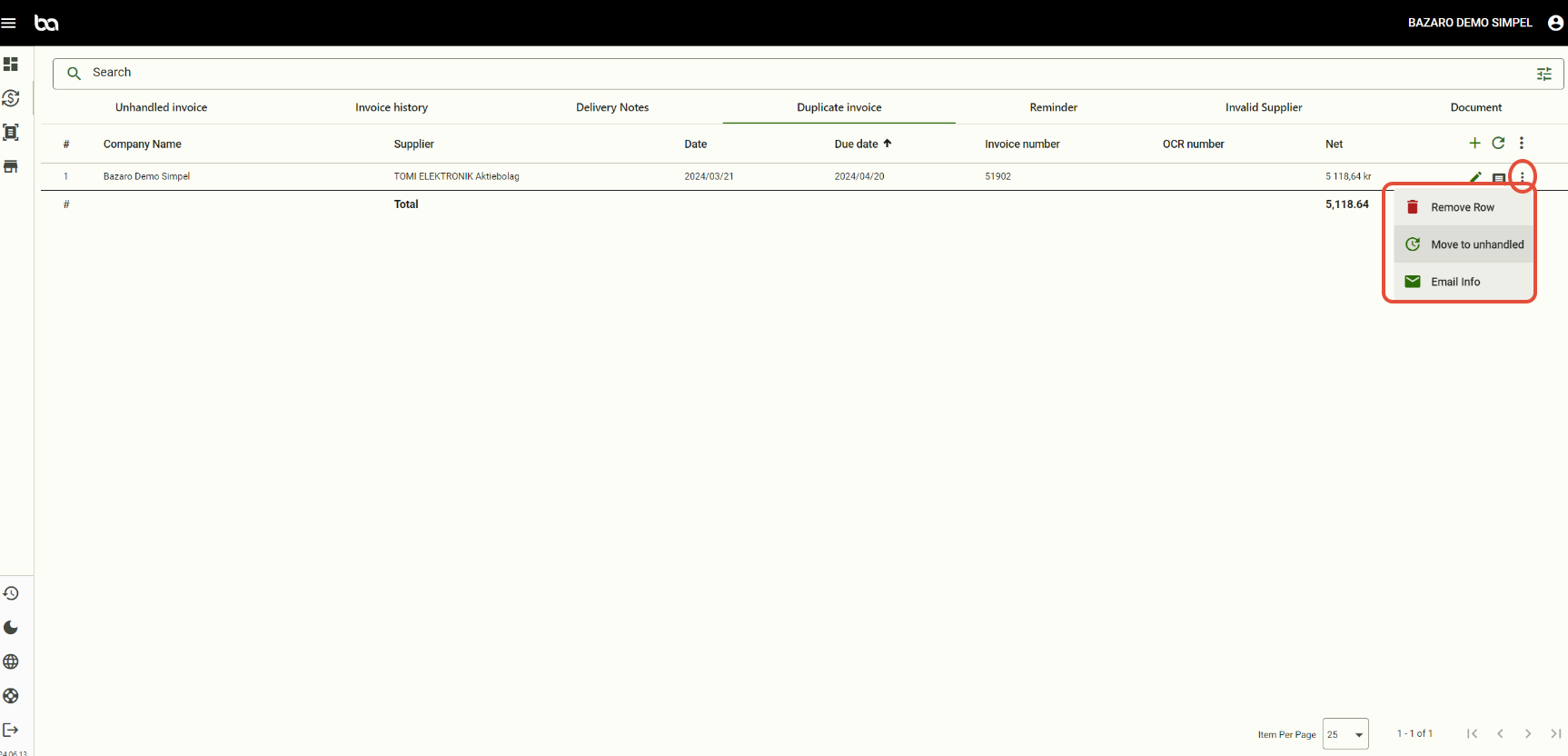
When an invoice is under Duplicate it means we can already find the same invoice number/ocr in the system. You need to check if it's the same invoice twice or if a supplier is using the same invoice number every time.
Was this article helpful?
That’s Great!
Thank you for your feedback
Sorry! We couldn't be helpful
Thank you for your feedback
Feedback sent
We appreciate your effort and will try to fix the article