The standard company in Bazaro is the company that you are automatically logged into when you log into Bazaro. If you are only part of one company, this is not applicable.
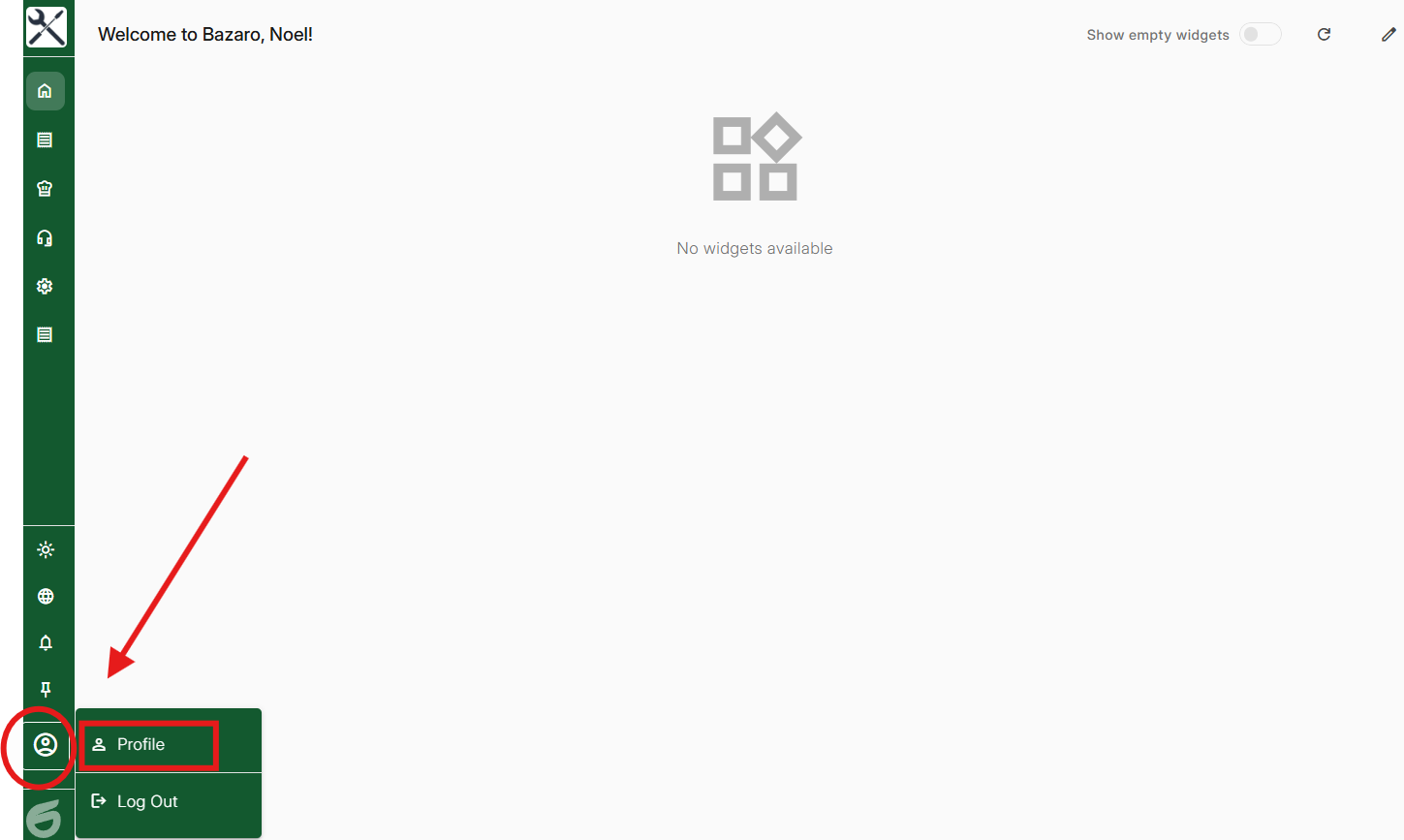
Step 1, Press your profile and then your icon
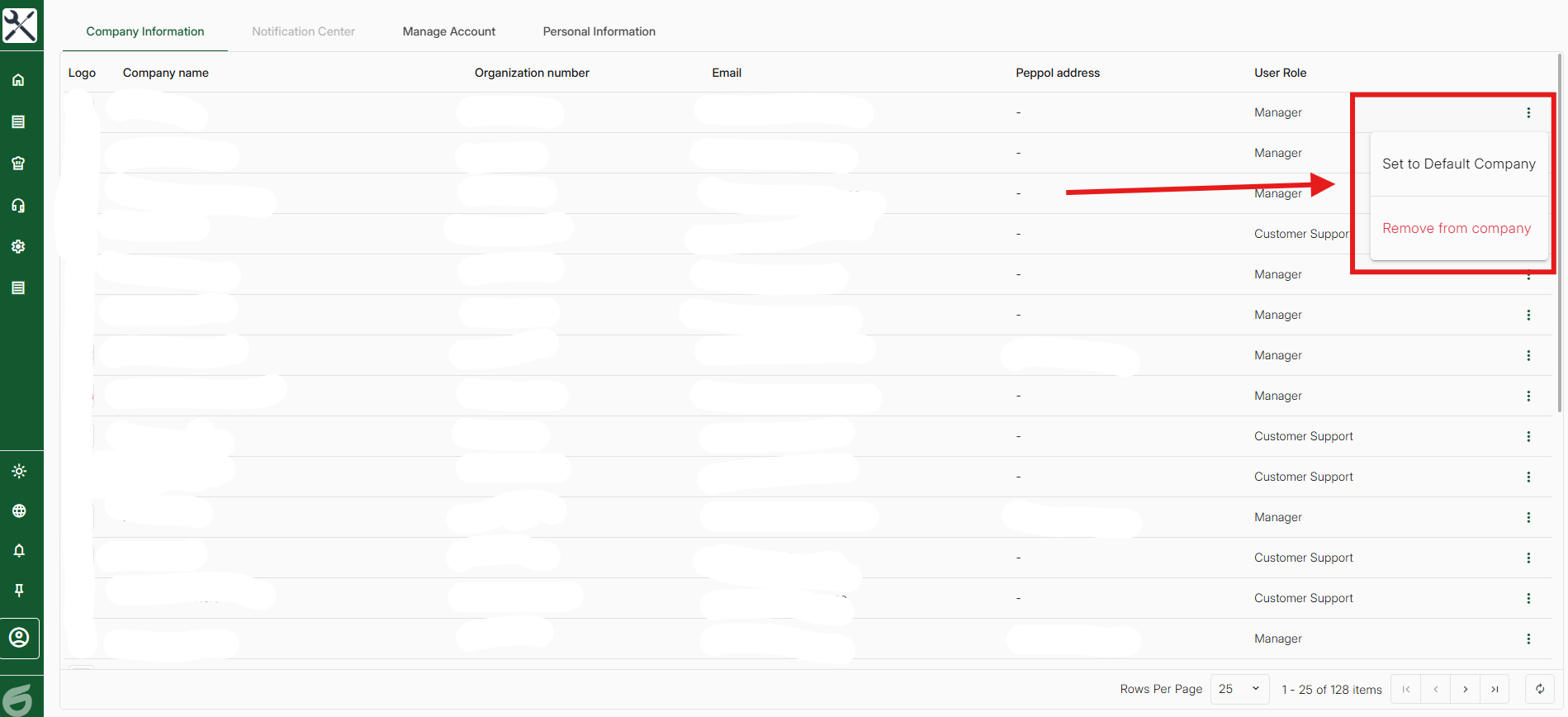
Step 2, Select the company you wish to be your standard company by clicking on the three dots and then "Set to Default Company".
Was this article helpful?
That’s Great!
Thank you for your feedback
Sorry! We couldn't be helpful
Thank you for your feedback
Feedback sent
We appreciate your effort and will try to fix the article